English - 20
Channel
Channel List
Auto Store
Manual Store
Fine Tune
Signal Strength
LNA : On
1 ♥ 7HD Digital
2 ♥ 7Digital 1
3 ♥ 7Digital 2
4 ♥ 7Digital 3
ATV0 C1
ATV1 C2
ATV2 C3
ATV3 C4
ATV4 C5
Added Channels
Zoom
Select
Option
1 ♥ 7HD Digital
2 ♥ 7Digital 1
3 ♥ 7Digital 2
4 ♥ 7Digital 3
ATV0 C1
ATV1 C2
ATV2 C3
ATV3 C4
ATV4 C5
Added Channels
Zoom
Select
Option
Delete
Delete from Favourite
Timer Viewing
Channel Name Edit
Device List
Picture Size : 16:9
Picture Mode : Dynamic
Sound Mode : Standard
Sleep Timer : Off
Delete from Favourite
Auto Store
Move
Enter
TOOLS
BN68-01314A-00Eng.indd 20 2007-07-26 ¿ÀÈÄ 11:40:12
Setting Your Favourite Channels
You can set channels you watch frequently as favourites.
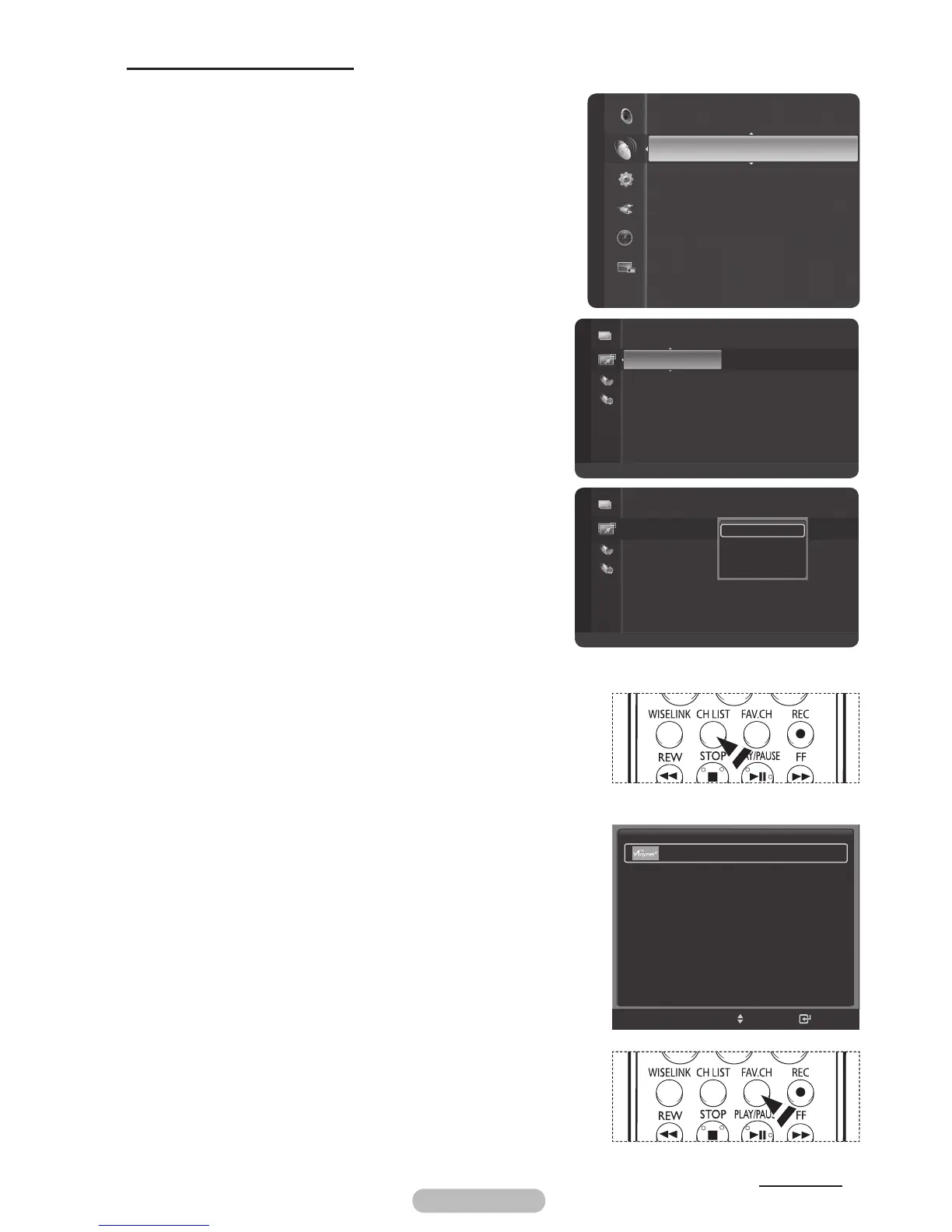
1 Press the MENU button to display the menu.
2 Press the ▲ or ▼ button to select Channel, then press
the ENTER/OK button.
3 Press the ▲ or ▼ button to select Channel List, then
press the ENTER/OK button.
4 Press the button to select Added Channels.
5 Press the button to select Favourite,then press the
ENTER/OK button. You can view all favourite channels.
6 Press the button to select Added Channels,
then press the ENTER/OK Button.
7 Press the ▲ or ▼ button to select a channel as a favourite
channel, then press the blue button.
8 Press the ▲ or ▼ button to select
Add to Favourite, then
press the ENTER/OK button.
The “♥” symbol will be displayed and the channel will be
set as a favourite.
9 To cancel your favourite channel selection, press the blue
button when a favourite channel is selected. Press the ▲
or ▼ button to select
Delete from Favourite, then press
the ENTER/OK button. The channel is deleted from
Favourites and the “♥” mark also disappears.
10 Press the EXIT button to exit.
➢
You can also Add or Delete a channel from Favourites in
the All Channels menu in the same manner.
➢
Only memorized channels can be set as favourite
channels.
➢
All favourite channels will be shown on Favourite menu.
➢
You can select these options simply by pressing the CH
LIST button on the remote control.
Easy Setting
1 Press the TOOLS button on the remote control.
2 Press the ▲/▼ button to select
Add to Favourite or
Delete from Favourite
, then press the ENTER/OK
button. The current channel is added to or deleted from
Favourites.
➢
To select the favourite channels you have set up, press the
FAV.CH
button on the remote control.
Continued...
▲ or ▼
▲ or ▼
◄



 To Next Page