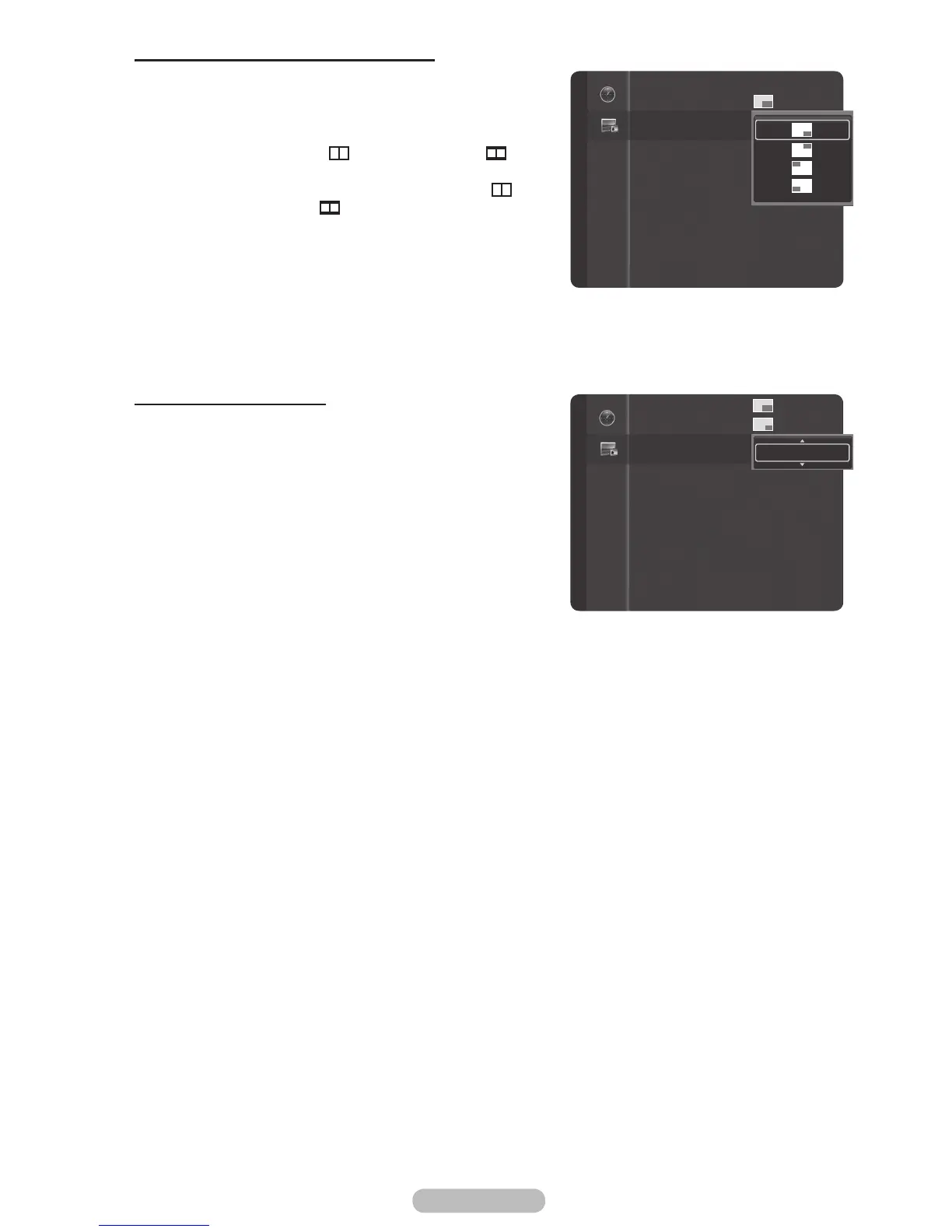
Changing the Position of the PIP Window
5 Press the ▲ or ▼ button to select Position, then press
the ENTER/OK button.
Press the ▲ or ▼ button to select the desired PIP window
position, then press the ENTER/OK button.
➢
In Double Window (
) and Double Wide (
)
modes, Position cannot be selected.
➢
If the PIP window is set to Double Window (
) or Double Wide (
) mode, the screen size or
alignment may slightly differ depending on the signal
type.
Changing the PIP Channel
6 Press the ▲ or ▼ button to select Channel, then press
the ENTER/OK button.
Press the ▲ or ▼ button at the bottom of the remote to
select the desired channel in the PIP window, then press
the ENTER/OK button.
➢
The channel can be active when the sub picture is
set to TV.
7 Press the EXIT button to exit.
PIP : On
Size :
Position :
Channel : Cable 3
PIP
PIP
Size :
Position :
Channel : Cable 3
ATV3



 To Next Page