Introduction_ 26
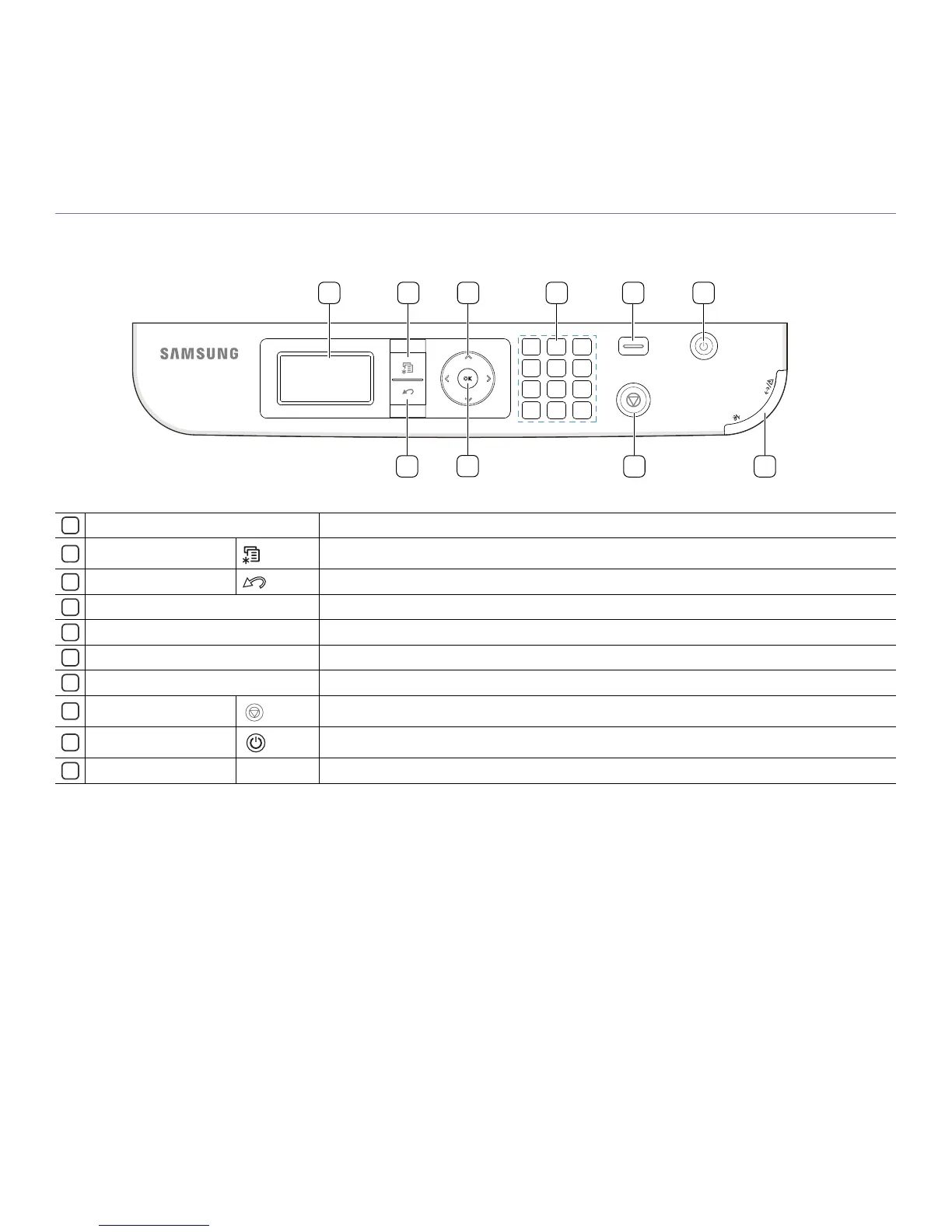
CONTROL PANEL OVERVIEW
1 2
8 10
3
4
5
679
1
Display screen
Shows the current status and p
rompts during an operation.
2
Menu
Enters Menu mode and scrolls through the available menus (See "Machine status and advanced features" on
page 62).
3
Back
Sends you back to the upper menu level.
4
Arrow Scroll through the options available in the selected menu, and increase or decrease values.
5
OK
Confirms the selection on the screen.
6
Numeric keypad
Use the keypad to enter numbers and characters.
It is useful for entering IP addresses.
7
Eco Turns the Eco mode on or off (See "Eco button" on page 27).
8
Stop/Clear button
Stops an operation at any time. The pop-up window appears on the screen showing the current job that the
user can stop or resume.
9
Power button
Turns the machine on or off. (See "Power button" on page 27).
10
Status LED
Shows the status of your machine (See "Understanding the control panel" on page 27).



 To Next Page