Troubleshooting_ 74
11.troubleshooting
This chapter gives helpful information for what to do if you encounter an error. If your machine has a display screen, check
the message on the display screen first to solve the error. If you cannot find a solution in this User's Guide or the problem
consists, call for service.
This chapter includes:
• Redistributing toner
• Tips for avoiding paper jams
• Clearing paper jams
• Understanding display messages
• Solving other problems
REDISTRIBUTING TONER
When the toner cartridge is near the end of its life:
• Whi
te streaks or light printing occurs.
• The
toner-related message saying that the toner is low may appear on
the display.
• The
Status LED blinks red.
If this happens, you can temporarily improve the print quality by redistribut-
ing the remaining toner in the cartridge. In some cases
, white streaks or light
printing will still occur even after you have redistributed the toner.
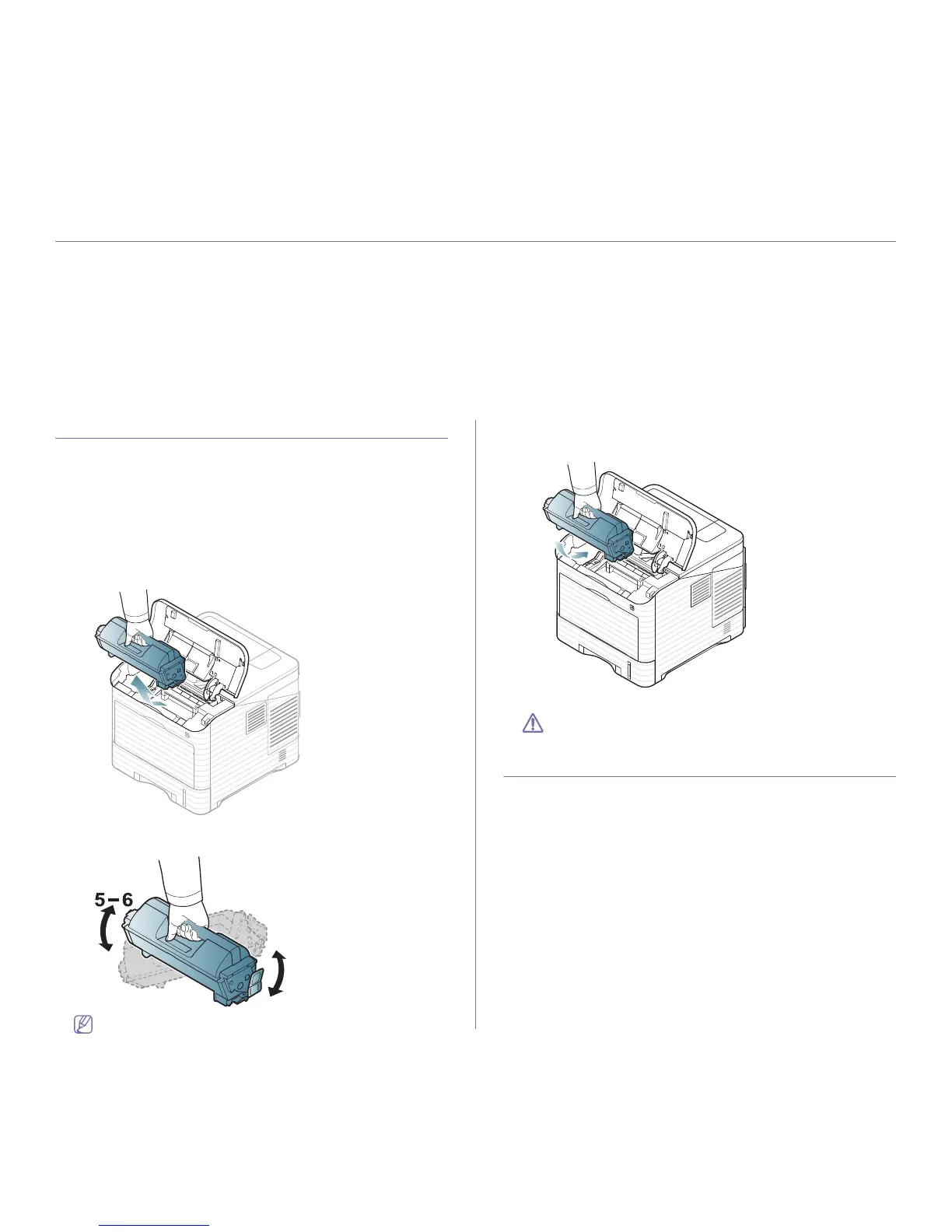
1. Open the top cover and pull the toner cartridge out.
2. Thoroughly roll the cartridge five or six times to distribute the toner
evenly inside the cartridge.
If toner gets on your clothing, wipe it off with a dry cloth and wash
clothing in cold water. Hot water sets toner into fabric.
3. R
einsert the toner cartridge.
4. Close the top cover. Ensure that the cover is securely closed.
If the top cover is not completely closed, the machine will not oper-
ate.
TIPS FOR AVOIDING PAPER JAMS
By selecting the correct media types, most paper jams can be avoided.
When a paper jam occurs, refer to the next guidelines.
• Ensure that the adjustable guides are positioned correctly (See "Loading
paper in tray" on page 44).
Do not overload the tray. Ensure that the pap
er level is below the paper
capacity mark on the inside of the tray.
• D
o not remove paper from the tray while your machine is printing.
• F
lex, fan and straighten paper before loading.
• D
o not use creased, damp, or highly curled paper.
• D
o not mix paper types in a tray.
• U
se only recommended print media (See "Setting the default tray and
paper" on page 47).
• Ensure that the recommended side of the print media is facing down in
the tray, or facing up in the multi-purpose tray.



 To Next Page