Getting started_ 33
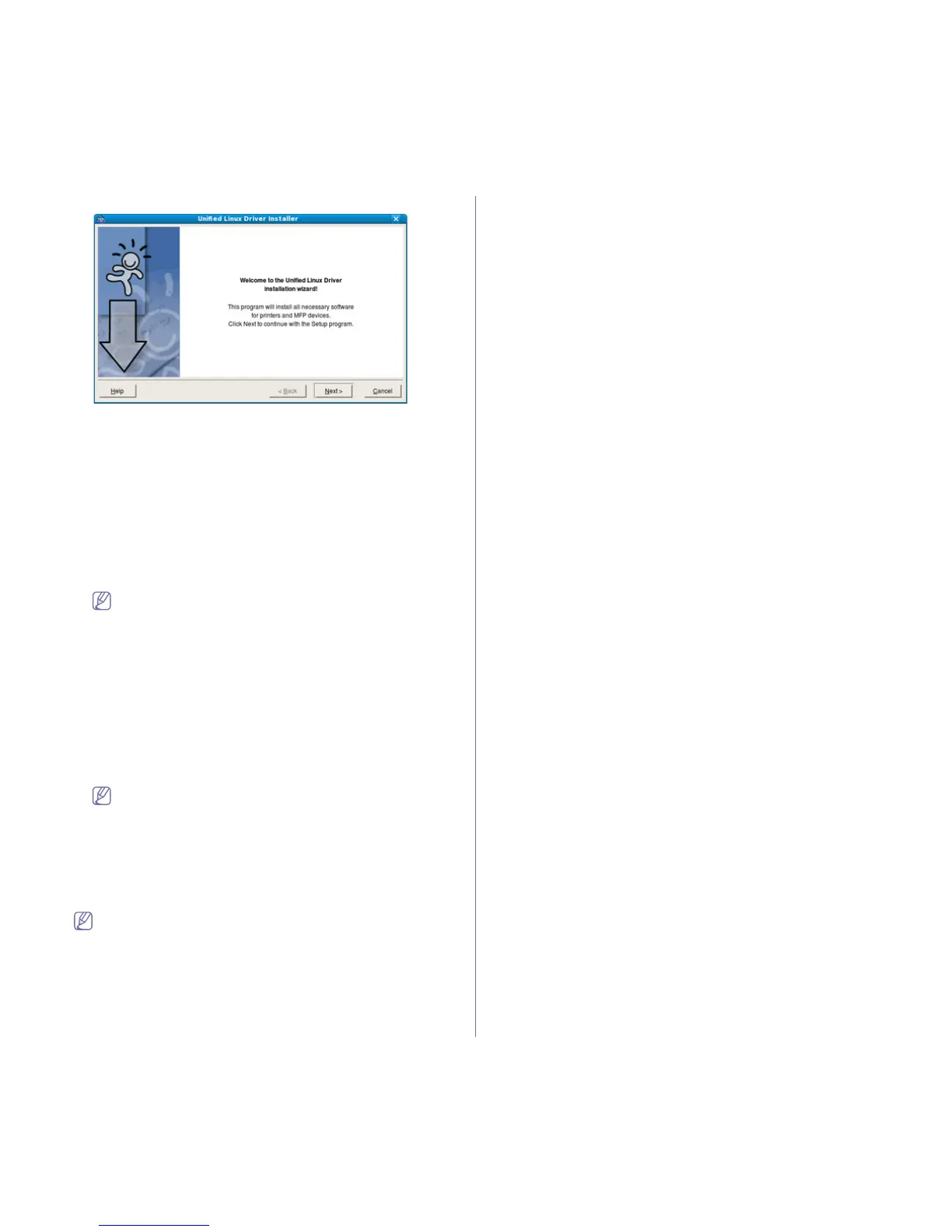
6. When the welcome screen appears, click Next.
7. When the installation is complete, click Finish.
The installation program has added the Un
ified Driver Configurator
desktop icon and the Unified Driver group to the system menu for your
convenience. If you have any difficulties, consult the on screen help that
is available through your system menu or can otherwise be called from
the driver package Windows applications, such as Unified Driver Con-
figurator or Imag
e Manager.
Installing the SmartPanel
1. Make sure that the machine is connected to your computer and pow-
ered on.
2. Wh
en the Administrator Login window appears, type in root in the
Login field and enter the system password.
You must log in as a super user (root) to install the machine
software. If you are not a super user, ask your system adminis-
trator.
3. Fro
m the Samsung website, download the Smart Panel package to
your computer.
4. Rig
ht click the Smart Panel package and extract the package.
5. Dou
ble click cdroot > Linux > smartpanel > install.sh.
Installing the Printer Settings Utility
1. Make sure that the machine is connected to your computer and pow-
ered on.
2. When the Administrator Login window appears, type in root in the
Login field and enter the system password.
You must log in as a super user (root) to install the machine
software. If you are not a super user, ask your system adminis-
trator.
3. Fro
m the Samsung website, download the Printer Setting Utility
package to your computer.
4. Rig
ht click the Printer Settings Utility package and extract the
package.
5. Double click cdroot > Linux > psu > install.sh.
If the printer driver does not work properly, uninstall the driver and
reinstall it again.
Follow the steps below to uninstall the driver for Linux.
a) Make sure
that the machine is connected to your computer and
powered on.
b) When the Administrator Login window appears, type in “root”
in the Login field and enter the system password.
You must log in as a super user (root)
to uninstall the printer
driver. If you are not a super user, ask your system administra-
tor.
c) Click the icon
at the bottom of the desktop. When the Terminal
screen appears, type in:
[root@localhost root]#cd /opt/Sa
msung/mfp/uninstall/
[root@localhost uninstall]#./uninstall.sh
d) Click Unin
stall.
e) Click Next.
f) Click Fi
nish.



 To Next Page