Getting started_ 30
Linux
ITEM REQUIREMENT (RECOMMENDED)
Operating sys-
tem
RedHat® Enterprise Linux WS 4, 5 (32/64 bit)
Fedora 4, 5, 6, 7, 8, 9, 10, 11, 12 (32/64bit)
SuSE Linux 10.0, 10.1 (32bit)
OpenSuSE 10.2, 10.3, 11.0, 11.1,
11.2 (32/64bit)
Mandriva 2005, 2006, 2007, 2008, 2009, 2009.1
(32/64bit)
Ubuntu 5.04, 5.10, 6.06, 6.1
0, 7.04, 7.10, 8.04, 8.10,
9.04, 9.10 (32/64bit)
SuSE Linux Enterprise Desktop 10, 11 (32/64bit)
Debian 4.0, 5.0 (32/64bit)
CPU Pentium® IV 2.4 GHz (Intel Core™2)
RAM 512 MB (1024 MB)
Free HDD space 1 GB (2 GB)
UNIX
ITEM REQUIREMENTS
Operating sys-
tem
Sun Solaris 9,10 (x86, SPARC)
IBM AIX 5.1, 5.2, 5.3, 5.4
HP-UX 11i v1, 11i v2, 11i v3 (PA-RISC, Itanium)
Free HDD space Up to 100 MB
INSTALLING LOCALLY CONNECTED
MACHINE’S DRIVER
Only use an USB cable no longer then 3 m (10 ft.).
Windows
You can install the machine software using the typical or custom method.
The following steps below are recommended for most users who use a
ma
chine directly connected to your computer. All components necessary for
machine operations will be installed.
1. Ma
ke sure that the machine is connected locally and powered on.
2. In
sert the supplied software CD into your CD-ROM drive.
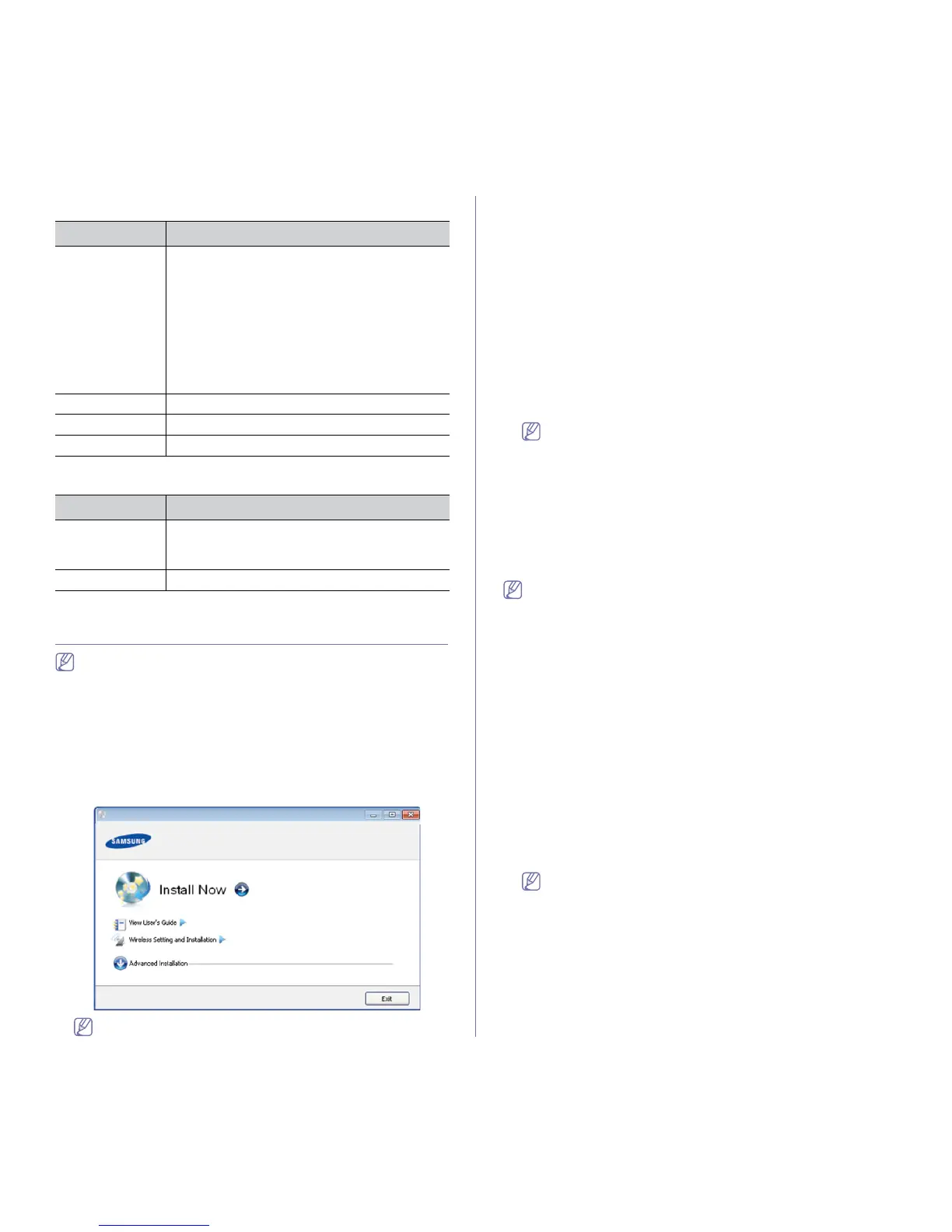
3. Select In
stall now.
• You can see Wireless Setting and Installation menu. You
can use this menu if an optional wireless network card is
installed and/or the machine is connected to your computer
with a USB cable.
Install the optional wireless network card. Instructions for Wire-
less Setting and Installation, refer to
the wireless network
installation guide provided with the optional wireless network
card.
• The
Advanced Installation has Custom Installation option.
Custom Installation allows you to select the machine’s con-
nection and choose individual components to install. Follow the
instructions in the window.
4. R
ead License Agreement, and select I accept the terms of the
License Agreement. Then, click Next.
The program searches for the machine.
5. The
searched machines will be shown on the screen. Select the one you
wish to use and click Next.
If the driver searched only one machine, the confirmation window
appears.
6. After the
installation is finished, a window asking you to print a test page
appears. If you want to print a test page, click Print a test page.
Otherwise, just click Next and skip to step 8.
7. If
the test page prints out correctly, click Yes.
If not, click No to r
eprint it.
8. T
o register as a user of the machine in order to receive information from
Samsung, click On-line Registration.
9. Click Fi
nish.
If the printer driver does not work properly, follow the steps below to
uninstall and reinstall the driver.
a) Make
sure that the machine is connected to your computer and
powered on.
b) Fro
m the Start menu, select Programs or All Programs > Sam-
sung Printers > y
our printer driver name > Uninstall.
c) Se
lect the necessary option and follow the instructions in the win-
dow.
d) After uninstalling the printer driver, reinstall it (see "Installing
locally connected machine’s driver" on page 30, "Installing network
connected machine’s driver" on page 36).
Silent installation Mode (Windows only)
Silent installation mode is an installation method that does not require
any user intervention. Once you start the installation, the machine driver
and software are automatically installed on you computer. You can start
the silent installation by typing /s or /S in the command window.
Command-line Parameters
Following table shows commands that can be used in the command win-
dow.
Following command-line are effective and operated when com-
mand is used with /s or /S. But
/h, /H or /? are exceptional com-
mands that can be operated solely.



 To Next Page