Media and tray_ 45
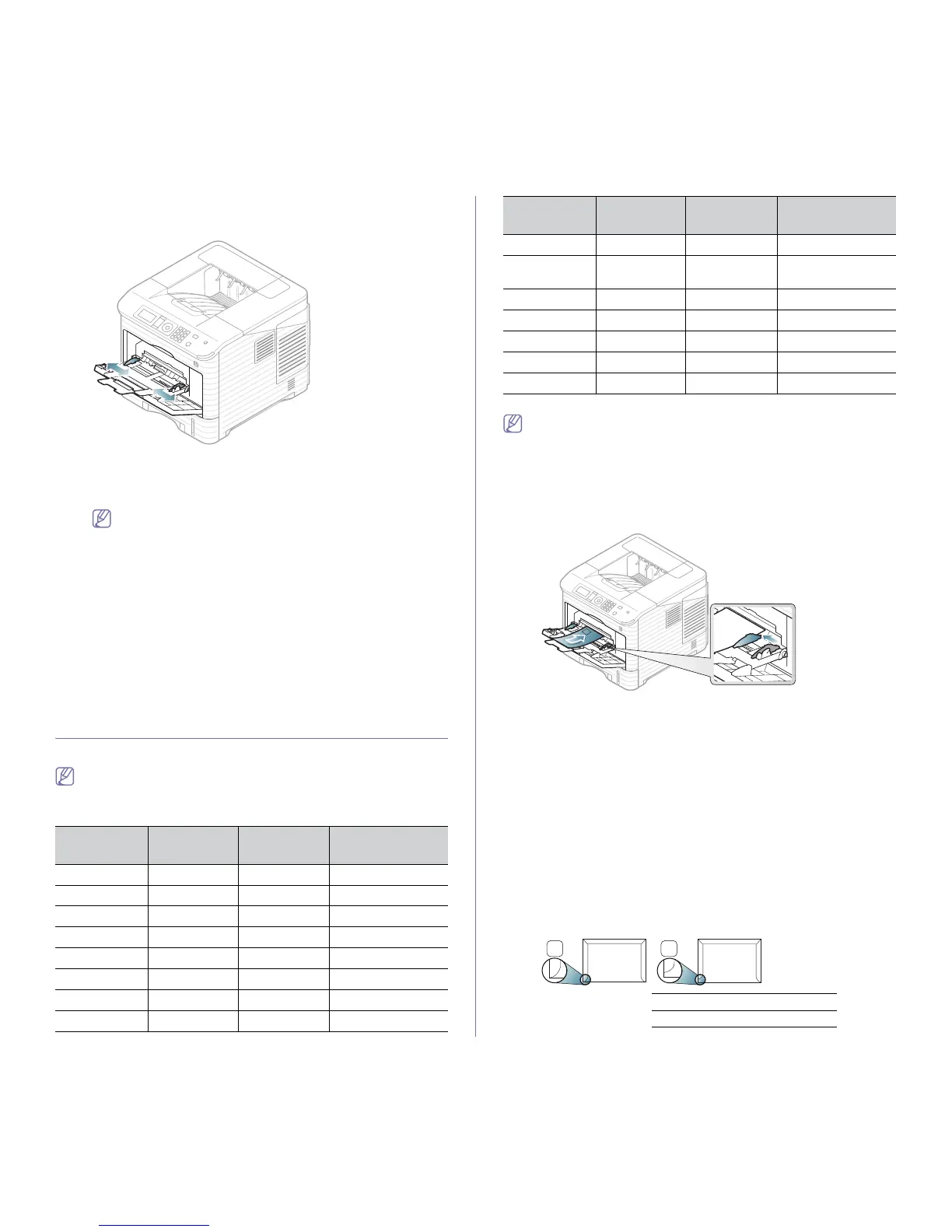
4. Squeeze the multi-purpose tray paper width guides and adjust them
to the width of the paper. Do not force them too much, or the paper
will bent resulting in a paper jam or skew.
5. When you print a document, set the paper type and size for the
multi-purpose tray. For information about setting the paper type and
size on the control panel (see "Setting the default tray and paper" on
page 47).
The settings made from the machine driver override the set-
tings on the control panel.
a) To print in application, open an application and start the
print menu.
b) Open Printing Preferences. (See "Opening printing pref-
erences" on page 50.)
c) Press the Paper tab in Pr
inting Preferences, and select
an appropriate paper type.
For example, if you want to use a label, set the paper type
to Lab
el.
d) Select MP Tray in paper source, then press OK.
e) Start pri
nting in application.
f) Afte
r printing, close the multi-purpose tray.
PRINTING ON SPECIAL MEDIA
The table below shows the available special media for each tray.
When using special media, we recommend you feed one paper at a
time. Check the maximum input number of media for each tray (See
"Print media specifications" on page 108).
TYPES TRAY 1
OPTIONAL
TRAY
MULTI-PURPOSE
TRAY
Plain ● ● ●
Thick ● ● ●
Thicker ●
Thin ● ● ●
Bond ● ● ●
Color ● ● ●
CardStock ● ● ●
Labels ● ● ●
Transparency ●
Envelope
●
● (onl
y for
optional tray 2)
●
Preprinted ● ● ●
Cotton ● ● ●
Recycled ● ● ●
Archive ● ● ●
Hole Punched ● ●
●
(●: Supported, Blank: Not supported)
When you use recycled paper as a used paper, printouts might be
wrinkled and/or jamming may occur due to excessive curl.
Envelope
Successful printing on envelopes depends upon the quality of the enve-
lopes.
To print an envelope, place it flap sid
e up with the stamp area bottom the
top right side.
• When selecting envelopes, consider the following factors:
- Wei
ght: The weight of the envelope paper should not exceed
90 g/m
2
otherwise, jam may occur.
- Co
nstruction: Prior to printing, envelopes should lie flat with less
than a 7 mm curl and should not contain air.
- Condition: Envelopes should not be wrinkled, nicked, either dam-
aged.
- Tem
perature: Use envelopes that are compatible with the heat and
pressure of the machine during operation.
• U
se only well-constructed envelopes with sharp-and well-creased folds.
• D
o not use stamped envelopes.
• D
o not use envelopes with clasps, snaps, windows, coated lining,
self-adhesive seals, or other synthetic materials.
• Do not use damaged or poorly made envelopes.
• Be
sure the seam at both ends of the envelope extends all the way to
the corner of the envelope.



 To Next Page