Supplies and accessories_ 98
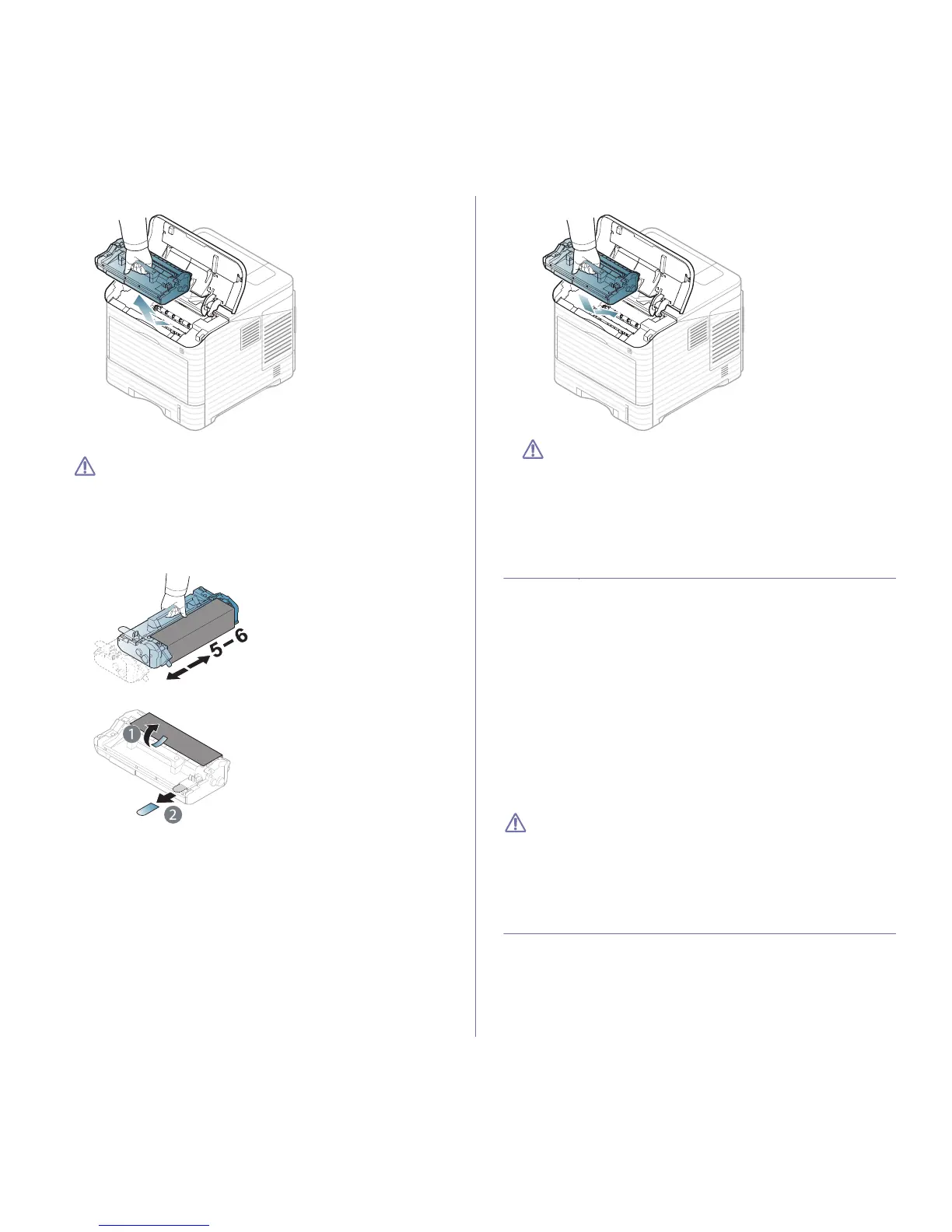
2. Pull the imaging unit out.
3. Remove the new imaging unit from its bag.
• Do not use sharp objects, such as a knife or scissors, to open
the toner cartridge package. They might scratch the drum of
the cartridge.
• To
prevent damage to the imaging unit, do not expose it to light
for more than a few minutes. Cover it with a piece of paper, if
necessary.
4. Tho
roughly shake the imaging unit 5 or 6 times to distribute the toner
evenly inside the imaging unit.
5. Remove the protection cover and seal.
6. Hold the imaging unit by the handle and slowly insert the cartridge into
the opening in the machine.
Tabs on the sides of the imaging unit
and corresponding grooves within
the machine will guide the imaging unit into the correct position until it
locks into place completely.
• Do not touch the green surface of the imaging unit.
• To
prevent damage to the imaging unit, do not expose it to light
for more than a few minutes. Cover it with a piece of paper, if
necessary.
7. R
einsert the toner cartridge.
8. C
lose the top cover. Make sure that the cover is securely closed.
NECESSARY PRECAUTIONS TO TAKE WHEN
INSTALLING ACCESSORIES
• Disconnect the power cord.
To avoid the possibility of an electrical shock, always disconnect the
p
ower cord when installing or removing ANY internal or external acces-
sories.
• D
ischarge static electricity.
The control board and internal accessories (network interface card or
memo
ry module) are sensitive to static electricity. Before installing or
removing any internal accessories, discharge static electricity from your
body by touching something metal, such as the metal back plate on any
device plugged into a grounded power source. If you walk around before
finishing the installation, repeat this procedure to discharge any static
electricity again.
• Activatin
g the added accessories in the PS driver properties.
After installing an accessory such as an optional tray, PS driver users
must do the add
itional setting. Go to the PS printer properties and set
the added accessory activated.
When installing accessories, the battery inside the machine is a ser-
vice component and needs to be replaced by an authorized servicer.
Do
not change it by yourself.
There is a risk of an explosion if battery is replaced by an incorrect
type.
ACTIVATING THE ADDED ACCESSORIES IN
PRINTER PROPERTIES
After installing added accessories, you need to select it in the printer proper-
ties of the printer driver in order to use it.
1. Install
the driver (See "Installing locally connected machine’s driver" on
page 30 or "Installing network connected machine’s driver" on page 36).
2. Click the
Windows Start menu.
3. F
or Windows 2000, select Settings > Printers.



 To Next Page