Troubleshooting_ 82
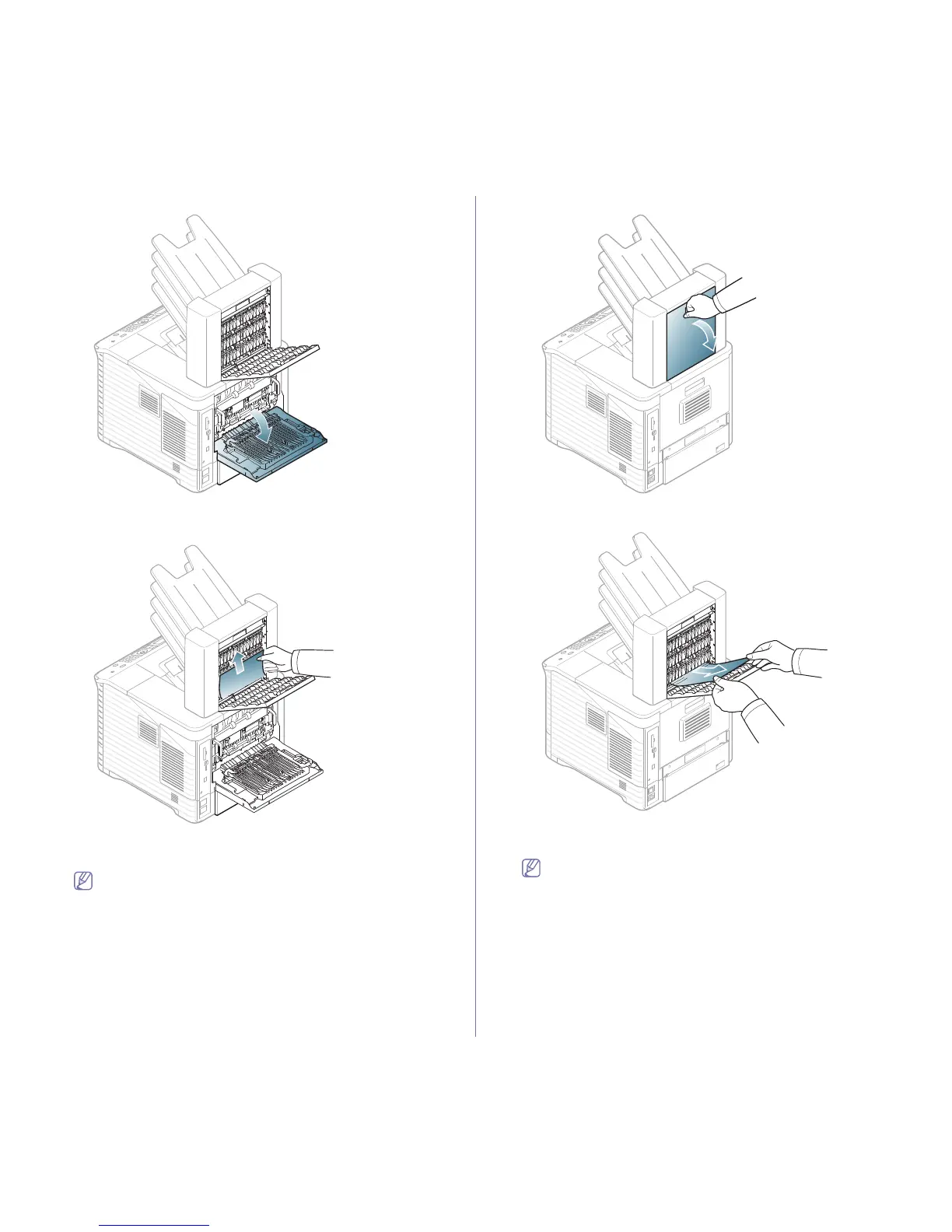
2. Open the machine’s rear cover.
3. Locate the jammed paper and remove it. The jammed paper might
be inside the mailbox or the machine. To avoid tearing the paper,
pull it out gently and slowly.
4. Close the mailbox’s rear cover and machine’s rear cover.
Paper jam inside the multi-bin mailbox
Click this link to open an animation about clearing a jam.
1. Open the mailbox’s rear cover.
2. Remove the jammed paper by pulling in the direction shown. To
avoid tearing the paper, pull it out gently and slowly.
3. Close the mailbox’s rear cover.
Paper jam at the exit of the multi-bin mailbox
Click this link to open an animation about clearing a jam.



 To Next Page