English Englis_ English _191
VIDEO MONITORING
EVENT VIDEO SCREEN
To watch the event video
Before you can watch the event video, the Use options of the DVR and cameras should be checked and the DVR
has been connected beforehand. Mapping is prerequisite for you to view the event video if an event occurs.
Event video using the integrated monitoring
From the top menu, select [Monitoring] > [Integrated Monitoring]. Move to the alarm event tab in the bottom,
and double-click the event to play.
Event video using the video data search
From the top menu bar, select [Video] > [Search Video Data]. Perform the search with appropriate search criteria
and double-click the event.
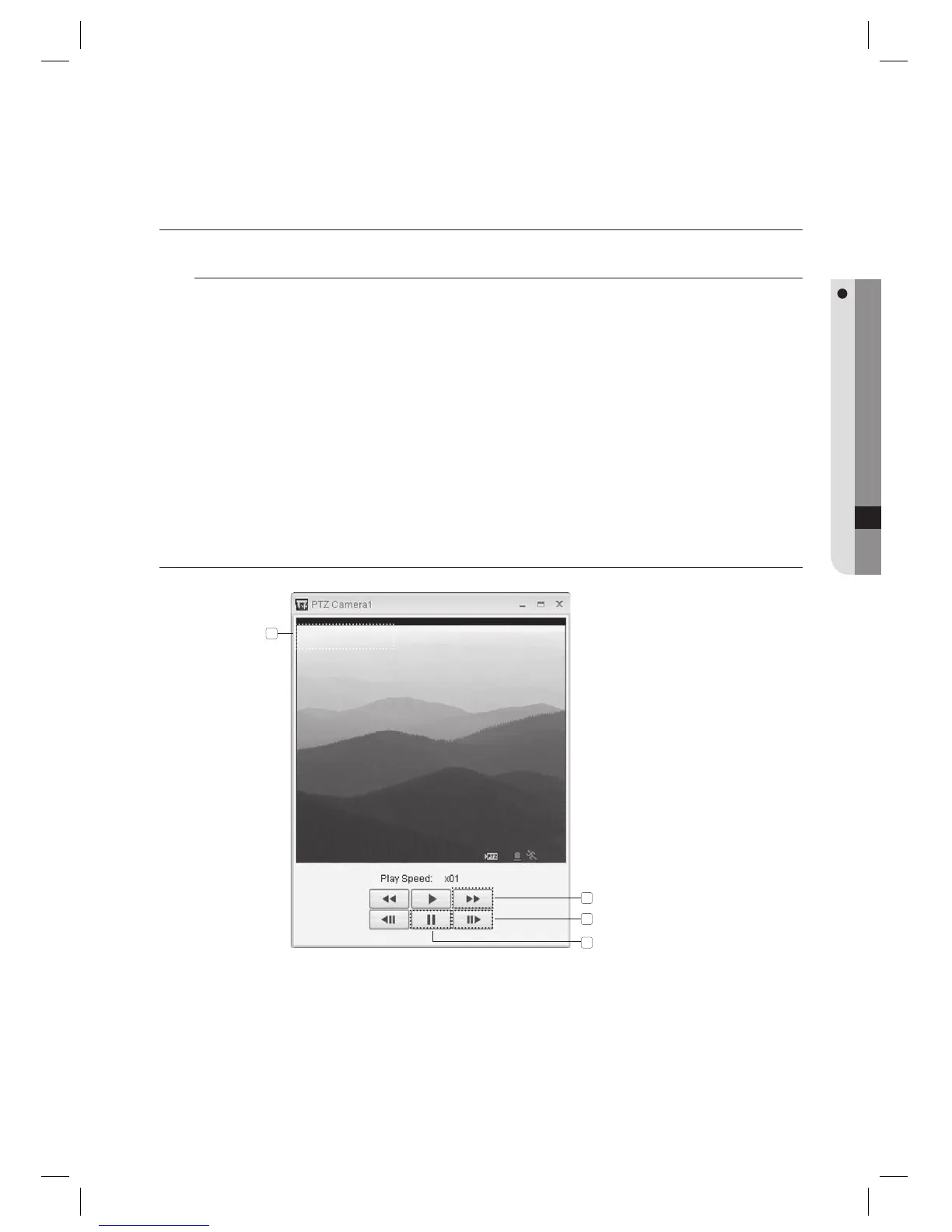
EVENT SEARCH SCREEN
This is the screen where camera channels, date and time information are shown.
You can use this button to adjust the play speed between x1 and x32.
Press this button if you want to stop playing the video.
Use this button to view the video frame by frame.
1.
1.
1.
2.
3.
4.
1
2
4
3



 To Next Page