English Englis_ English _39
CONFIGURATIONS
CONFIGURING SAMS COMMUNICATION SERVER PRO DATABASE CONNECTION
When the SAMS Communication Server Pro is installed for the fi rst time, database server connection should be confi gured.
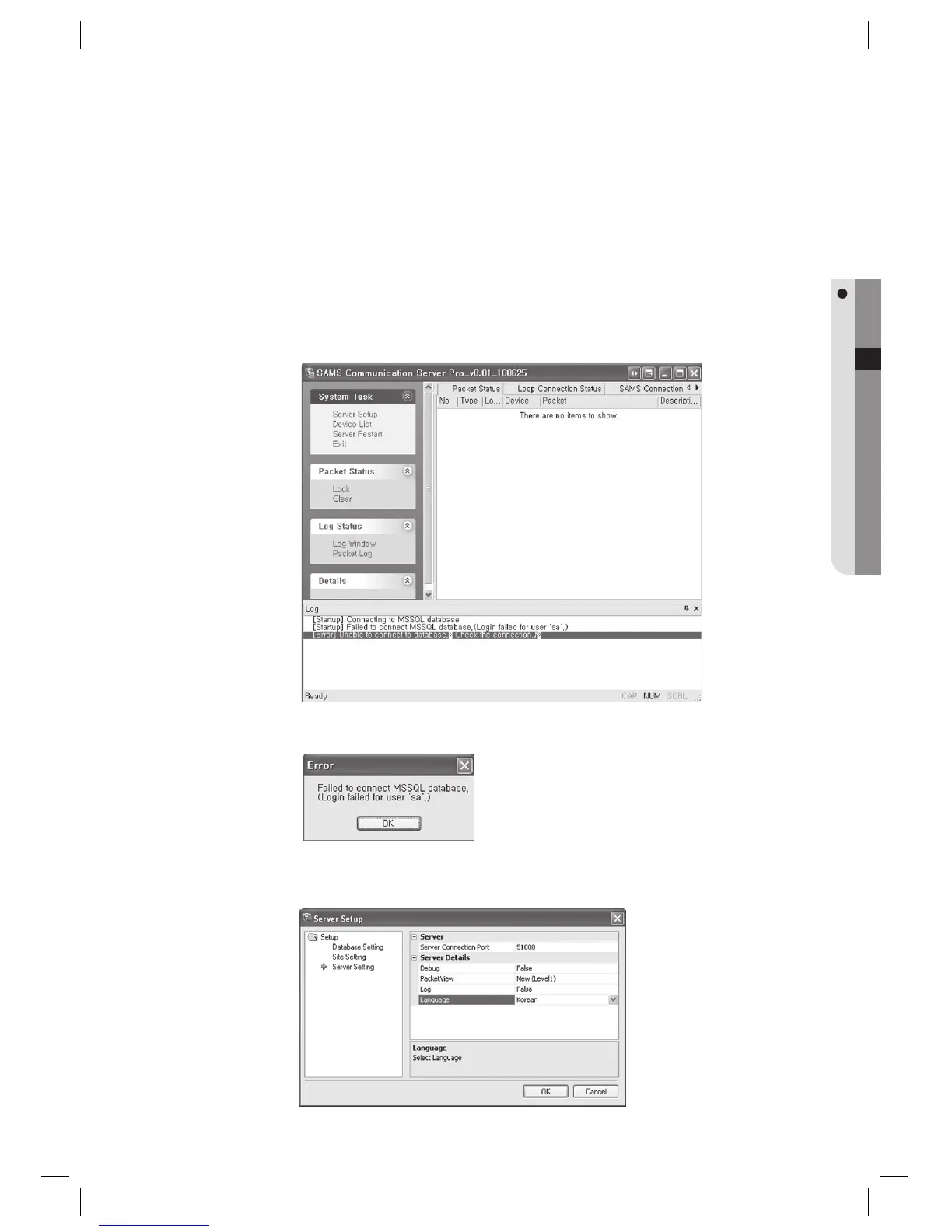
Run [Start] > [All Programs] > [SAMSUNG] > [SAMS Communication Server Pro] > [SAMS Communication
Server Pro].
Click [Server Setup] in the [System Task].
Since the database connection is not confi gured, the below message appears. Click [OK].
You can select the language in the right pane after selecting the [Server Setting] submenu in the [Setup].
(Supported language: English, Korean).
1.
2.
3.
4.



 To Next Page