192_ monitoring
monitoring
OUTPUT MONITORING
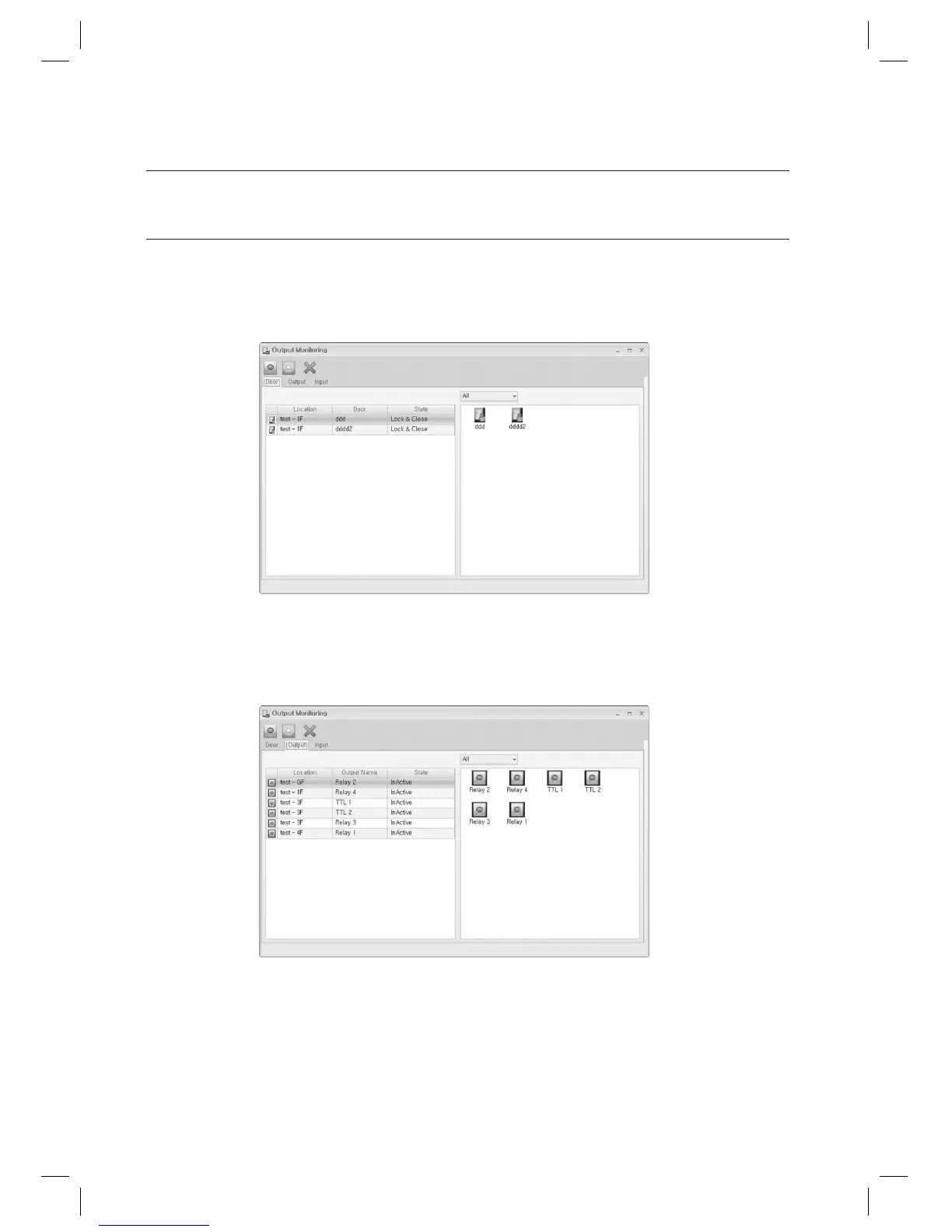
In this page, you can check and control the entry door and output points. However, the input points can be checked but
not controlled.
From the upper menu bar, select [Monitoring] > [Output Monitoring].
Entry Door Tab
- Door List: Displays the location, name and status of the door.
- Icon Display: Select one from All, Building, and Floor.
- Icon: Displays the status of the door. The icon for a door with unknown status will not be displayed.
Output Tab
- Output Point List: Displays the location, name and status of the output point.
- Icon Display: Select one from All, Building, and Floor.
- Icon: Displays the status of the output point. The icon for an output point with unknown status will not be
displayed.
1.
2.
3.



 To Next Page