92_ system management
system management
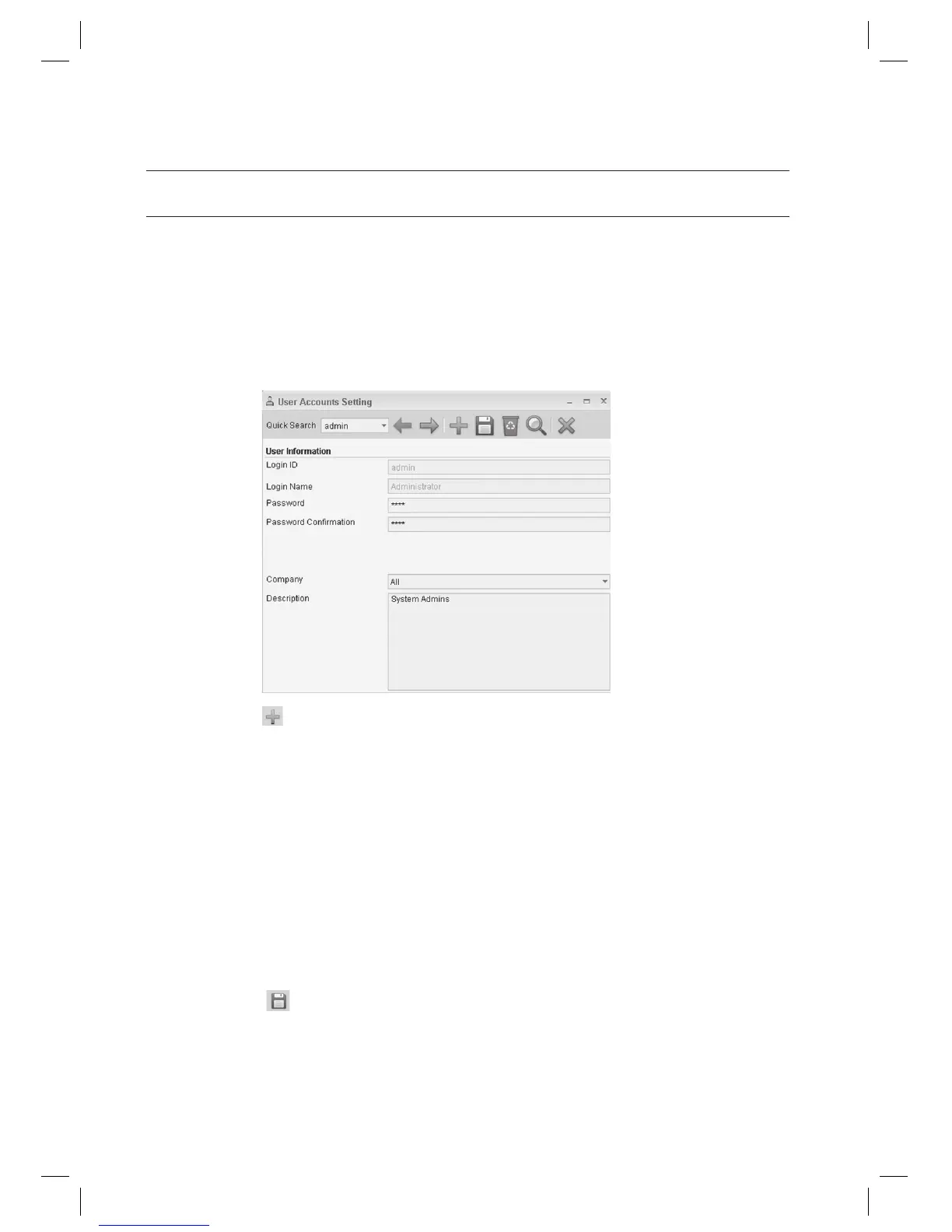
USER ACCOUNTS SETTING [ADD]
Adds user accounts permitted to login to the program.
- Login ID: Enter the user’s login ID. (Required)
- Password: Enter the password of the account. (Required)
- Password Confi rmation: Enter the same password of the account. (Required)
- Company: Select the company to which the user belongs.
- Description: Enter the user’s description.
From the upper menu, select [System Management] > [User Accounts Setting].
Click Add <
> in the tool bar.
Enter the user’s [Login ID].
Enter the [Login Name].
Enter the [Password] and [Password Confi rmation].
Select a [Company].
If selected [All], the account can manage information of all registered companies. If selected a certain company
name registered, the account can manage the selected company information only.
Click Save < > in the tool bar.
1.
2.
3.
4.
5.
6.
J
7.



 To Next Page