28_ installation
installation
INSTALLING SAMS PRO
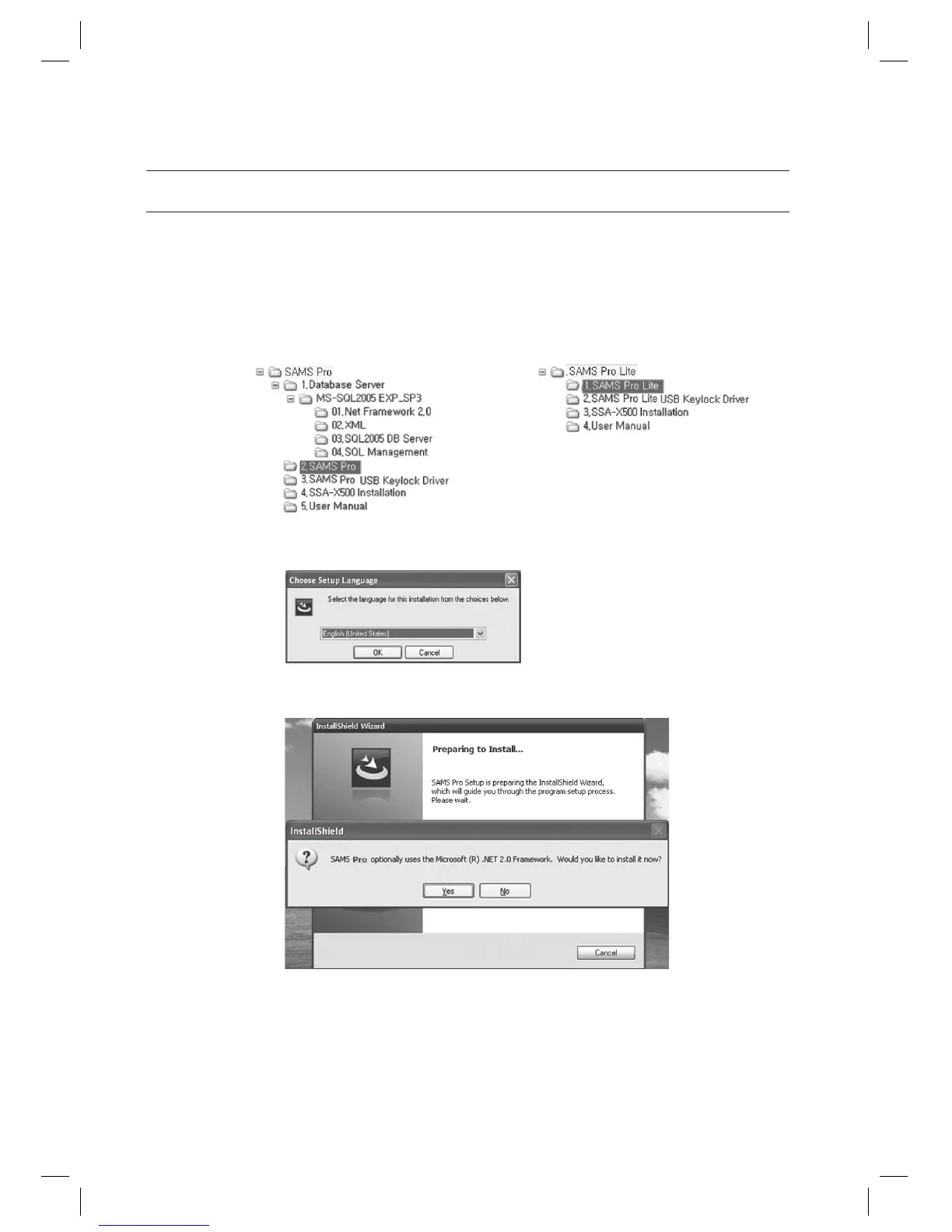
Run the SAMS Pro installer fi le SAMS Pro_vx.xx_yyyymmdd.exe from the installation CD.
For SAMS Pro Lite, run the executable program of SAMS Pro Lite_vx.xx_yyyymmdd.exe.
Installation path is as below:
Select the language for the installation process and click [OK].
SAMS Pro requires the Microsoft .NET Framework 2.0. Click [Yes] to begin the installation.
If the Microsoft .NET Framework 2.0 is already installed on the computer, this step may be skipped.
1.
J
2.
3.
J
< SAMS Pro > < SAMS Pro Lite >



 To Next Page