English Englis_ English _45
LOGGING IN & INITIAL SETUP
If this port is changed, communication to the SAMS Communication Server Pro may not establish. If changed this
port, make the same change to the SAMS Communication Server Pro too.
Check whether the [Use] is checked.
If [Use] is not checked, communication to the corresponding communication server will not establish. This can be
used when intended not to connect temporarily to a specifi c server.
By using the [Connection Test], check if SAMS Pro properly connects to the SAMS Communication Server Pro.
Click Save <
> in the tool bar.
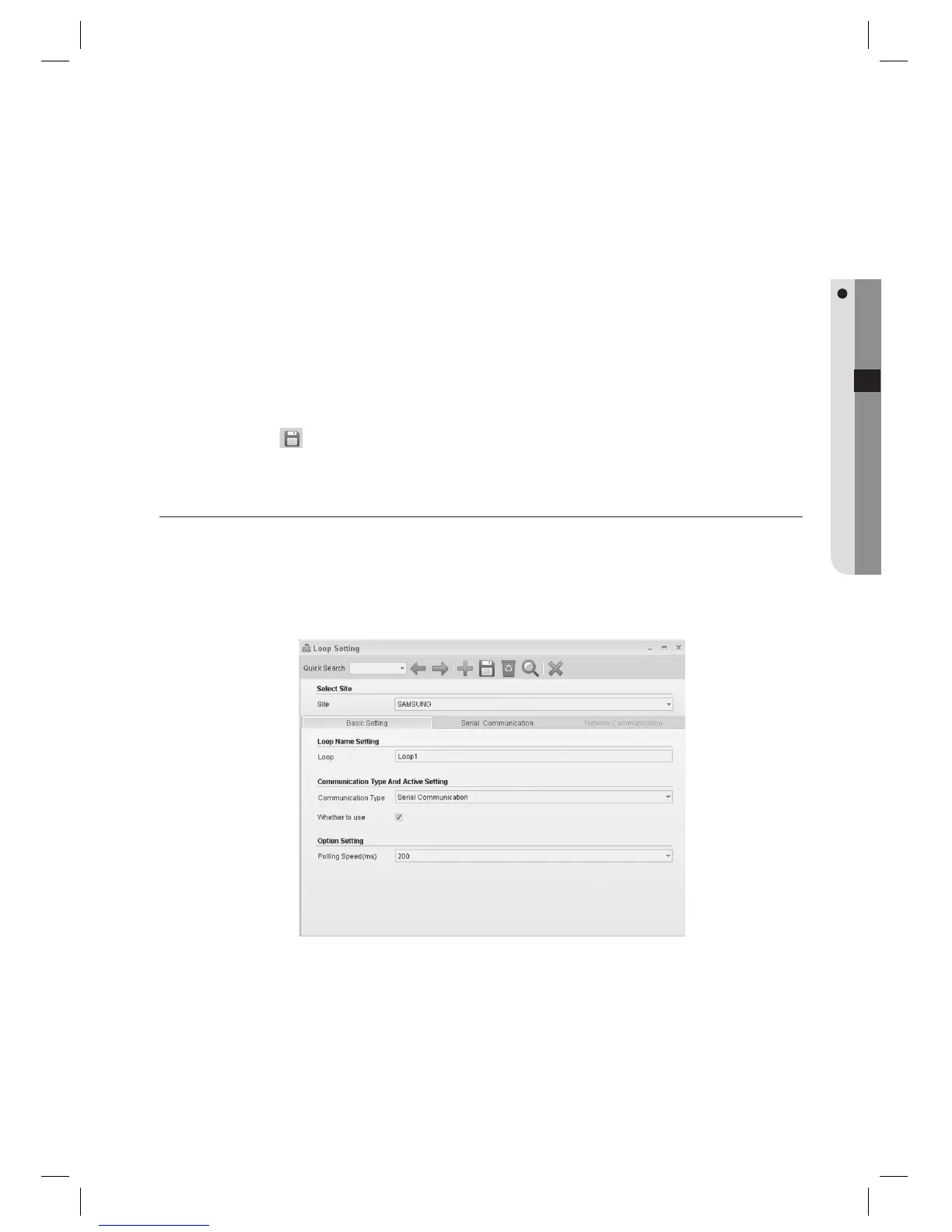
LOOP SETTING (SERIAL COMMUNICATION)
Up to 100 loops can be assigned for each site, up to 32 controllers can be connected to each loop in serial
communications (may vary depending on controller specifi cations). For networked communications, one loop can be
connected to one controller. (This is not available in SAMS Pro Lite.)
From the upper menu, select [System Management] > [Loop Setting].
Select a [Site].
Enter the [Loop].
Select a [Communication Type]. Select [Serial Communication] if communication to the device is serial.
Check [Whether to use].
J
6.
J
7.
8.
1.
2.
3.
4.
5.



 To Next Page