26_ installation
installation
CONFIGURING MICROSOFT SQL SERVER 2005 EXPRESS EDITION
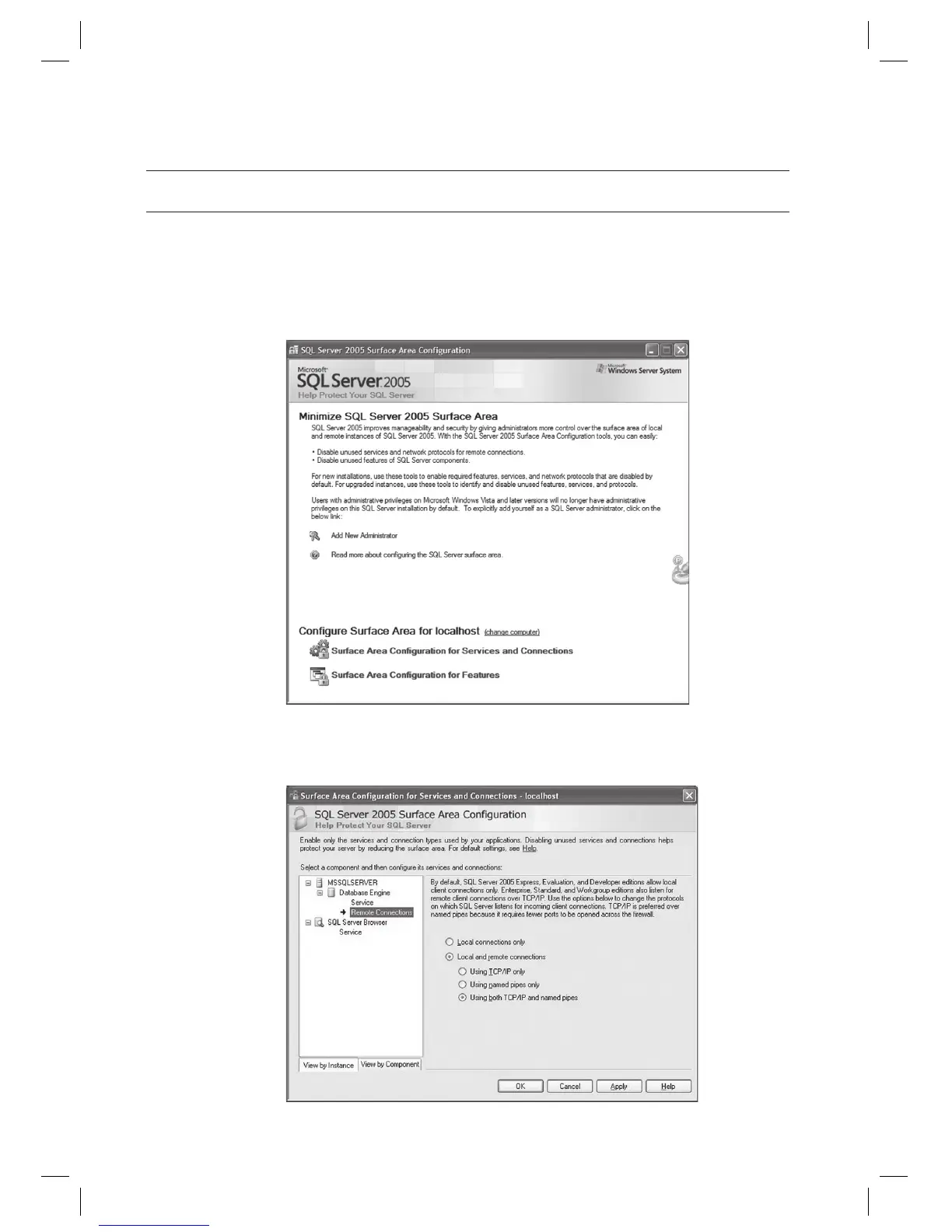
Select [Start] > [All Programs] > [Microsoft SQL Server 2005] > [Confi guration tools] > [SQL Server Surface Area
Confi guration].
Select the [Surface Area Confi guration for Services and Connections].
On the left tree, click [Database Engine] and select the [Remote Connections] from the submenu. On the right
pane, select the [Local and remote connections] and select the [Using both TCP/IP and named pipes].
Click [Apply].
1.
2.
3.



 To Next Page