38_ confi gurations
CONFIGURING SAMS PRO DATABASE CONNECTION
When the SAMS Pro is installed for the fi rst time, database server connection should be confi gured using the
SAMS Pro Confi g program.
Run [Start] > [All Programs] > [SAMSUNG] > [SAMS Pro] > [SAMS Pro Confi g].
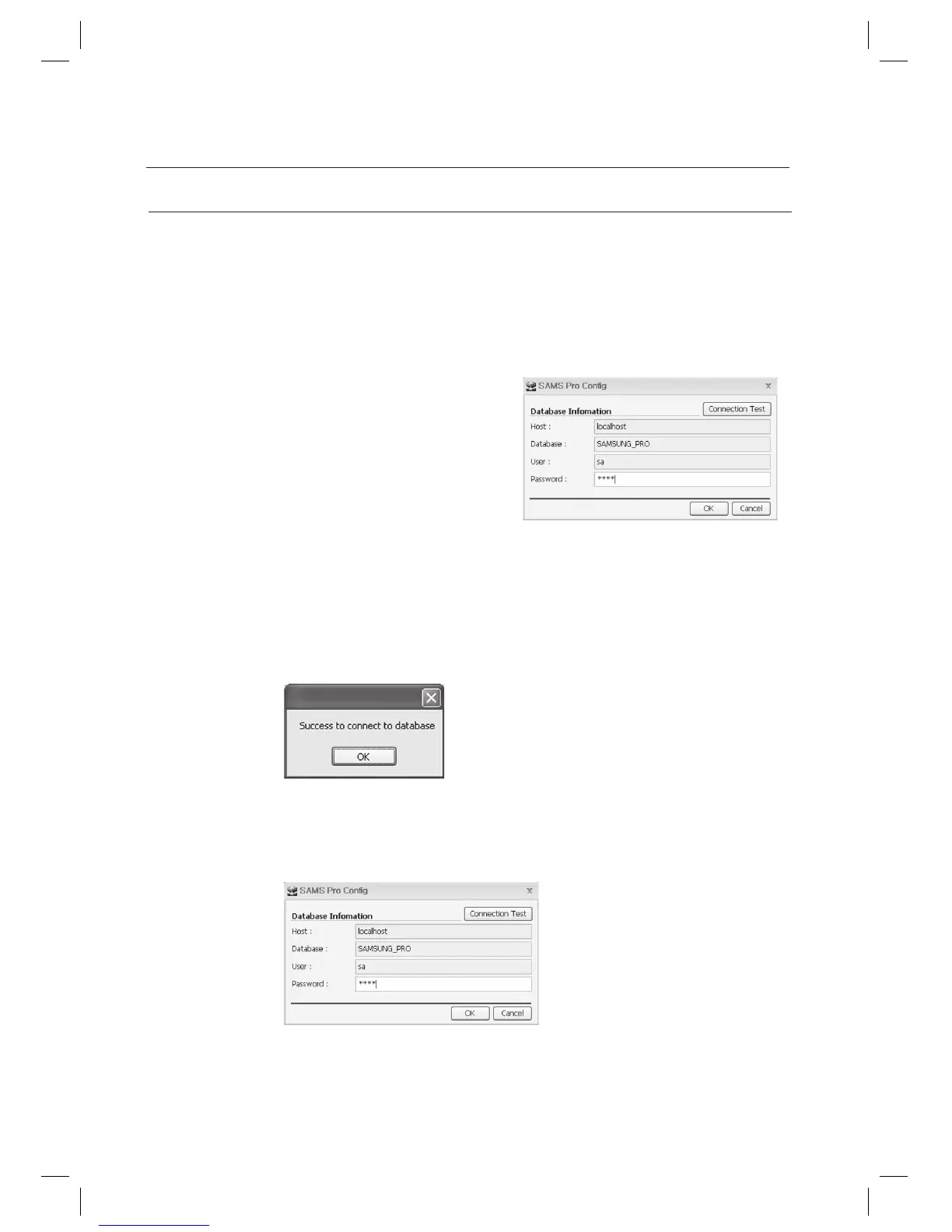
Check the default values of [Host:], [Database:], and [User:]. Enter the password used in the installation of
Microsoft SQL Server 2005 Express Edition into the password fi eld.
For [Host:] fi eld, enter the database server’s name. In
case the database server is installed on the same
computer, enter localhost. Otherwise, enter the IP
address of the computer installed with the database
server. If an instance had been created during the
database server installation, enter localhost\instance
name for the host name. For example, if the instance
name was SQLEXPRESS, enter localhost\
SQLEXPRESS into the host name fi eld.
For [Database:] fi eld, enter the database name used by the
SAMS Pro. Use the default database name SAMSUNG_PRO.
For [User:] fi eld, enter the login ID to access the Microsoft SQL Server 2005 Express Edition. Use the default sa.
For [Password:] fi eld, enter the password used in the installation of Microsoft SQL Server 2005 Express
Edition into the password fi eld.
Click [Connection Test] to test the database connection. Click [OK].
If the Connection Test fails, it means the database connection information is not properly confi gured. If this is the
case, check if Host, User and Password are correct.
Click [OK].
1.
2.
•
•
•
•
3.
J
4.
confi gurations



 To Next Page