English Englis_ English _47
LOGGING IN & INITIAL SETUP
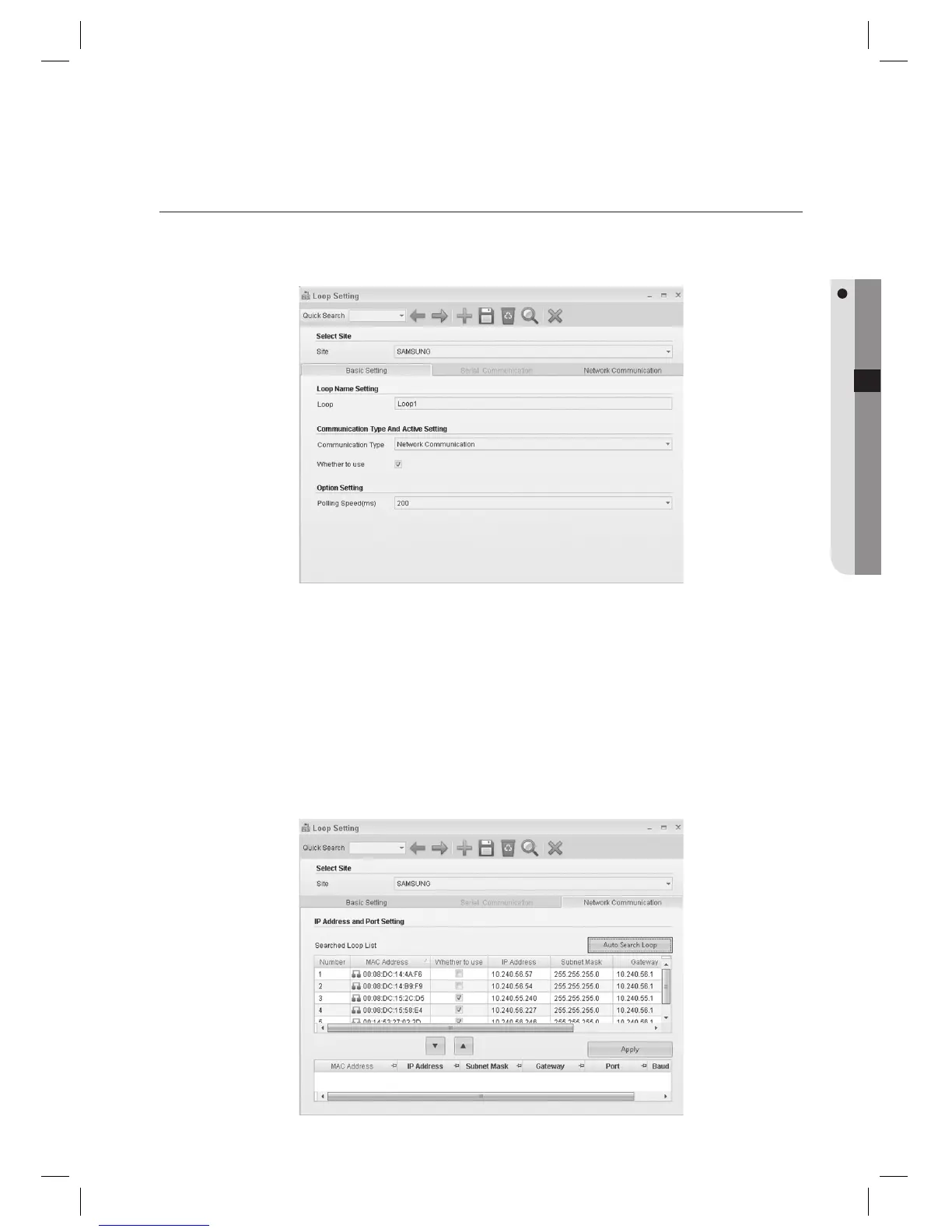
LOOP SETTING (NETWORK COMMUNICATION)
(This is not available in SAMS Pro Lite.)
From the upper menu, select [System Management] > [Loop Setting].
Select a [Site].
Enter the [Loop].
Select the [Communication Type]. Select [Network Communication] for TCP/IP networking.
Check [Whether to use].
If unchecked, devices connected to the selected loop will not communicate.
Set the interval of polling in [Polling Speed (ms)]. Use the default 200.
Move to the [Network Communication] tab.
1.
2.
3.
4.
5.
J
6.
7.



 To Next Page