English Englis_ English _99
DEVICE MANAGEMENT
device management
INITIALIZE DEVICE
(Ú This is not available in SAMS Pro Lite.)
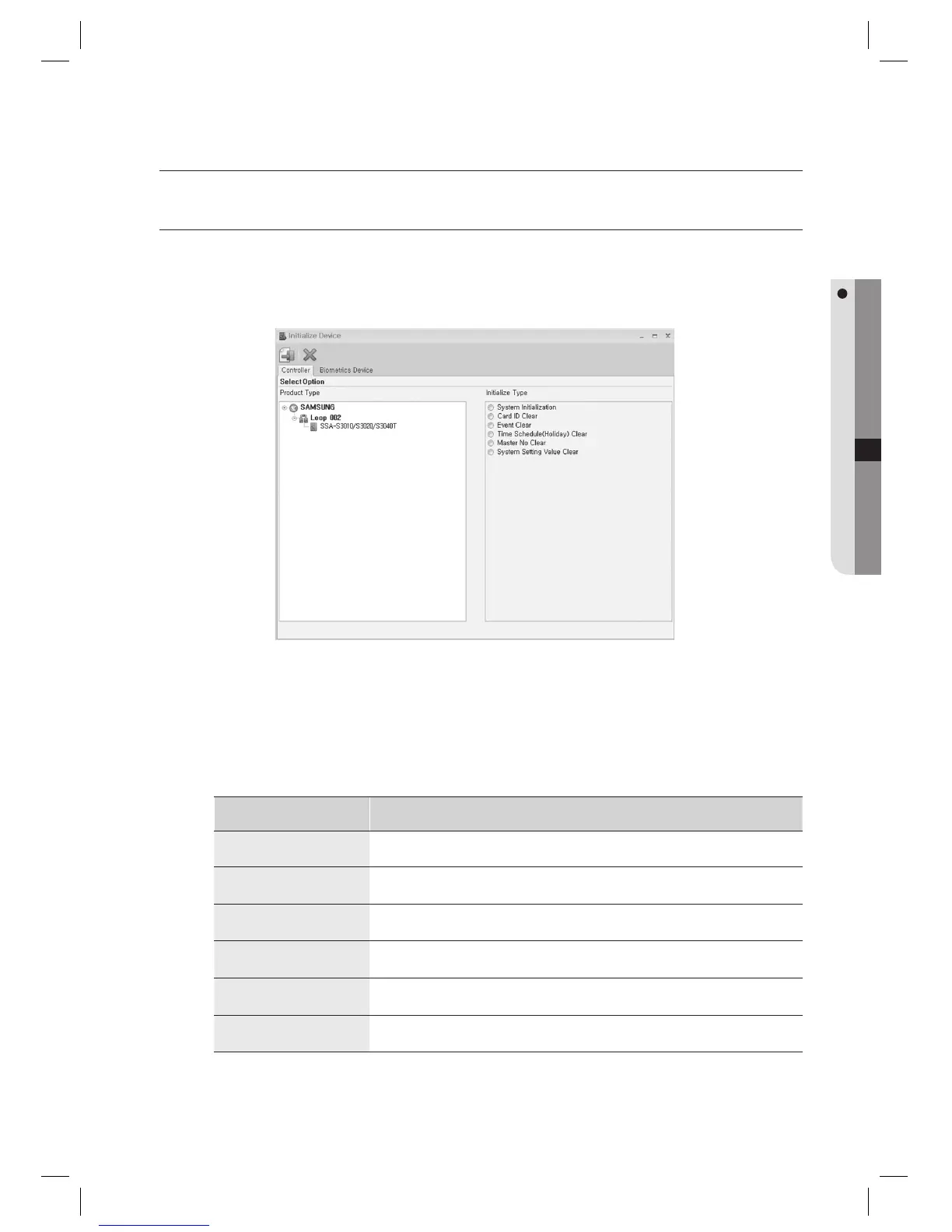
You can select a device and initialize desired items.
From the upper menu, select [Device Management] > [Initialize Device].
Select the [Controller] tab for controller initialization, or [Biometrics Device] tab for biometrics reader device
initialization.
Select the [Product Type] to be initialized.
Select the [Initialization Type].
Initialization Type Descriptions
System Initialization
Initializes the system and deletes all information added (ID, fi ngerprint, event, time schedule,
and holiday), and restores the factory default values.
Card ID Clear
Deletes all ID and fi ngerprint information added to the device.
Event Clear
Deletes all event information (normal, alarm) added to the device.
Time Schedule (Holiday) Clear
Deletes all time schedule and holiday information added to the device.
Master No Clear
Deletes the Master Card information added to the device.
System Setting Value Clear
Deletes all information other than ID and fi ngerprint information added to the device.
1.
2.
3.
4.



 To Next Page