English Englis_ English _55
LOGGING IN & INITIAL SETUP
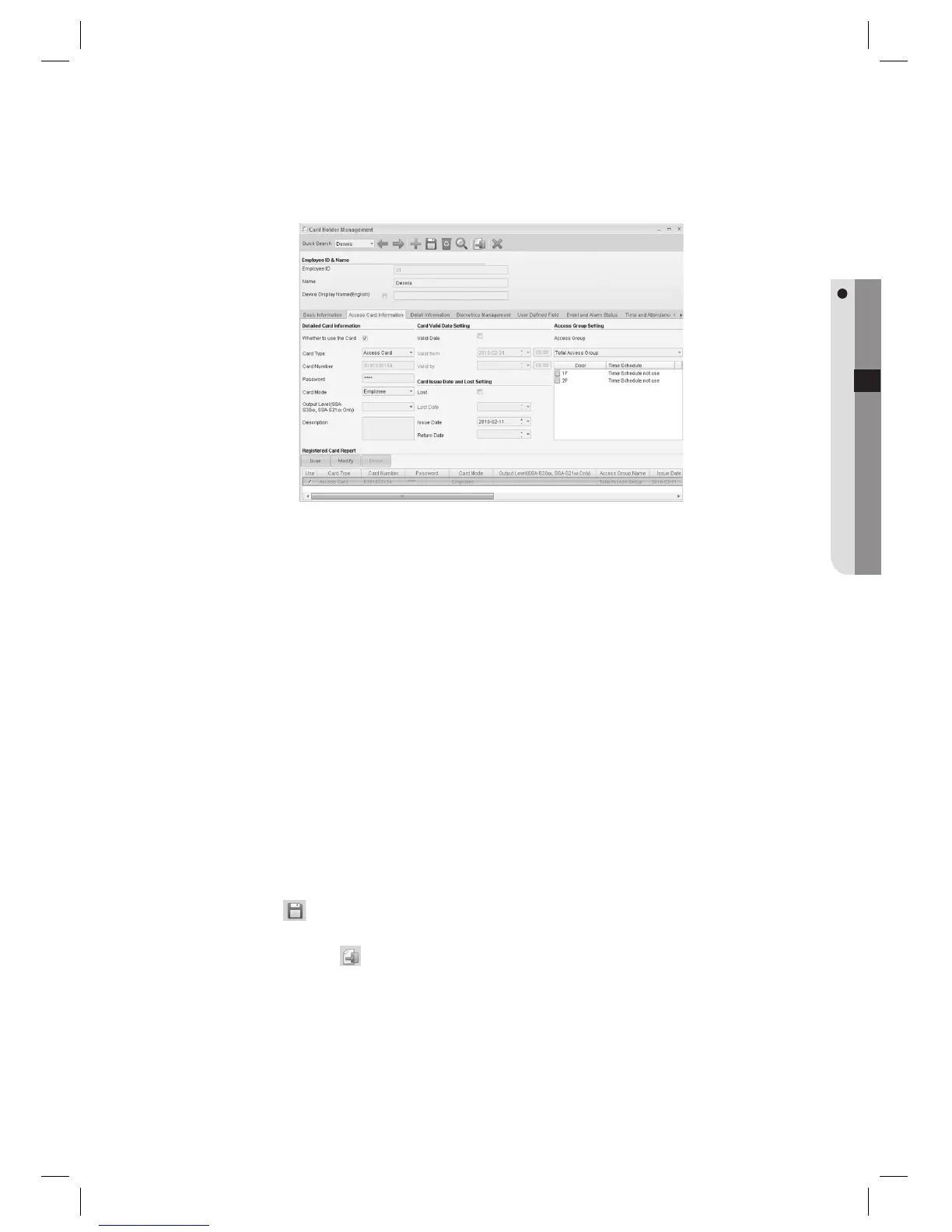
Move to the [Access Card Information] tab.
Select whether to use or not in [Whether to use the Card]. If Whether Use the Card is not checked, accessing
will not be granted.
Select the [Access Card] for [Card Type].
Enter the [Card Number].
Use a number in 4~8 digits or 10 digits. Enter a 4 ~ 8 digit number for 125KHz cards. Enter a 10 digit number for
13.56MHz cards.
Enter the [Password]. Enter a 4-digit password.
Select the [Employee] for [Card Mode].
Select an [Access Group].
Click [Issue] button near the bottom of the screen.
Click Save <
> in the tool bar.
Click Transmit button <
> in the toolbar to send the card information to devices granted to the selected
access group.
7.
8.
9.
10.
J
11.
12.
13.
14.
15.
16.



 To Next Page