EasyManua.ls Logo

Sanding STS-752RC - Page 37

Sanding STS-752RC
152 pages
Print Icon
To Next Page IconTo Next Page
To Previous Page IconTo Previous Page
Loading...
36
STEPS
DISPLAY
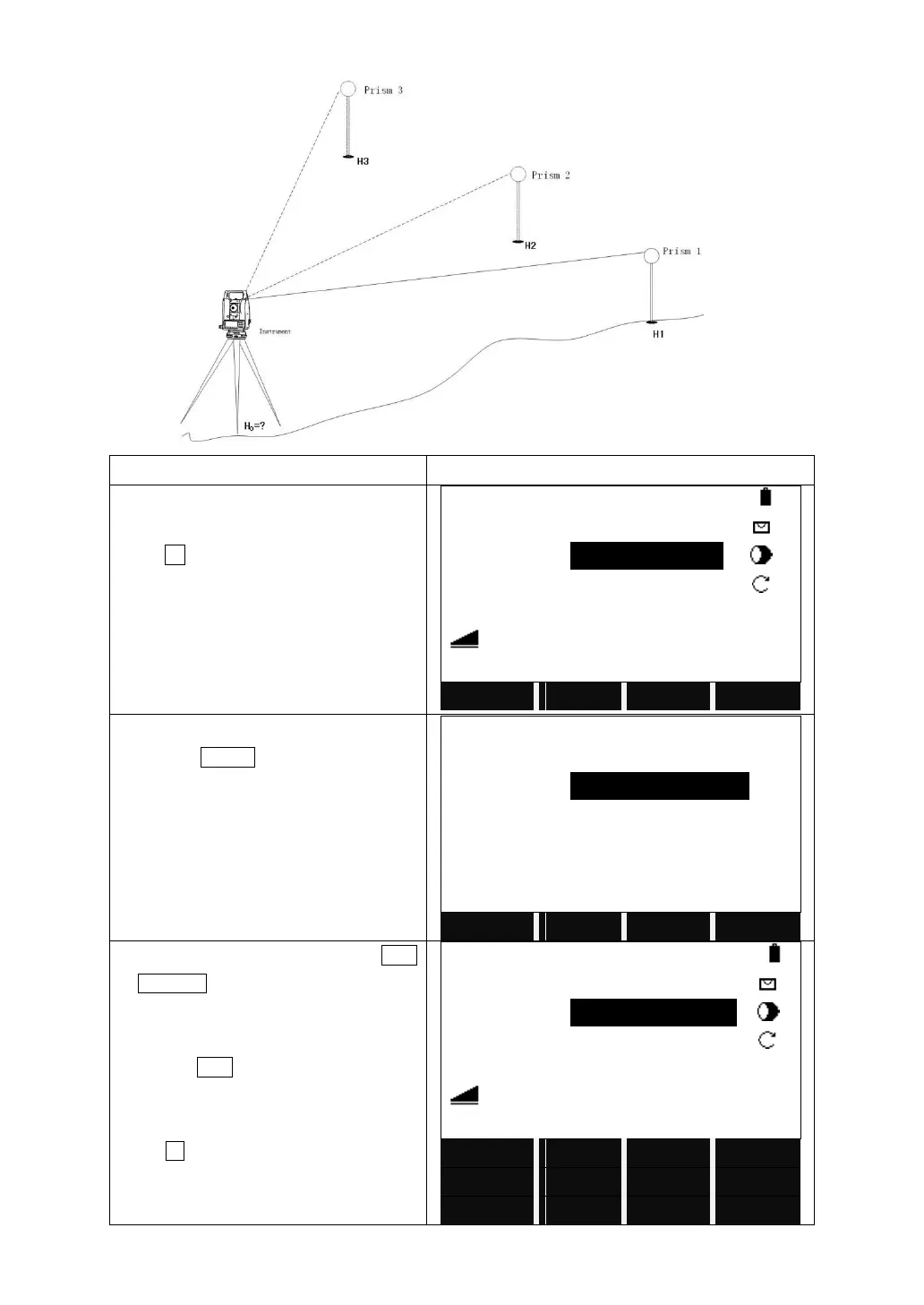
Turn to Page 2/4 in Function menu.
Press F1, Height Transfer.
Height Transfer1
Select Target Meas!
PtID
:
------
R.HT
:
1.500 M
H/Z
:
----.--- m
:
----.--- m
Mem.
EHN
INS.HT
VIEW
│←
Turn to the third page of function key bar
and press INS.HT to set the instrument
height.
Height Transfer
StnPt
:
OCC1
Ins.HT
:
2.000 m
Y0/E0
:
100.000 m
X0/N0
:
100.000 m
H0
:
10.000 m
BACK
OK
Call up a existed point by pressing LIST
or SEARCH in the function key bar.
If the point does not exist, input a PtID
and press ENH to input the height of the
point.
Press All to trigger the measurement.
Height Transfer
Select Target Meas!
PtID
:
1
R.HT
:
1.500 M
H/Z
:
10.000 m
:
----.--- m
Mem.
EHN
INS.HT
VIEW
│←
All
EDM
SEARCH
LIST
DIST
RECORD

Table of Contents

Related product manuals