EasyManua.ls Logo

Sanding STS-752RC - Page 48

Sanding STS-752RC
152 pages
Print Icon
To Next Page IconTo Next Page
To Previous Page IconTo Previous Page
Loading...
47
Then a dialog saying “Want More
Measurement? pops up. Press OK to
start another measurement. Press
CANCEL to show the orientation result.
Press OK to confirm the orientation set.
Orientation Result
Nopts.
:
5
Station
:
1
HzCor
:
172°2257
St.Dev
:
0020
RESID
OK
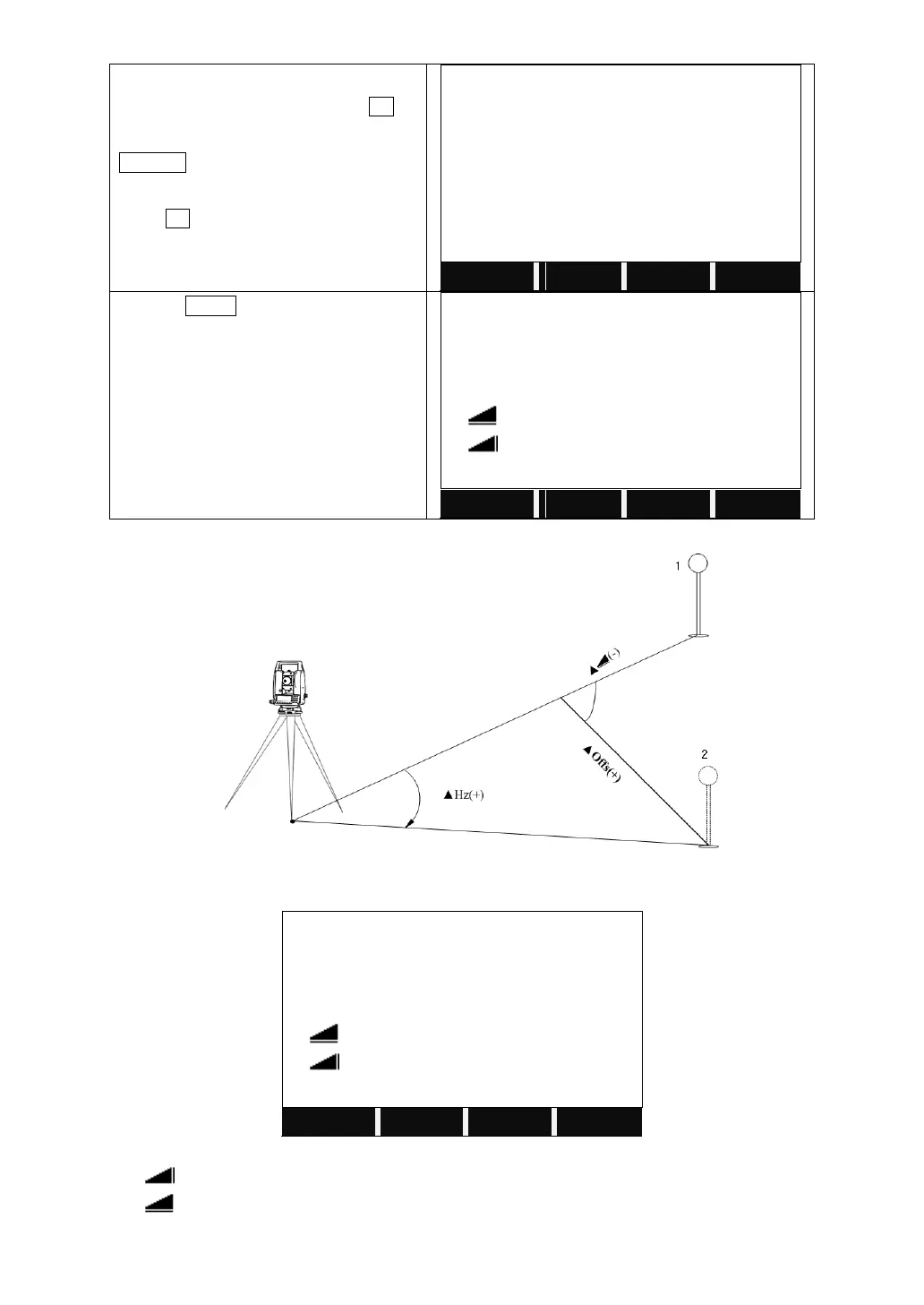
Or press RESID to show the residuals.
Orientation Residuals
BsPt
:
BS1
Hz
:
0002
:
-0.005 m
:
0.003 m
BACK
1.Actual measurement point.
2.Design point.
Orientation Residuals
BsPt
:
BS1
Hz
:
0002
:
-0.005 m
:
0.003 m
BACK
Hz Correction of HZ angle.
Height correction
Correction of the horizontal distance

Table of Contents

Related product manuals