EasyManua.ls Logo

Sanding STS-752RC - Page 72

Sanding STS-752RC
152 pages
Print Icon
To Next Page IconTo Next Page
To Previous Page IconTo Previous Page
Loading...
71
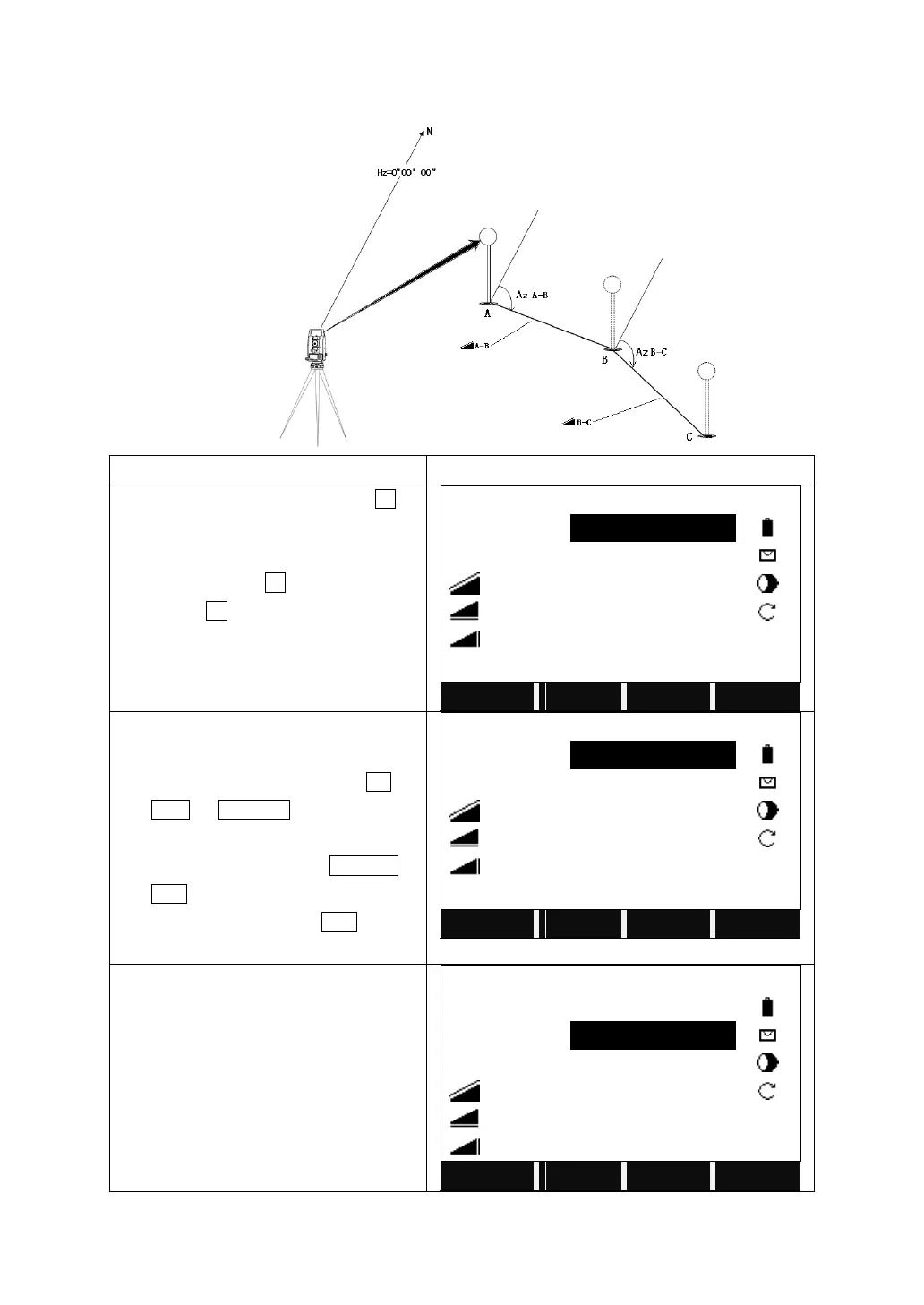
5.8.1 Polygonal (A-B, B-C)
STEPS
DISPLAY
On Page 2/3 of Programs, press F1 to
start Tie Distance.
After setting the job, station, and
orientation, presses F4 to start.
And press F1 to start Polygonal (A-B,
B-C).
Polygonal 1/2
Point1
:
1
R.HT
:
1.500 m
:
----.--- m
:
----.--- m
:
----.--- m
Mem.
All
SEARCH
LIST
You can set the P1 via following ways:
1. Input a PtID and prism height,
collimate the prism and press All (or
DIST + RECORD on 2
nd
page of
function key bar).
2. Call up a known point by SEARCH or
LIST.
3. Input a PtID and press ENH to input
the coordinates.
Polygonal 1/2
Point1
:
1
R.HT
:
1.500 m
:
----.--- m
:
----.--- m
:
----.--- m
Mem.
All
SEARCH
LIST
Use the ways above to confirm the P2.

Polygonal 1/2
Point1
:
1
Point 2
:
2
R.HT
:
1.500 m
:
----.--- m
:
----.--- m
:
----.--- m
Mem.
All
SEARCH
LIST

Table of Contents

Related product manuals