D8
Technical user menu
48
8.7 PURGE ENABLING
The machine is delivered with the purge
function enabled.
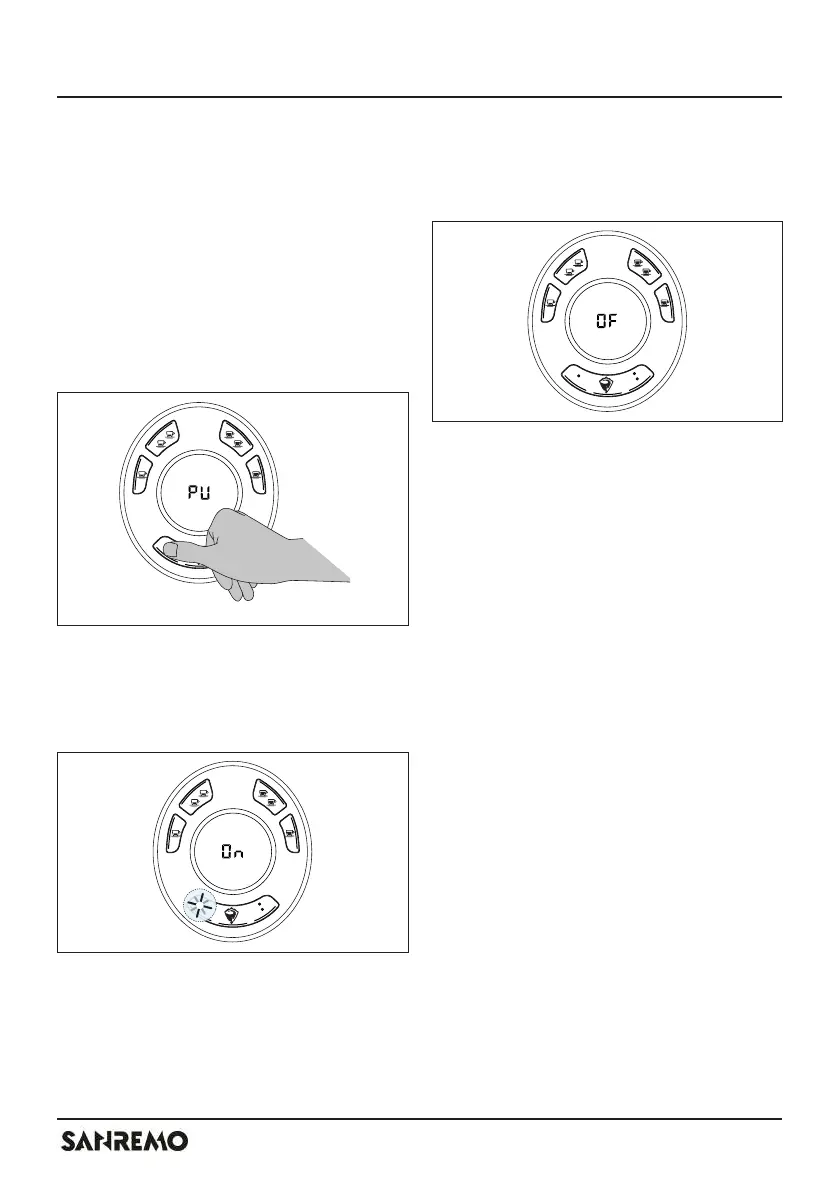
To enable the purge, proceed as follows:
- enter the technical user menu, see “8
Technical menu” page 42;
- press the button K6.
The mini-display shows the indication
“PU”.
With LED L6 on, the purge function is
enabled.
The mini-display shows the indication
“On”.
With LED L6 off, the purge function is di-
sabled.
The mini-display shows the indication
“OF”.
- Press the button K6 to change the
selection.
If the purge is enabled, the button K5
must be pressed twice in quick succes-
sion to have a manual dispensing.



 To Next Page