Optical Backreflection Meter SPA-100
27 / 67
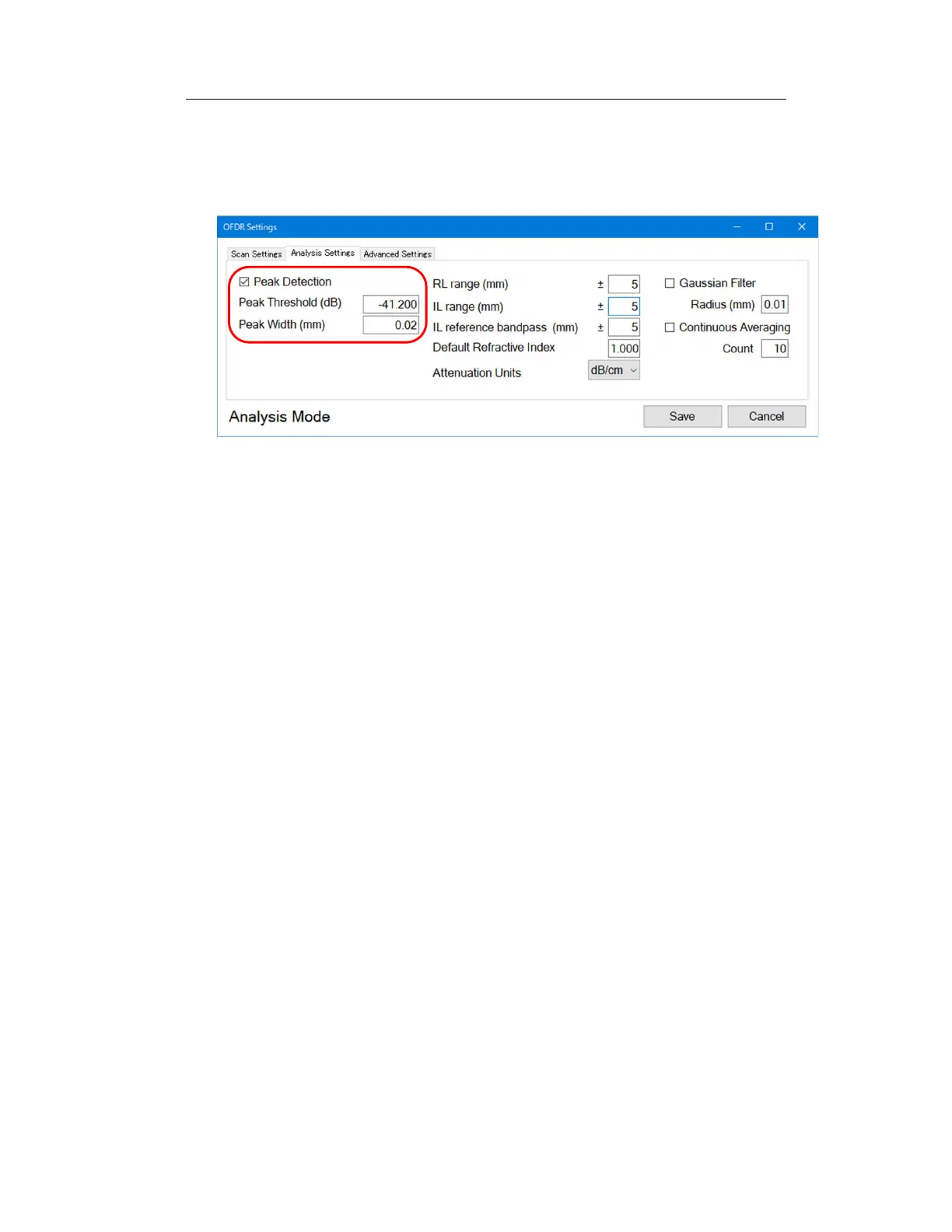
Alternatively, from "OFDR Settings", display the "Analysis Settings" tab, check
"Peak Detection", and enter "Peak Threshold (dB)" and "Peak Width (mm)". Click
the “Save” button to save the settings. (Figure 6-16)
Figure 6-16
If unnecessary peaks are detected, this may be improved by increasing the
detected peak width. Enter the minimum value of the peak width to be detected
in "Peak Width (mm)". Click the “Save” button to save the settings, and click
“Update Graph” to update the graph.



 To Next Page