SPA-100 OPERATION MANUAL
58 / 67
7.4 Installing the Measurement Software
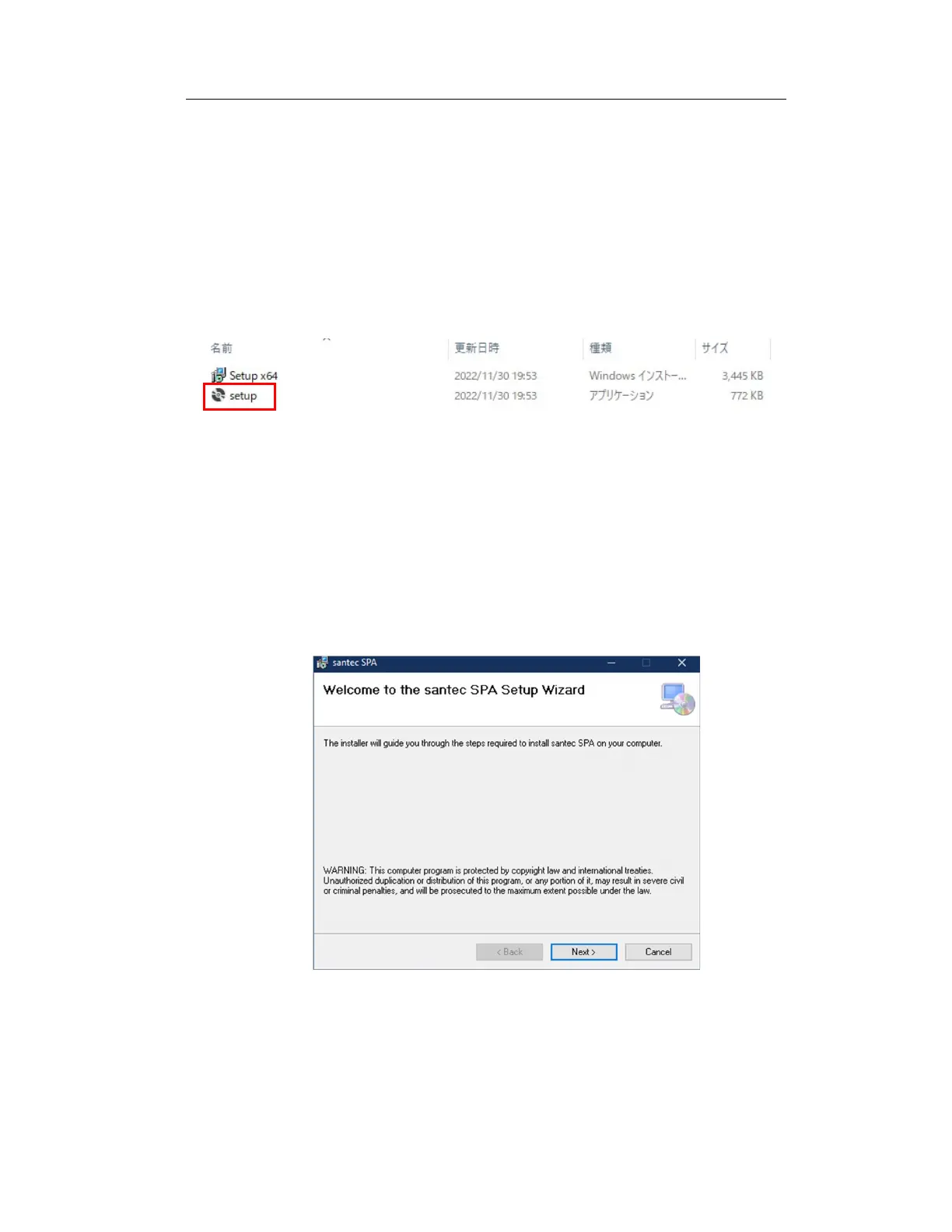
"D:\SPA-100\santec SPA Installer x64\setup.exe" in the included USB drive
Launch the file and install the santec SPA software according to the following
instructions (drive letter "D:" depends on your computer): Installation may
require administrator privileges. Before installing this software, install the
NationalInstruments drivers.
Figure 7-10 Installer Files
During installation, press the "Back" button to return to the previous page, and
press the "Cancel" button to abort the installation.
1. When you run the installation program, you will see a welcome screen
(Figure 7-11).
Figure 7-11 Welcome Screen



 To Next Page