SPA-100 OPERATION MANUAL
26 / 67
6.4. Peak Detection
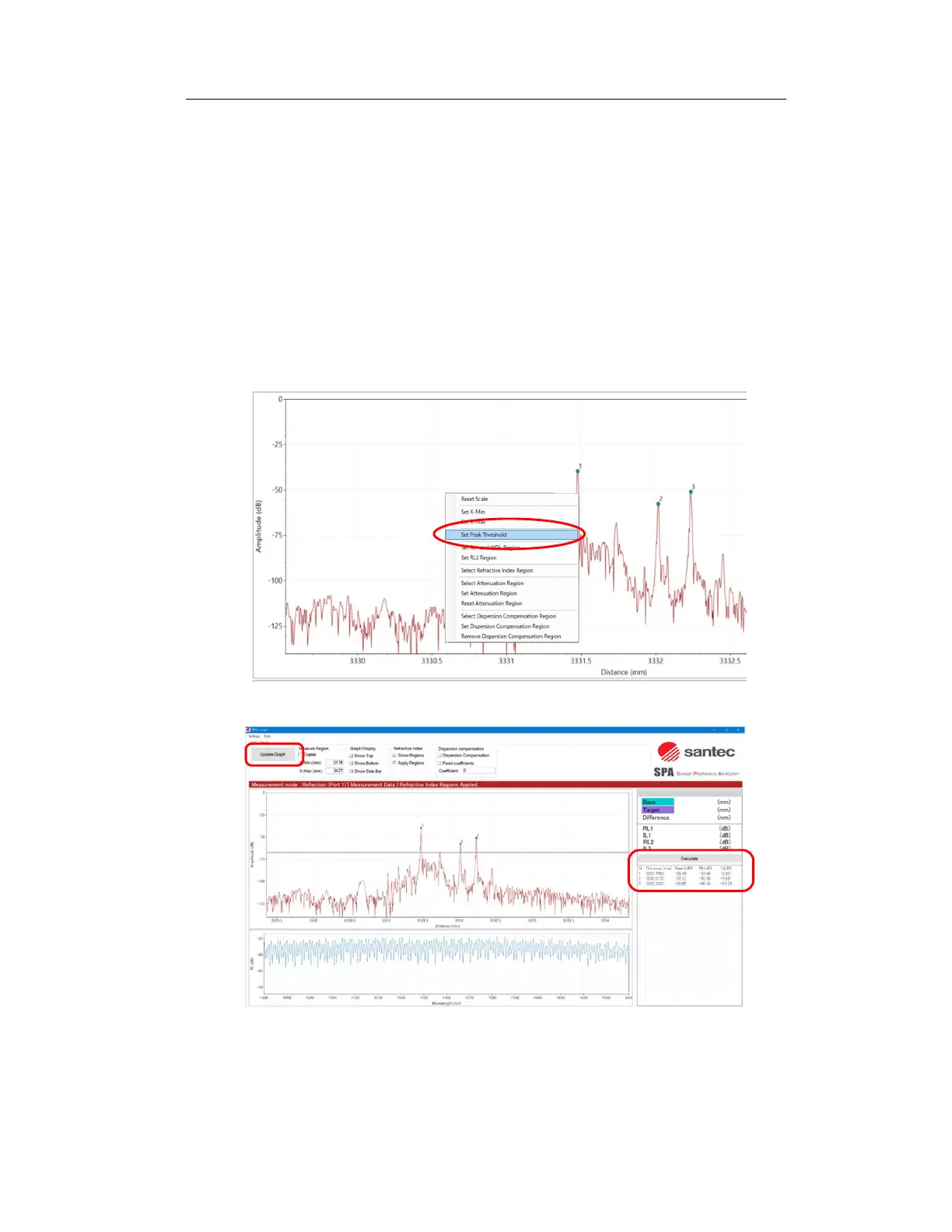
This section describes the reflection point peak detection procedure. Right-click
the mouse on the upper graph and select "Set Peak Threshold" from the menu
that appears (Figure 6-14). A horizontal line will appear on the graph, so drag it
with the mouse to set the threshold level.
When you click “Graph Update” on the “Graph” tab, a peak above the set
threshold is detected, and the list on the right shows the peak position (Distance),
peak level (Peak), return loss (RL), and insertion loss (IL) will be displayed.
(Figure 6-15)
Figure 6-14
Figure 6-15



 To Next Page