Optical Backreflection Meter SPA-100
37 / 67
6.9. Setting the refractive index
This section describes the initial refractive index settings and the ability to set
the refractive index to any reflectance measurement range. Set using the upper
graph.
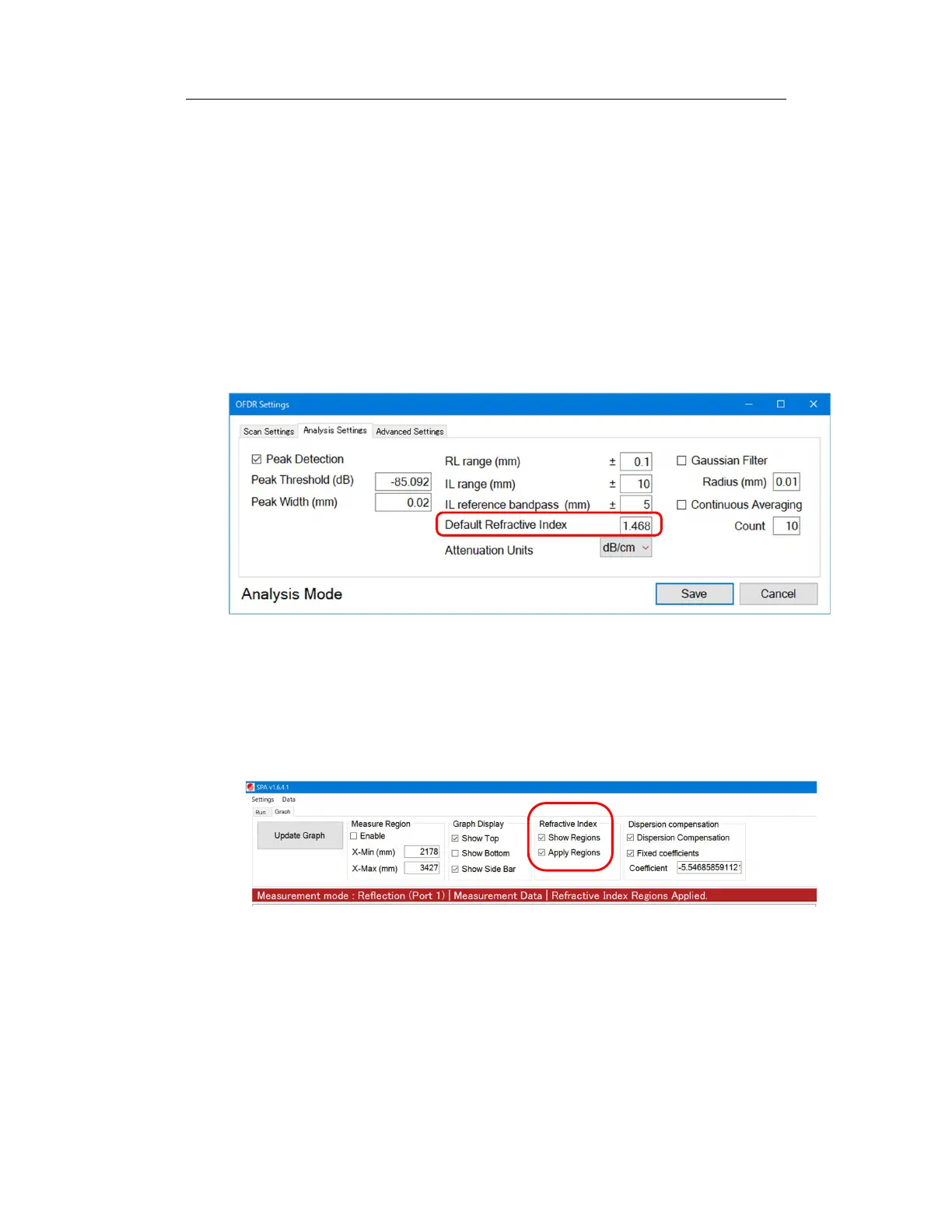
1. The default refractive index setting is the refractive index that applies to the
entire measurement range. This can be set in the “Analysis Settings” tab of
“OFDR Settings”. Enter a value in “Default Refractive Index”.
Figure 6-31
2. Select the “Show Regions” and “Apply Regions” checkboxes in the “Refractive
Index” column. If unchecked, no refractive index will be applied.
Figure 6-32
3. To set an arbitrary refractive index, right-click on the graph and select “Select
Refractive Index Region” from the menu that appears.



 To Next Page