User Manual INTEGRA
10
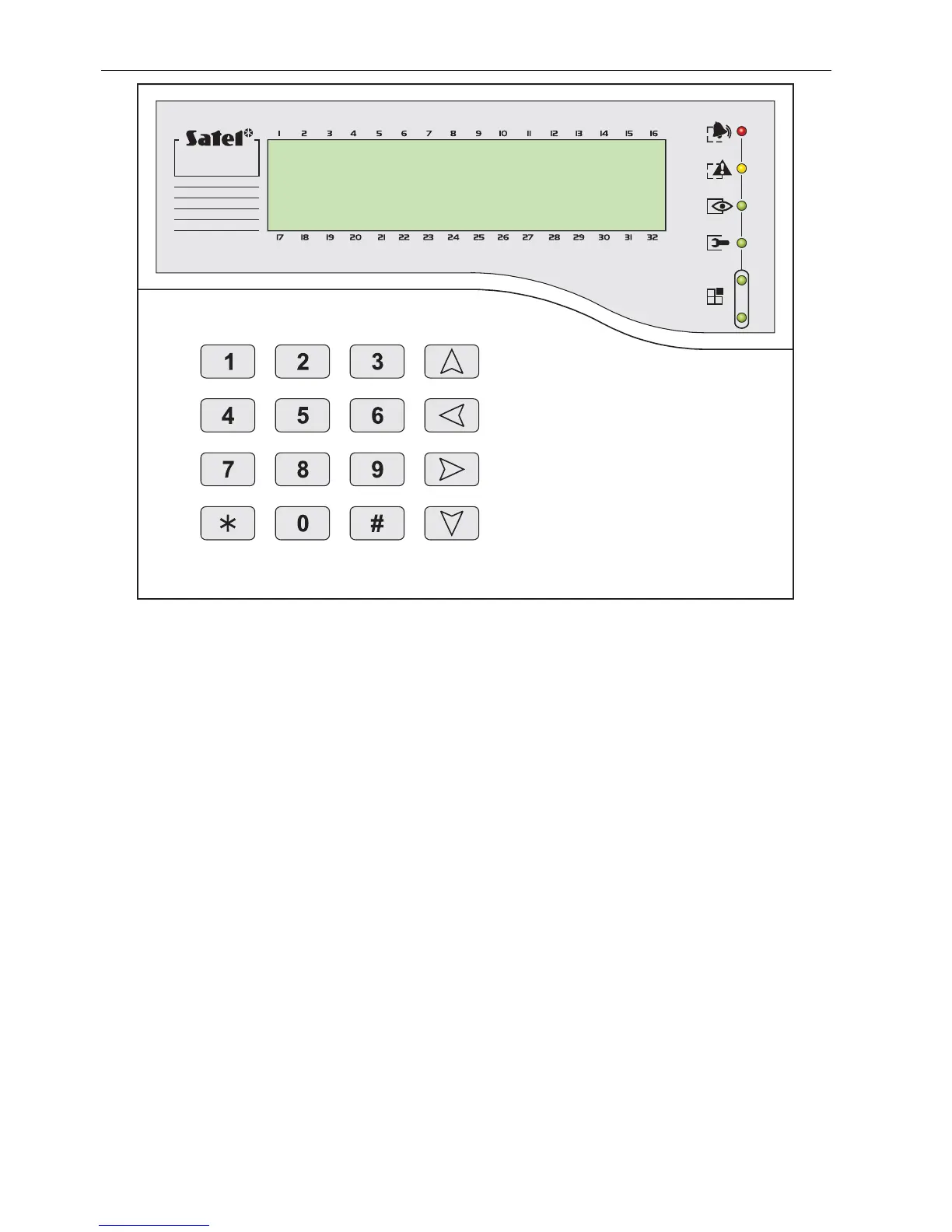
Fig. 3. View of INT-KLCDK-GR keypad.
6.2.1 Display
The LCD keypad comes with a large LCD display (2 x 16 characters) with permanent or
temporary backlighting; the temporary backlighting is activated either by pressing any key or
by violation of any zone (service setting).
The backlighting (including illumination of the keys) may be automatically switched off in the
case of the control panel 230V AC voltage loss.
During normal operation, the display shows the current date and time, it can also
permanently show the keypad name. The format of displayed information is defined by the
installer. The lower display line can be used to show the current status of selected partitions
(up to 16), the displayed symbols being as described in the T
ESTS
function. The first
character in the lower line (from left) shows the status of the lowest number partition, as
selected by the installer. The following numbers show information on the partitions in the
ascending order.
The LCD display can also show important information transmitted by the service using the
so-called S
ERVICE MESSAGE
. The displayed text can contain up to 29 characters and can be
displayed either permanently, or for a specified period of time. It can be visible either to all
users, or only to some of them after entering the access code.
6.2.2 Keys
Situated under the display are keys (illuminated in much the same way as the keypad
screen), which are used for:
• entering codes,
• moving through menu and selecting appropriate functions from the list,
• entering data for called functions.












 To Next Page