User Manual INTEGRA
18
1
2
3
4
5
6
789
0
#
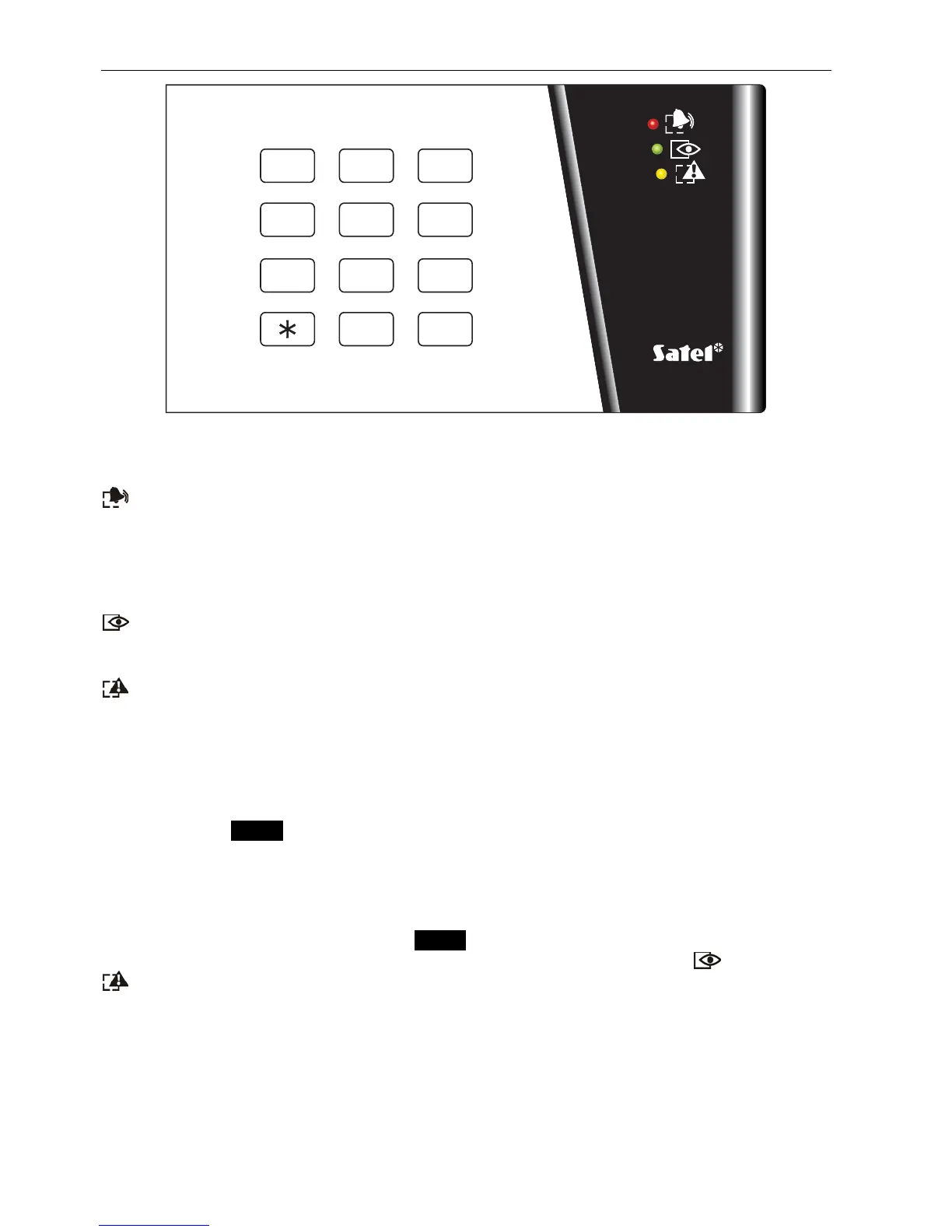
Fig. 5. INT-SK-GR partition keypad.
The partition keypads are provided with LED indicators:
–
ALARM
(red) – permanent lighting of the LED means alarm. After the alarm time
expires, blinking of the LED indicates the alarm memory. The LED goes off after the
alarm is cleared (see: A
LARMS
).
Note: The LED may not signal alarms in the armed mode if the installer has enabled the
option D
O NOT SHOW ALARM IF ARMED
, as required by the CLC/TS 50131-3 standard.
–
ARMED
(green) – steady light indicates that the partition assigned to this keypad has
been armed. The LEDs are blinking during exit delay countdown. Blinking indicates
that exit delay countdown is underway.
–
TROUBLE
(yellow) – blinking indicates occurrence of a technical problem. The signaling
refers to the troubles from the entire alarm system, not only from the keypad controlled
partition. Check the LCD keypad for the type of trouble. The trouble signaling is
temporarily disabled, when arming the keypad controlled partition. Disarming will
restore the trouble signaling. The LED is blinking until troubles are viewed in the LCD
keypad and the trouble memory is reset (option T
ROUBLE MEMORY UNTIL REVIEW
enabled) or until the trouble cause stops (option T
ROUBLE MEMORY UNTIL REVIEW
disabled) PROG.
When all the LEDs are alternately blinking (from top to bottom), there is no communication
between the keypad and the control panel. This situation may occur when the STARTER
program is running in the control panel or the cable connecting the partition keypad to the
control panel is damaged.
It is possible to program the partition PROG to be armed or disarmed after entering two
codes. In this case, entering the first code causes the LEDs labeled [
ARMED
]
and
[
TROUBLE
] and to blink alternately, while the control panel waits for entering the second
code.
Like the LCD keypad, the partition keypad may generate audible signals. Considering the
lack of a display, this is how the control panel acknowledges acceptance of the called
function.
• One short beep – acceptance of the code entry (provided that the option A
CCES
C
ODE
SIGNALING
(
HARDWARE
)
is enabled).
• One long beep – refusal of arming.












 To Next Page