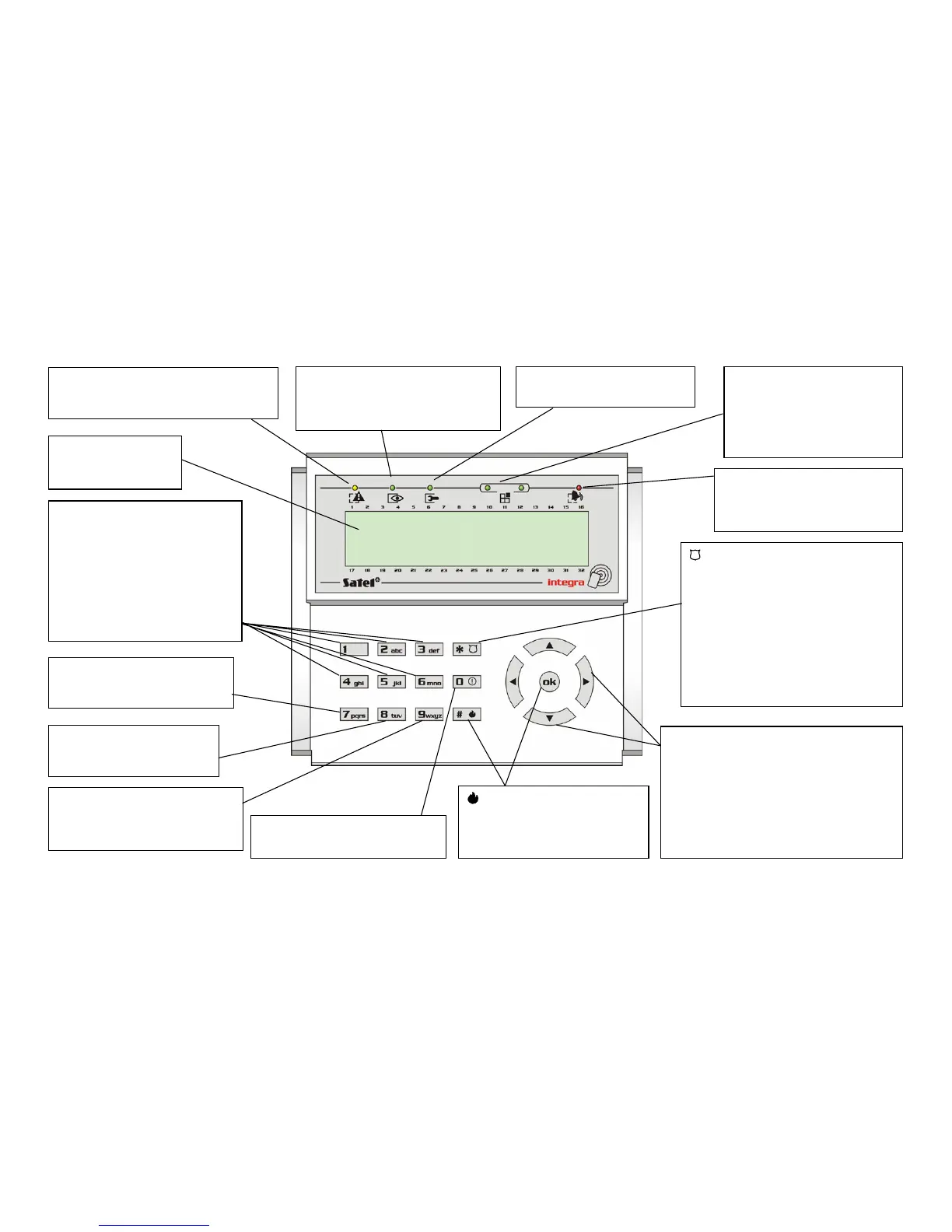
Key functions and LED signaling on LCD keypad (details – see pages 8–12).
LCD DISPLAY:
date and hour;
partition status (p. 10)
1] to [6] – hold down for 3 seconds
to get access to the viewing
functions
[1] – zone status viewing
[4] – partition armed status viewing
[5] – alarm memory viewing
[6] – trouble memory viewing
(see: descriptions of functions
TESTS and EVENTS)
[7] – hold down for 3 seconds to
display messages on currently
detected troubles
[8] – hold down for 3 seconds
to switch keypad chime
signaling ON/OFF
– hold down for 3 sec.
to activate PANIC ALARM
[CODE]+[
*
] – call user function menu
[CODE][
*
][1] – change own code
[CODE][
*
][2] – users/masters
[CODE][
*
][4] – zone bypasses
[CODE][
*
][5] – events
[CODE][
*
][6] – set time
[CODE][
*
][7] – troubles
[CODE][
*
][8] – outputs control
[CODE][
*
][9] – service mode
[CODE][
*
][0] – downloading
[0]
–
hold down for 3 seconds to
activate AUXILIARY ALARM
or [ok]
– hold down for 3
seconds to activate FIRE ALARM
[0][#] – arming
[HASŁO][#] – arming/disarming
[9] – hold down for 3 seconds to
toggle between partition status
display modes: selected/all
[9][#] – end of exit time countdown
Moving through the menu
.
T S – hold down for 3 sec. to start scrolling
through names of zones which triggered
alarm.
W X – hold down for 3 sec. to start scrolling
through names of partitions where alarm
occurred.
Press briefly to view names of partitions
shown on display.
GROUP
– zones or exp. bus
0 – OFF, 1 – ON
00 – 1–32 or bus 1
01 – 33–64 or bus 2
10 – 65–96
11 – 97–128
SERVICE – blinking informs that
the service mode is activated
ARMED
steady light – all partitions operated by
the keypad are armed; blinking light –
some partitions are armed
TROUBLE – indicates detection of
technical problem in the system – to check,
press and hold key [7] for 3 seconds
ALARM
steady light – alarm in operated
partition; blinking light – memory
of partition alarm












 To Next Page