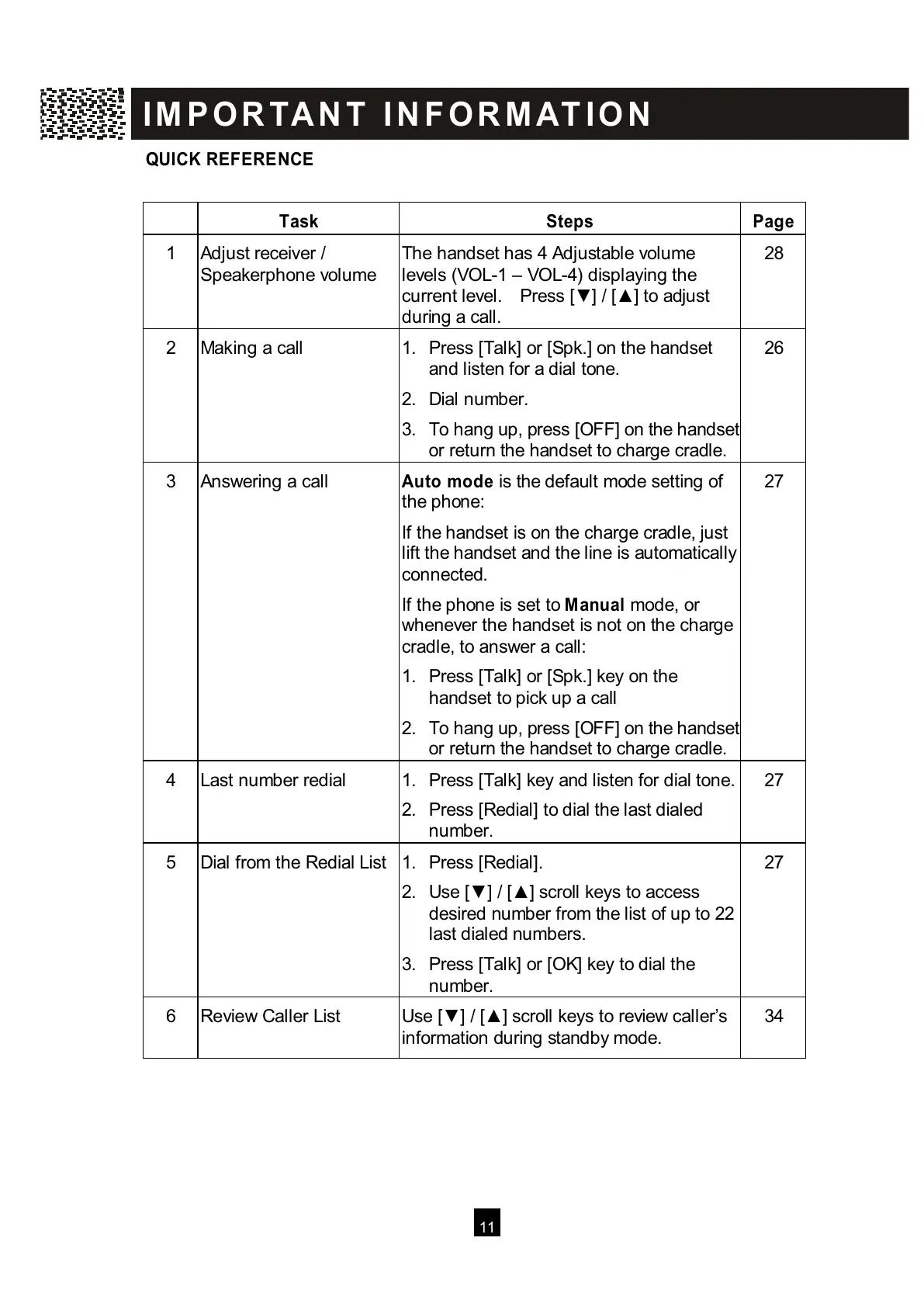
QUICK REFERENCE
T
ask Steps Page
1
A
djust receiver /
Speakerphone volume
The handset has 4 Adjustable volume
levels (VOL-1 – VOL-4) displaying the
current level. Press [▼ ] / [▲ ] to adjust
during a call.
28
2
M
aking a call 1. Press [Talk] or [Spk.] on the handset
and listen for a dial tone.
2. Dial number.
3. To hang up, pres
or return the handset to charge cradle.
2
6
3
A
nswering a call Auto m ode is the default mode setting of
the phone:
If the handset is on the charge cradle, just
lift the handset and the line is automatically
connected.
If the phone is set to M anual mode, or
whenever the handset is not on the charge
cradle, to answer a call:
1. Press [Talk] or [Spk.] key on the
handset to pick up a call
2.
To hang up, press [OFF] on the handset
or return the handset to charge cradle.
2
7
4
L
ast number redial 1. Press [Talk] key and listen for dial tone.
2. Press [Redial] to dial the last dialed
n
umber.
27
5
D
ial from the Redial List
1. Press [Redial].
2
. Use [▼ ] / [▲ ] scroll keys to access
desired number from the list of up to 22
last dialed numbers.
3. Press [Talk] or [OK] key to dial the
number.
27
6
R
eview Caller List Use [▼ ] / [▲ ] scroll keys to review caller’s
information during standby mode.
34
I M P O R TA N T I N F O R M AT I O N
All manuals and user guides at all-guides.com



 To Next Page