Prior to using your phone, you may customize it to fit your preference.
N
am ing
Each handset is defaulted as HS (#) where # is the sequence of handset registered to
the base unit. They can be personalized with names, e.g. JOHN, MARY, GARAGE or
ROOM 2, etc.
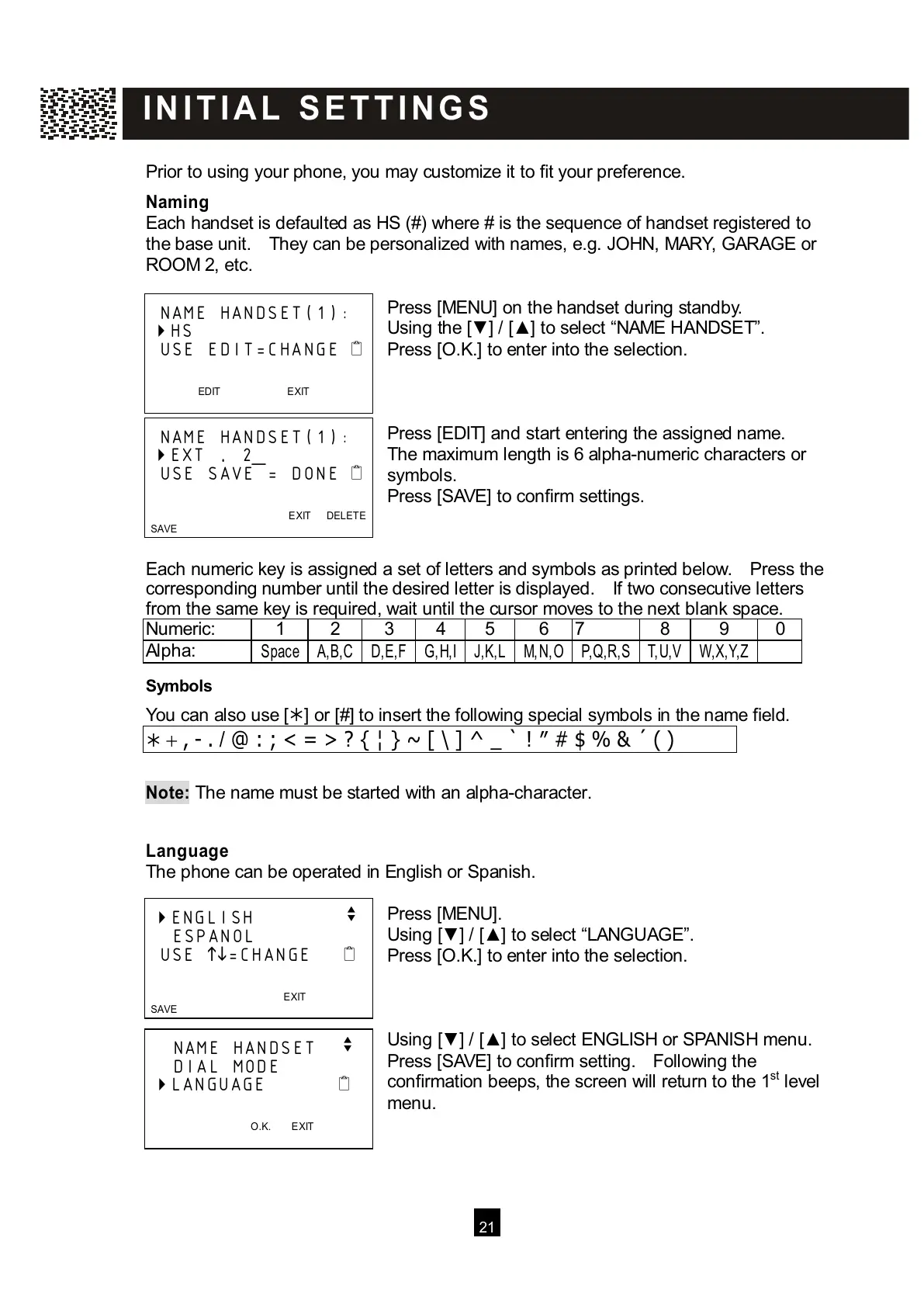
Press [MENU] on the handset during standby.
Using the [▼ ] / [▲ ] to select “NAME HANDSET”.
Press [O.K.] to enter into the selection.
Press [EDIT] and start entering the assigned name.
The maximum length is 6 alpha-numeric characters or
symbols.
Press [SAVE] to confirm settings.
Each numeric key is assigned a set of letters and symbols as printed below. Press the
corresponding number until the desired letter is displayed. If two consecutive letters
from the same key is required, wait until the cursor moves to the next blank space.
Numeric: 1 2 3 4 5 6 7 8 9 0
Alpha:
S
pace
Symbols
Y
ou can also use [] or [#] to insert the following special symbols in the name field.
+ , - . / @ : ; < = > ? { ¦ } ~ [ \ ] ^ _ ` ! ″ # $ % & ´ ( )
Note:
The name must be started with an alpha-character.
Language
The phone can be operated in English or Spanish.
Press [MENU].
Using [▼ ] / [▲ ] to select “LANGUAGE”.
Press [O.K.] to enter into the selection.
Using [▼ ] / [▲ ] to select ENGLISH or SPANISH menu.
Press [SAVE] to confirm setting. Following the
confirmation beeps, the screen will return to the 1
st
level
menu.
NAME HANDSET(1):
HS
USE EDIT=CHANGE



 To Next Page