Enter into Walkie-Talkie m ode
P
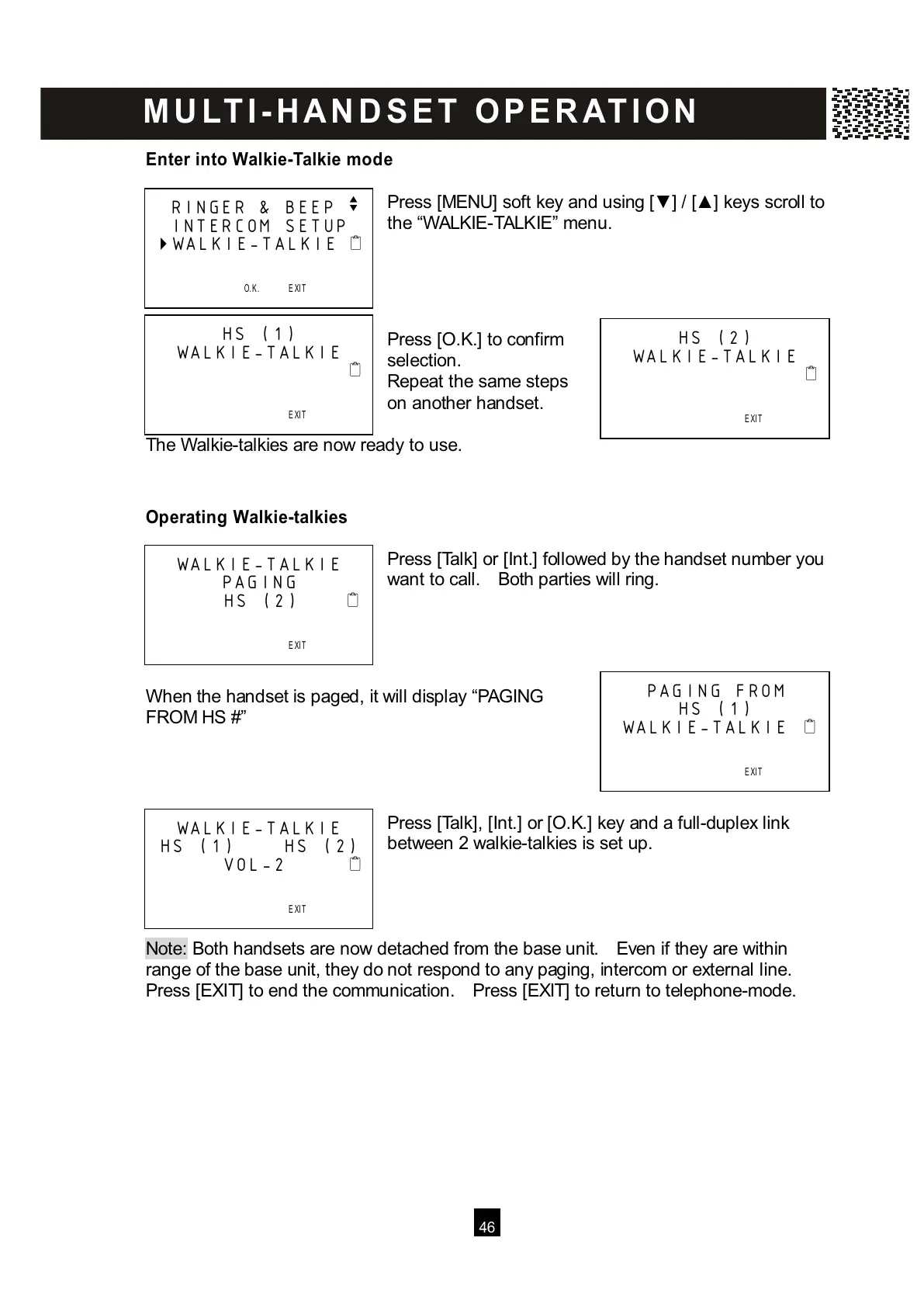
ress [MENU] soft key and using [▼ ] / [▲ ] keys scroll to
the “W ALKIE-TALKIE” menu.
Press [O.K.] to confirm
selection.
Repeat the same steps
on another handset.
The W alkie-talkies are now ready to use.
Operating Walkie-talkies
Press [Talk] or [Int.] followed by the handset number you
want to call. Both parties will ring.
W hen the handset is paged, it will display “PAGING
FROM HS #”
Press [Talk], [Int.] or [O.K.] key and a full-duplex link
between 2 walkie-talkies is set up.
Note: Both handsets are now detached from the base unit. Even if they are within
r
ange of the base unit, they do not respond to any paging, intercom or external line.
Press [EXIT] to end the communication. Press [EXIT] to return to telephone-mode.
RINGER & BEEP v
INTERCOM SETUP
WALKIE-TALKIE



 To Next Page