P
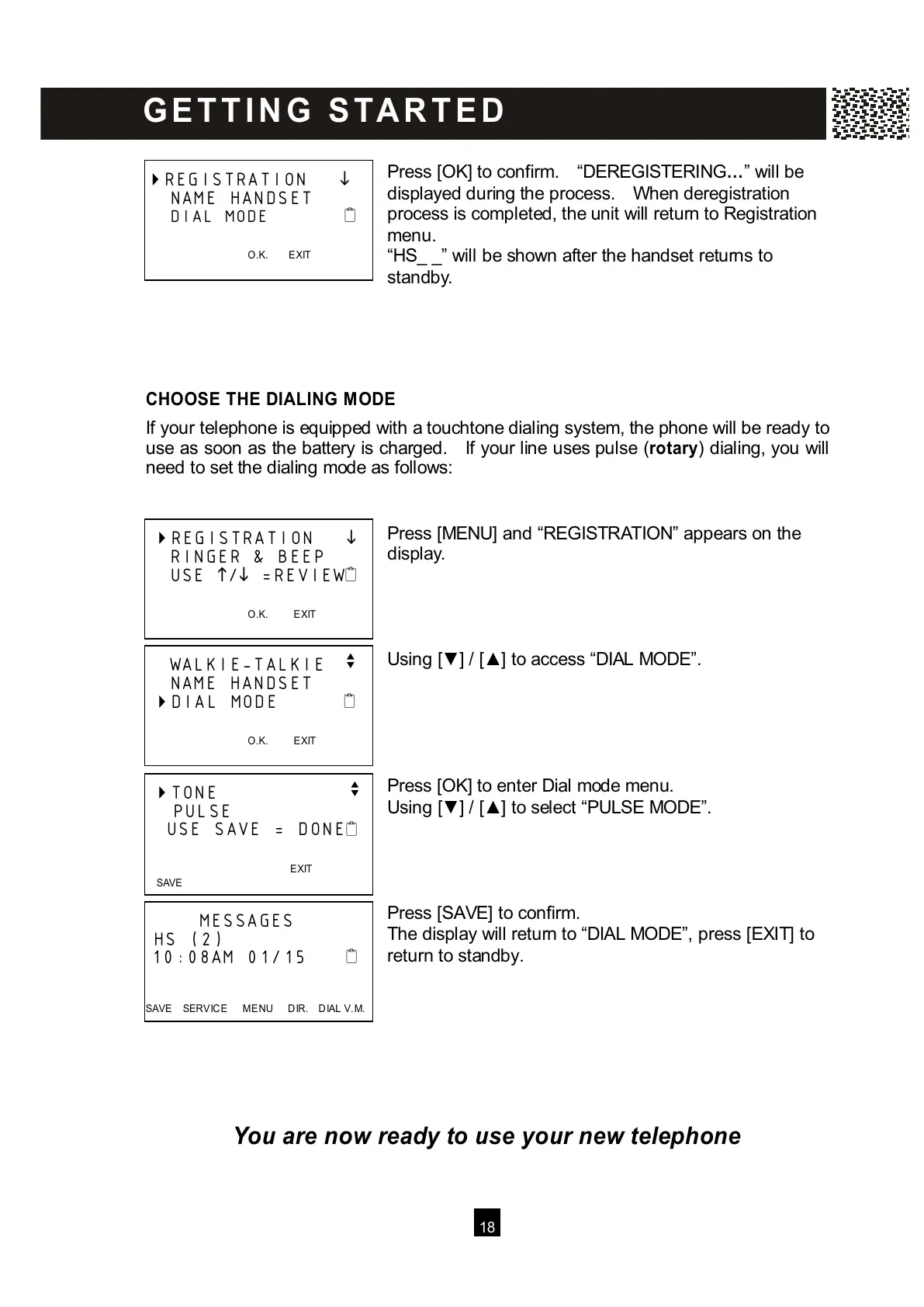
ress [OK] to confirm. “DEREGISTERING…” will be
displayed during the process. W hen deregistration
process is completed, the unit will return to Registration
menu.
“HS_ _” will be shown after the handset returns to
standby.
CHOOSE THE DIALING M ODE
If your telephone is equipped with a touchtone dialing system, the phone will be ready to
use as soon as the battery is charged. If your line uses pulse (rotary) dialing, you will
need to set the dialing mode as follows:
Press [MENU] and “REGISTRATION” appears on the
display.
Using [▼ ] / [▲ ] to access “DIAL MODE”.
Press [OK] to enter Dial mode menu.
Using [▼ ] / [▲ ] to select “PULSE MODE”.
Press [SAVE] to confirm.
The display will return to “DIAL MODE”, press [EXIT] to
return to standby.
You are now ready to use your new telephone
REGISTRATION
NAME HANDSET
DIAL MODE
O.K. EXIT



 To Next Page