P
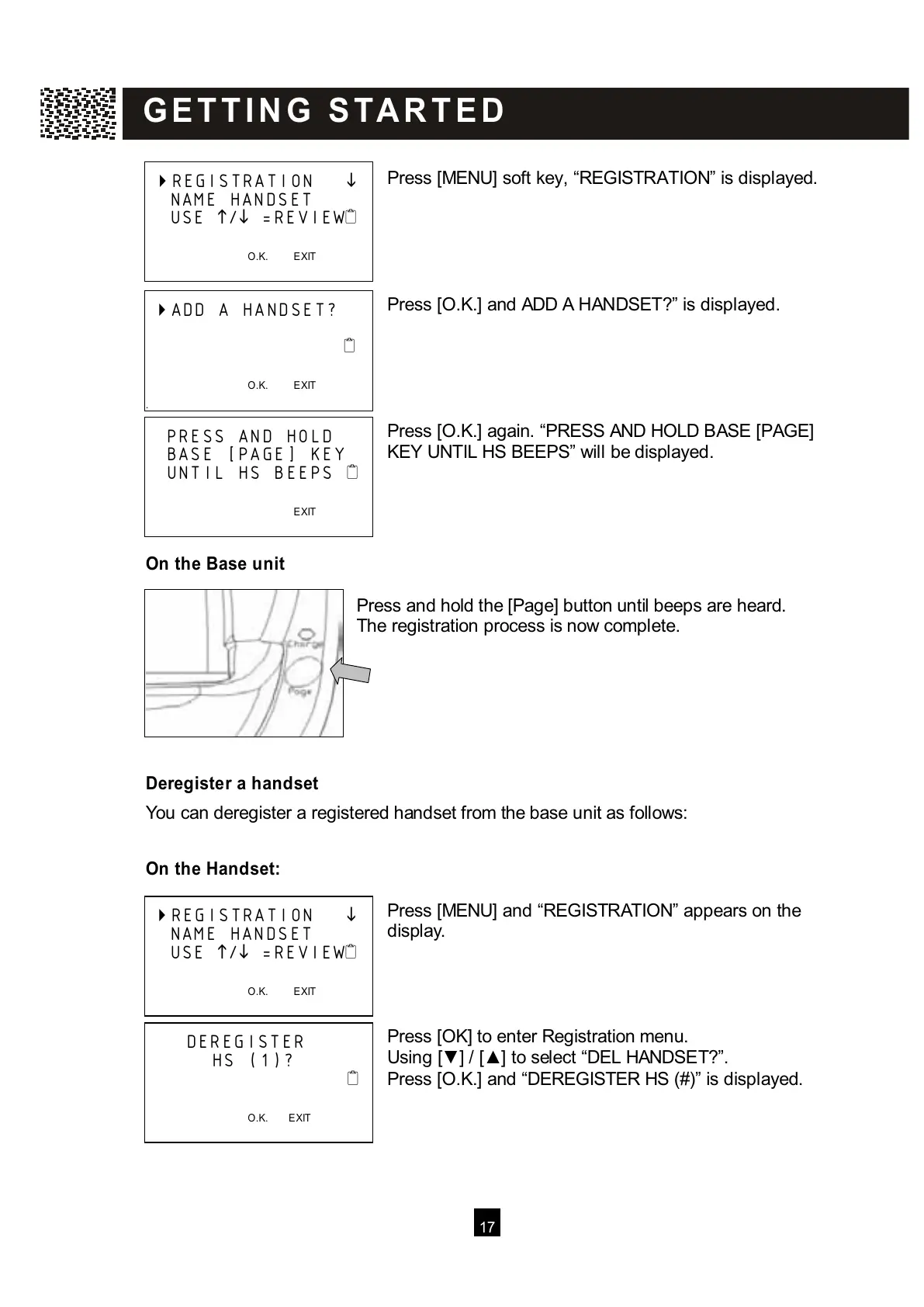
ress [MENU] soft key, “REGISTRATION” is displayed.
Press [O.K.] and ADD A HANDSET?” is displayed.
Press [O.K.] again. “PRESS AND HOLD BASE [PAGE]
KEY UNTIL HS BEEPS” will be displayed.
On the Base unit
Press and hold the [Page] button until beeps are heard.
The registration process is now complete.
Deregister a handset
You can deregister a registered handset from the base unit as follows:
On the Handset:
Press [MENU] and “REGISTRATION” appears on the
display.
Press [OK] to enter Registration menu.
Using [▼ ] / [▲ ] to select “DEL HANDSET?”.
Press [O.K.] and “DEREGISTER HS (#)” is displayed.
REGISTRATION
NAME HANDSET
USE
/
=REVIEW
O.K. EXIT



 To Next Page