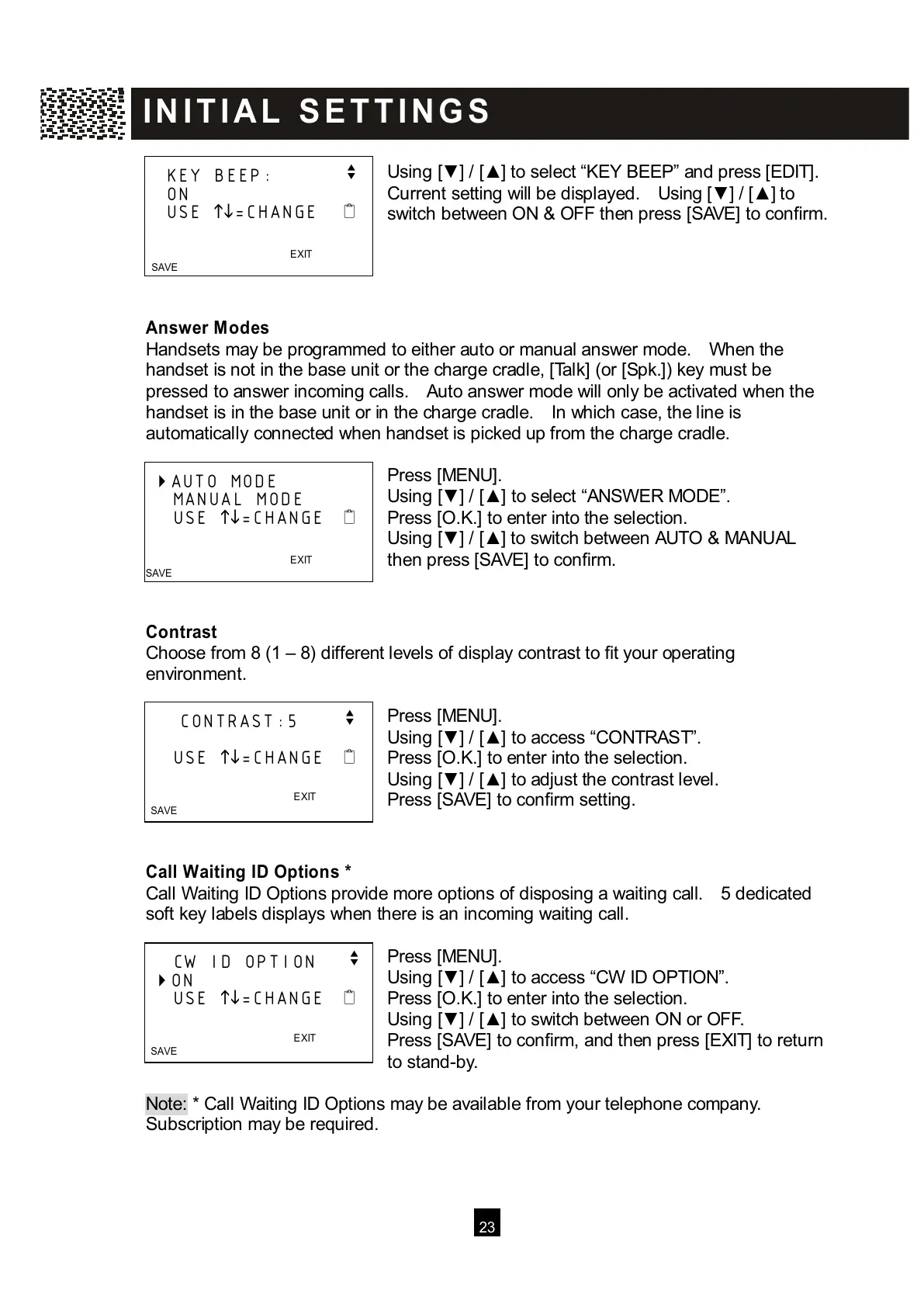
U
sing [▼ ] / [▲ ] to select “KEY BEEP” and press [EDIT].
Current setting will be displayed. Using [▼ ] / [▲ ] to
switch between ON & OFF then press [SAVE] to confirm.
Answer M odes
Handsets may be programmed to either auto or manual answer mode. W hen the
handset is not in the base unit or the charge cradle, [Talk] (or [Spk.]) key must be
pressed to answer incoming calls. Auto answer mode will only be activated when the
handset is in the base unit or in the charge cradle. In which case, the line is
automatically connected when handset is picked up from the charge cradle.
Press [MENU].
Using [▼ ] / [▲ ] to select “ANSW ER MODE”.
Press [O.K.] to enter into the selection.
Using [▼ ] / [▲ ] to switch between AUTO & MANUAL
then press [SAVE] to confirm.
Contrast
Choose from 8 (1 – 8) different levels of display contrast to fit your operating
environment.
Press [MENU].
Using [▼ ] / [▲ ] to access “CONTRAST”.
Press [O.K.] to enter into the selection.
Using [▼ ] / [▲ ] to adjust the contrast level.
Press [SAVE] to confirm setting.
Call W aiting ID Options *
Call W aiting ID Options provide more options of disposing a waiting call. 5 dedicated
soft key labels displays when there is an incoming waiting call.
Press [MENU].
Using [▼ ] / [▲ ] to access “CW ID OPTION”.
Press [O.K.] to enter into the selection.
Using [▼ ] / [▲ ] to switch between ON or OFF.
Press [SAVE] to confirm, and then press [EXIT] to return
to stand-by.
Note: * Call W aiting ID Options may be available from your telephone company.
S
ubscription may be required.
KEY BEEP: v
ON
USE
=CHANGE
EXIT
SAVE
A
UTO MODE
MANUAL MODE
USE
=CHANGE
EXIT
SAVE
CONTRAST:5 v
USE
=CHANGE
EXIT
SAVE



 To Next Page