New Call Lam p
T
he M essage W aiting Indicator / New Call Lam p will flash when there are new or
unviewed Caller ID entries in call log if the lamp is switched on.
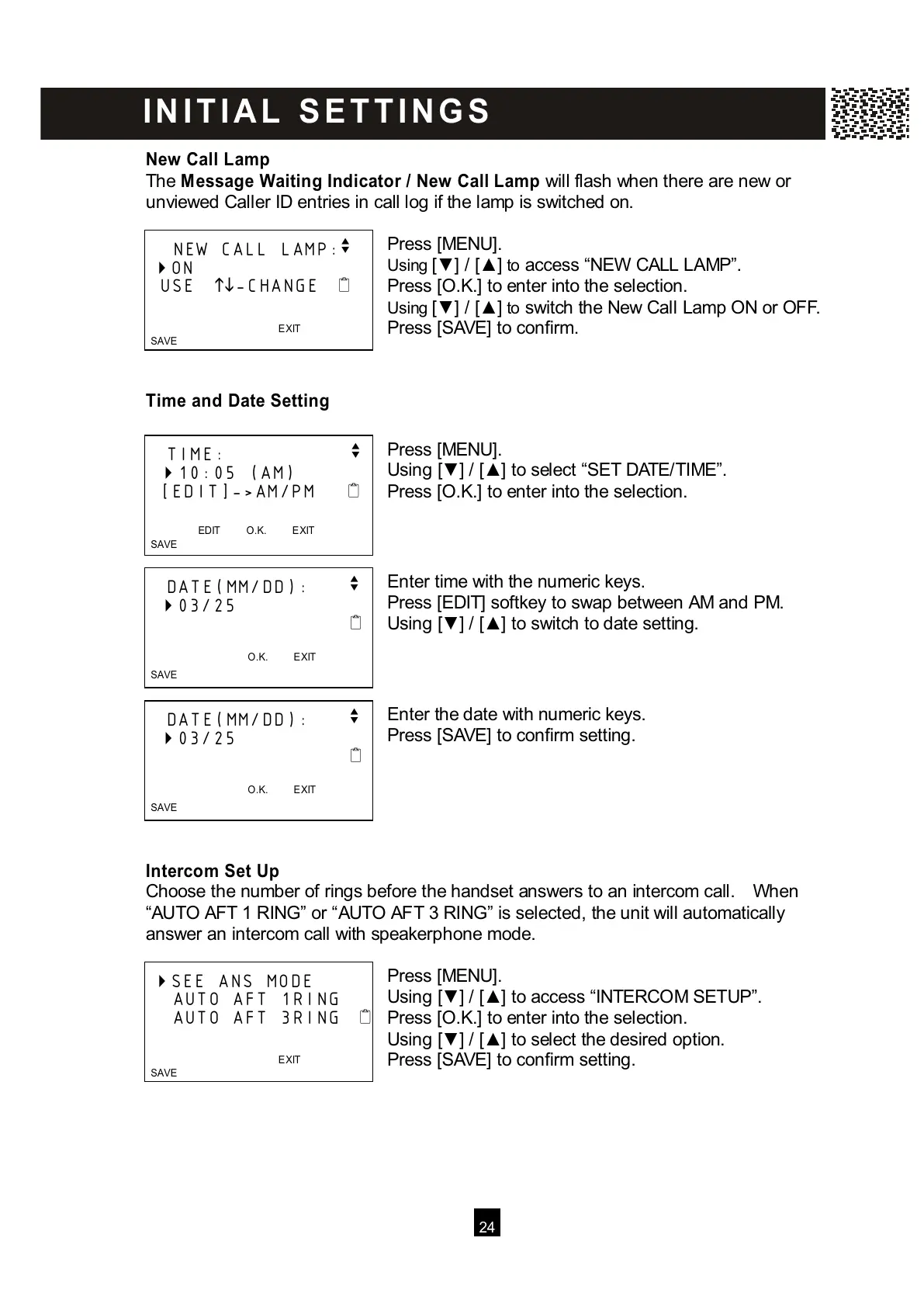
Press [MENU].
Using [▼ ] / [▲ ] to access “NEW CALL LAMP”.
Press [O.K.] to enter into the selection.
Using [▼ ] / [▲ ] to switch the New Call Lamp ON or OFF.
Press [SAVE] to confirm.
Tim e and Date Setting
Press [MENU].
Using [▼ ] / [▲ ] to select “SET DATE/TIME”.
Press [O.K.] to enter into the selection.
Enter time with the numeric keys.
Press [EDIT] softkey to swap between AM and PM.
Using [▼ ] / [▲ ] to switch to date setting.
Enter the date with numeric keys.
Press [SAVE] to confirm setting.
Intercom Set Up
Choose the number of rings before the handset answers to an intercom call. W hen
“AUTO AFT 1 RING” or “AUTO AFT 3 RING” is selected, the unit will automatically
answer an intercom call with speakerphone mode.
Press [MENU].
Using [▼ ] / [▲ ] to access “INTERCOM SETUP”.
Press [O.K.] to enter into the selection.
Using [▼ ] / [▲ ] to select the desired option.
Press [SAVE] to confirm setting.
NEW CALL LAMP:
v
ON
USE
-CHANGE
EXIT
SAVE



 To Next Page