Add a New Number/Name
P
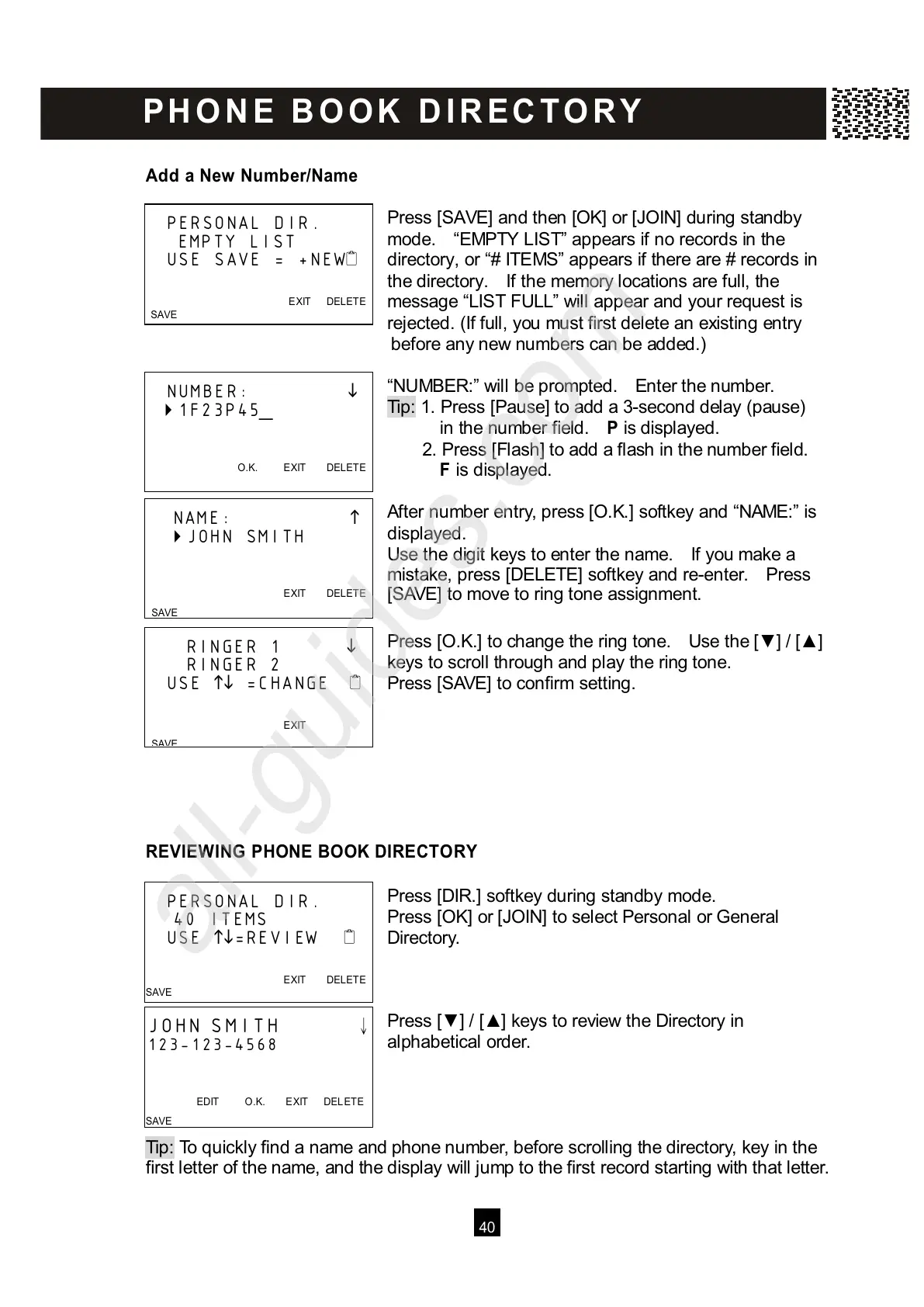
ress [SAVE] and then [OK] or [JOIN] during standby
mode. “EMPTY LIST” appears if no records in the
directory, or “# ITEMS” appears if there are # records in
the directory. If the memory locations are full, the
message “LIST FULL” will appear and your request is
rejected. (If full, you must first delete an existing entry
before any new numbers can be added.)
“NUMBER:” will be prompted. Enter the number.
Tip: 1. Press [Pause] to add a 3-second delay (pause)
in the number field. P is displayed.
2. Press [Flash] to add a flash in the number field.
F is displayed.
After number entry, press [O.K.] softkey and “NAME:” is
displayed.
Use the digit keys to enter the name. If you make a
mistake, press [DELETE] softkey and re-enter. Press
[SAVE] to move to ring tone assignment.
Press [O.K.] to change the ring tone. Use the [▼ ] / [▲ ]
keys to scroll through and play the ring tone.
Press [SAVE] to confirm setting.
REVIEW ING PHONE BOOK DIRECTORY
Press [DIR.] softkey during standby mode.
Press [OK] or [JOIN] to select Personal or General
Directory.
Press [▼ ] / [▲ ] keys to review the Directory in
alphabetical order.
Tip: To quickly find a name and phone number, before scrolling the directory, key in the
f
irst letter of the name, and the display will jump to the first record starting with that letter.
PERSONAL DIR.
EMPTY LIST
USE SAVE = +NEW
EXIT DELETE



 To Next Page