M essage W aiting Indicator
T
he menu item “DEL MESSAGE” is only available when there are new or non-read
message(s) in you voicemail box *. “DEL MESSAGE” does not delete your message,
but rather deactivate the Message W aiting Indicator from flashing until a new message
arrives. (To read or delete the message, use “Dial Voice Mail”, for details see page 31)
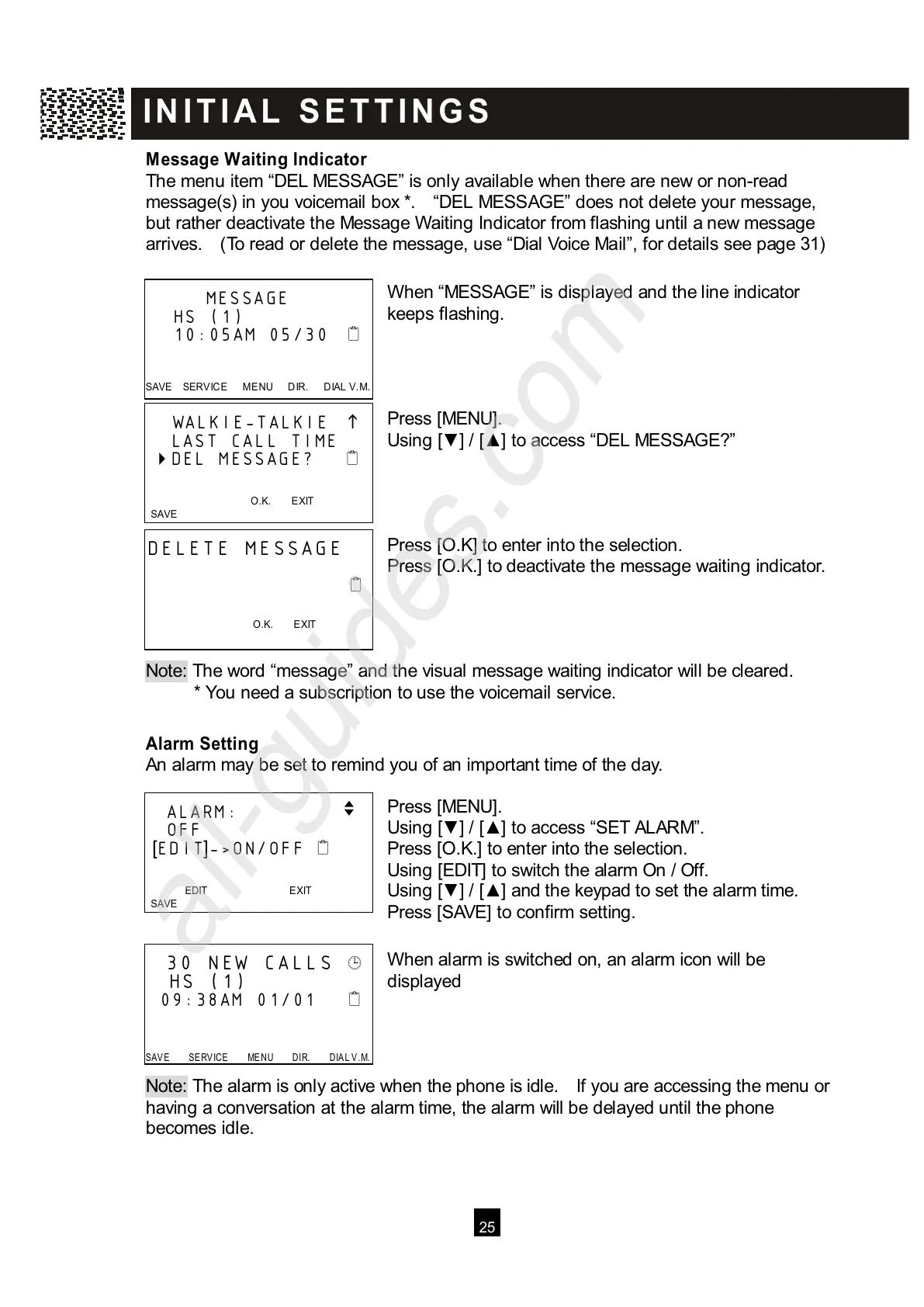
W hen “MESSAGE” is displayed and the line indicator
keeps flashing.
Press [MENU].
Using [▼ ] / [▲ ] to access “DEL MESSAGE?”
Press [O.K] to enter into the selection.
Press [O.K.] to deactivate the message waiting indicator.
Note: The word “message” and the visual message waiting indicator will be cleared.
* You need a subscription to use the voicemail service.
Alarm Setting
An alarm may be set to remind you of an important time of the day.
Press [MENU].
Using [▼ ] / [▲ ] to access “SET ALARM”.
Press [O.K.] to enter into the selection.
Using [EDIT] to switch the alarm On / Off.
Using [▼ ] / [▲ ] and the keypad to set the alarm time.
Press [SAVE] to confirm setting.
W hen alarm is switched on, an alarm icon will be
displayed
Note: The alarm is only active when the phone is idle. If you are accessing the menu or
h
aving a conversation at the alarm time, the alarm will be delayed until the phone
becomes idle.
MESSAGE
HS (1)
10:05AM 05/30
SAVE SERVICE M ENU DIR. DIAL V.M.



 To Next Page