CALL TRANSFER
T
he SBC 383 cordless phone allows you to transfer calls between handsets.
Blind Transfer
You can transfer a call to another handset without advance notice.
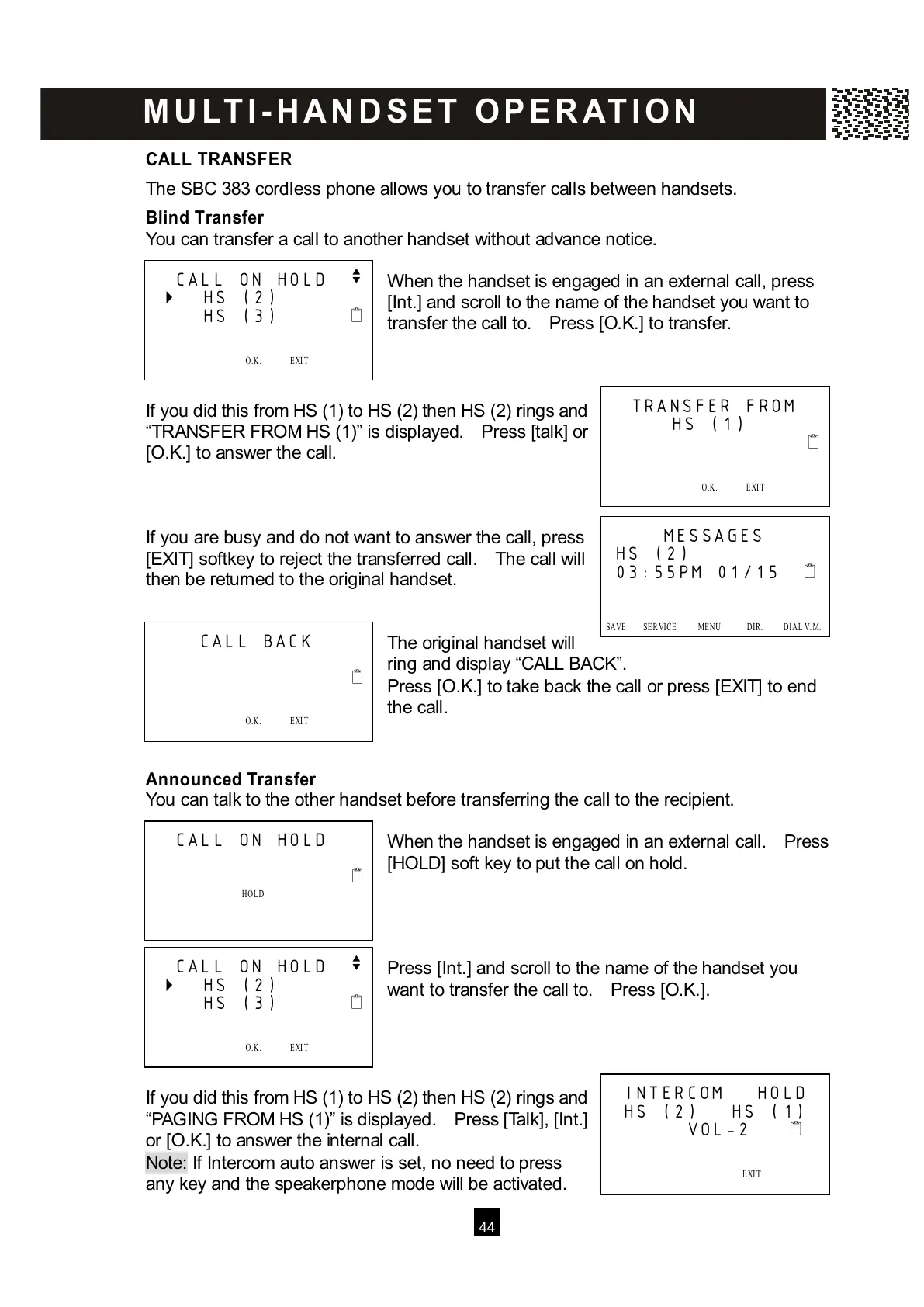
W hen the handset is engaged in an external call, press
[Int.] and scroll to the name of the handset you want to
transfer the call to. Press [O.K.] to transfer.
If you did this from HS (1) to HS (2) then HS (2) rings and
“TRANSFER FROM HS (1)” is displayed. Press [talk] or
[O.K.] to answer the call.
If you are busy and do not want to answer the call, press
[EXIT] softkey to reject the transferred call. The call will
then be returned to the original handset.
The original handset will
ring and display “CALL BACK”.
Press [O.K.] to take back the call or press [EXIT] to end
the call.
Announced Transfer
You can talk to the other handset before transferring the call to the recipient.
W hen the handset is engaged in an external call. Press
[HOLD] soft key to put the call on hold.
Press [Int.] and scroll to the name of the handset you
want to transfer the call to. Press [O.K.].
If you did this from HS (1) to HS (2) then HS (2) rings and
“PAGING FROM HS (1)” is displayed. Press [Talk], [Int.]
or [O.K.] to answer the internal call.
Note: If Intercom auto answer is set, no need to press
a
ny key and the speakerphone mode will be activated.
CALL ON HOLD
v



 To Next Page