Flash / Dial 11 Key
(
a) W hile reviewing the Call ID Record, press [Dial 11] to Call Back in 11-digit format.
(b) The [Flash] key is used to access Call W aiting calls.
Scroll Keys [▼] / [▲]
(a) W hile on a call, press [▼ ] / [▲ ] to adjust the volume.
(b) During standby, press [▼ ] / [▲ ] to scroll through Menu options; access Caller ID
Records, Phonebook Directory Records and Redial List.
Intercom Key [Int.]
During standby, press the key to activate the intercom function between handsets,
answer a paging call, or terminate an intercom call. W hile on a line, press the key to
transfer the call to a particular handset.
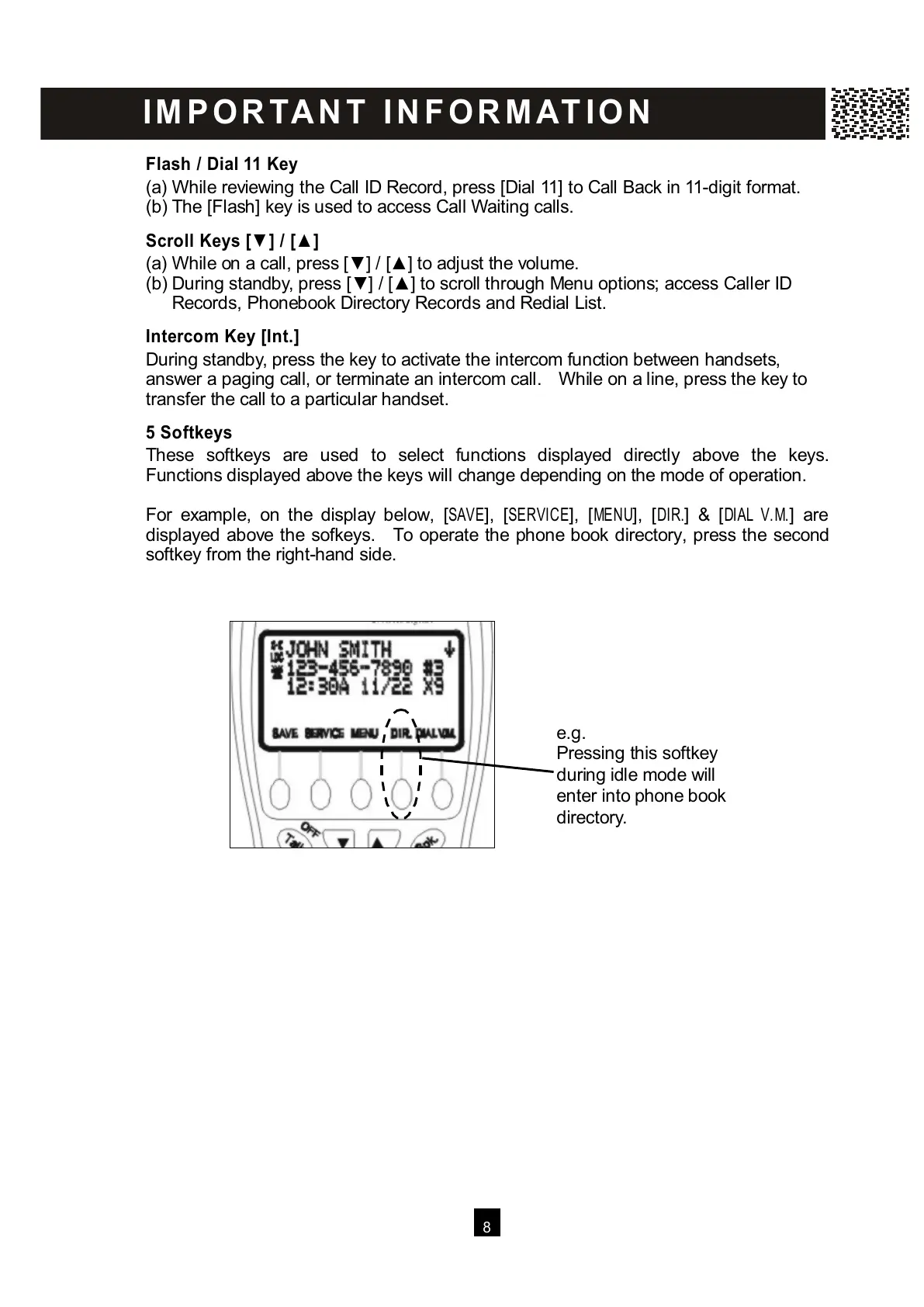
5 Softkeys
These softkeys are used to select functions displayed directly above the keys.
Functions displayed above the keys will change depending on the mode of operation.
For example, on the display below, [SAVE], [SERVICE], [MENU], [DIR.] & [DIAL V.M.] are
displayed above the sofkeys. To operate the phone book directory, press the second
softkey from the right-hand side.
I M P O R TA N T I N F O R M AT I O N
e.g.
P
ressing this softkey
during idle mode will
enter into phone book
directory.



 To Next Page