– 52 –
Scanreco – Service Manual G6 Radio Remote Control System
7.3. Status Indications
7.3.1. Receiver Status Indications
The Receiver is equipped with one LED that indicates status for errors, pairing and
connection. The LED will light up in three dierent colors:
Red, Green and Orange.
Status LED Indicating
O
No power supply
Red continuous
Major error
Red fast flashing
Minor error
Orange continuous
Refuse link with transmitter
Orange fast flashing
Pairing pending
Orange slow flashing
Pairing
Green continuous
Power supplied – No link to transmitter and no
CAN communication
Green fast flashing
Linked with transmitter
Green slow flashing
Power supplied – No link to transmitter CAN in
operational mode
Green + Orange alternating
Linked over BLE to diagnostic tool
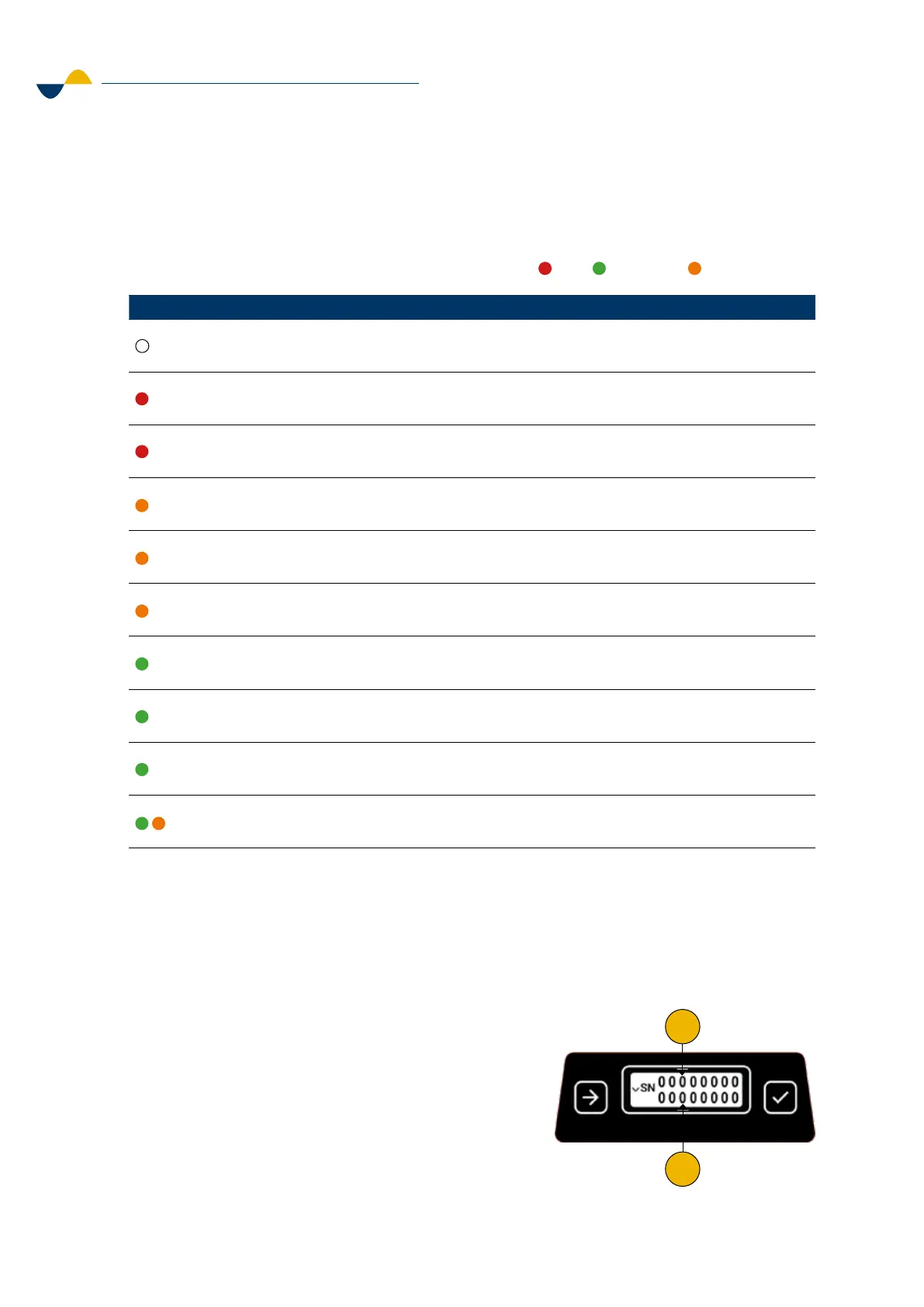
7.3.2. Serial Number Readout
If the product label is missing or unreadable the serial number can be viewed in the information
center. Also, the serial number of the last paired receiver can be viewed. This is helpful if the
transmitter is the only product that has been returned for service and repairs.
To view the serial numbers:
1. Press Next and Confirm at the same time.
2. Press Next button three times.
3. The serial numbers will be displayed.
a. Transmitter serial number
b. Receiver serial number.
b
a


 To Next Page