Chapter 1: Scanner Basics
4 Scantron SelfScore Scanners
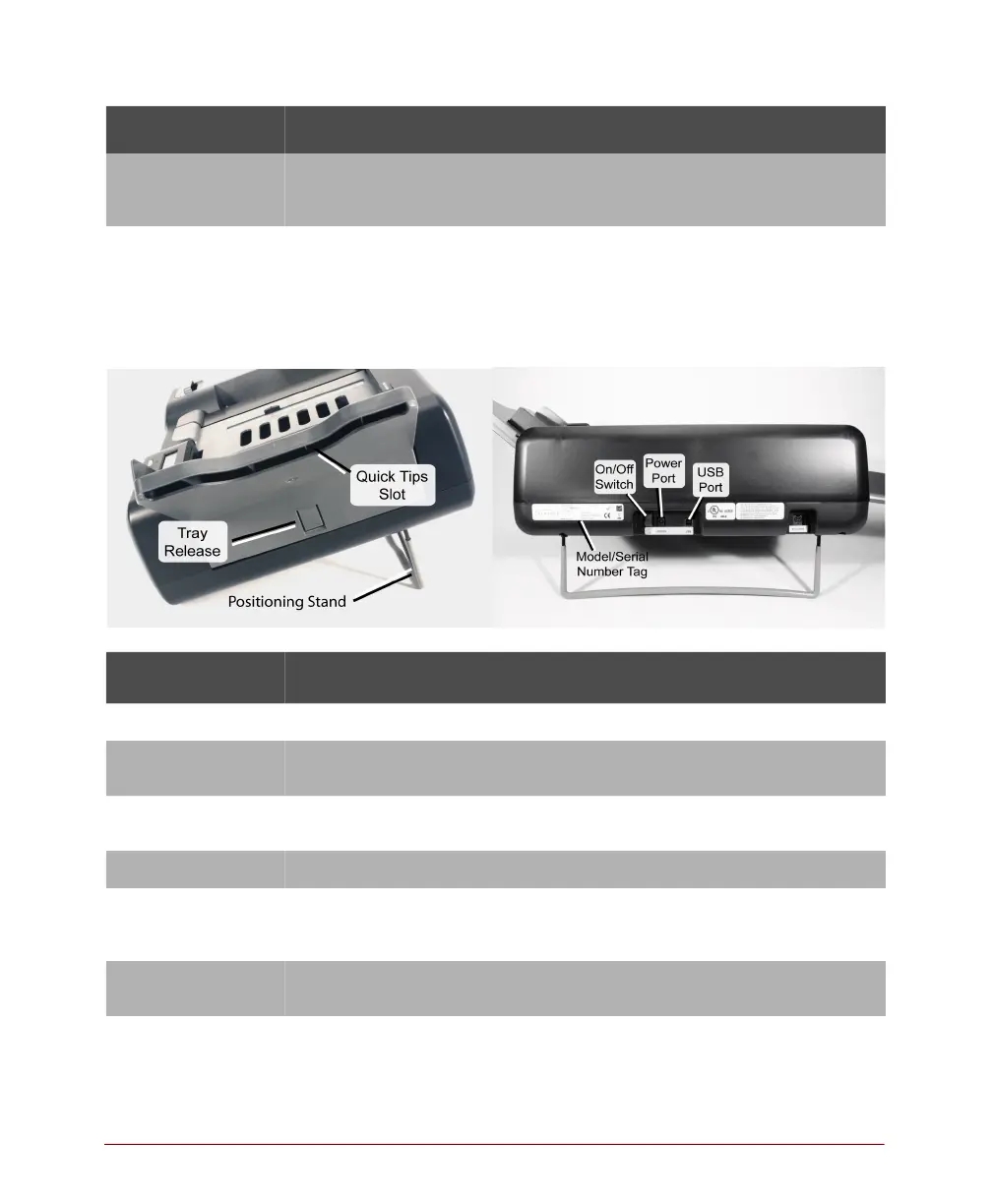
Side and Back View
Read head Captures data from sheets. (A label on the end of the read head
shows the type of read head you have.) The read head must be
down and latched for the scanner to function properly.
Sheet deflector Keeps a sheet flat as it starts through the scanner. The sheet
deflector must be down and latched for the scanner to function
properly.
Component Function
On/Off switch Turns the scanner on and off.
Positioning stand Holds the scanner at the correct position for operation. When
extended, the positioning stand places the scanner at an angle.
Power port Provides a connection point for power input from the power
supply.
Quick Tips slot Provides a location on the scanner for the Quick Tips guides.
Tray release Releases (when pressed) the input tray for removal from the
scanner. Located on the back of the upper input tray under the
Quick Tips slot.
USB port Provides a connection point for the USB cable coming from the
computer.
Component Function



 To Next Page