Operator’s Guide 75
Positioning the Printers
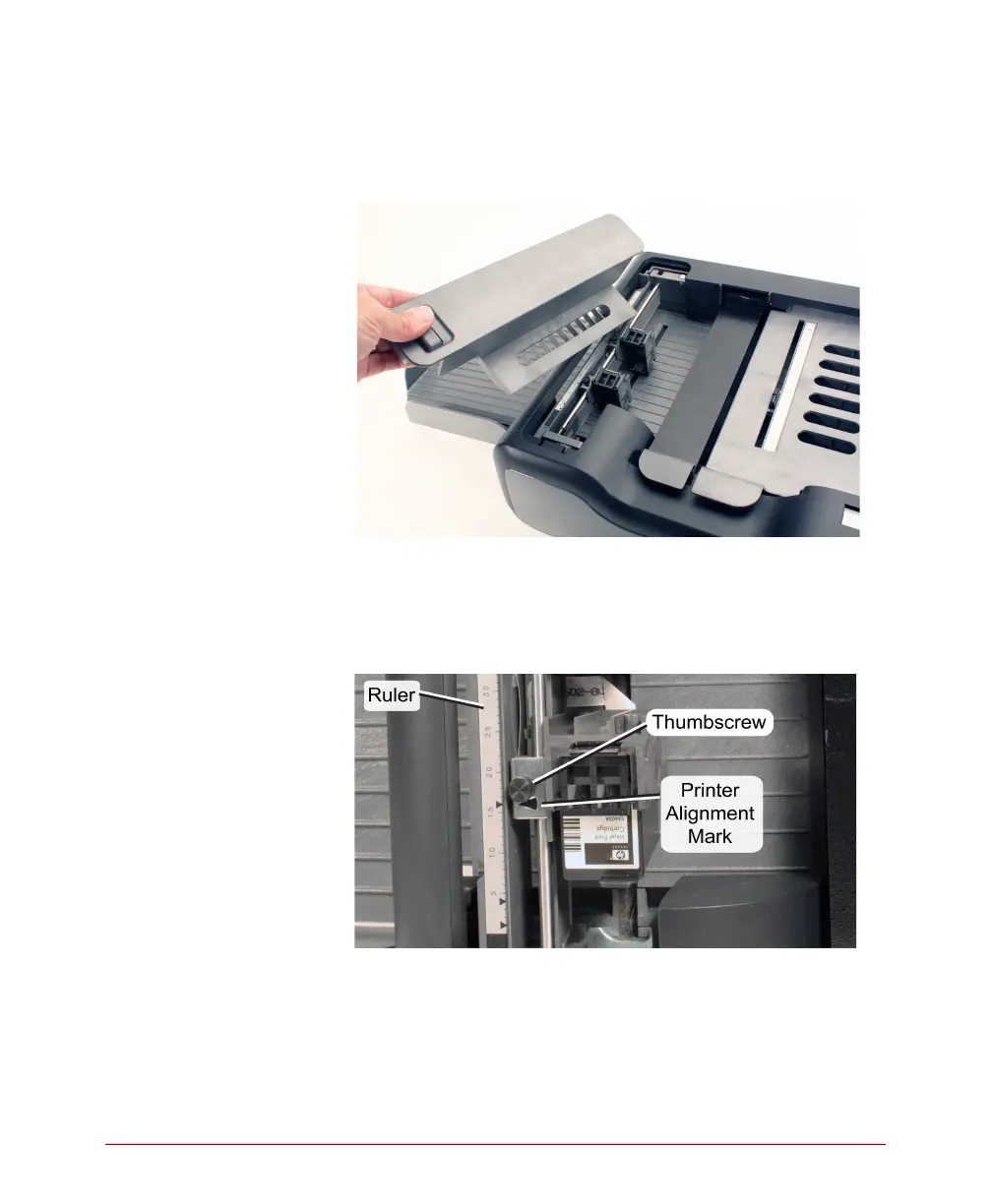
1. If the printer cover is not already removed (from a
previous procedure) unlatch it and remove it.
2. Notice the location of the cartridge holder that is
inside the printer assembly. Also notice the ruler,
the printer alignment mark, and the thumbscrew
that sit beside the cartridge holder. These are the
elements used to position the printer(s).
3. SelfScore forms require that the printers are
positioned to 1.6 and 4.3 inches. There are small
triangles on the scanner printer ruler indicating
these two locations.



 To Next Page