46 Scantron SelfScore Scanners
Select Stacker
Note that the Select Stacker is not supported in
Scantron Score emulation mode.
Marking Keys and Scoring Tests
For Single Sided Keys:
Mark the Key
1. Mark the key using the same form used by
students.
2. Find the key marking row immediately above the
first question.
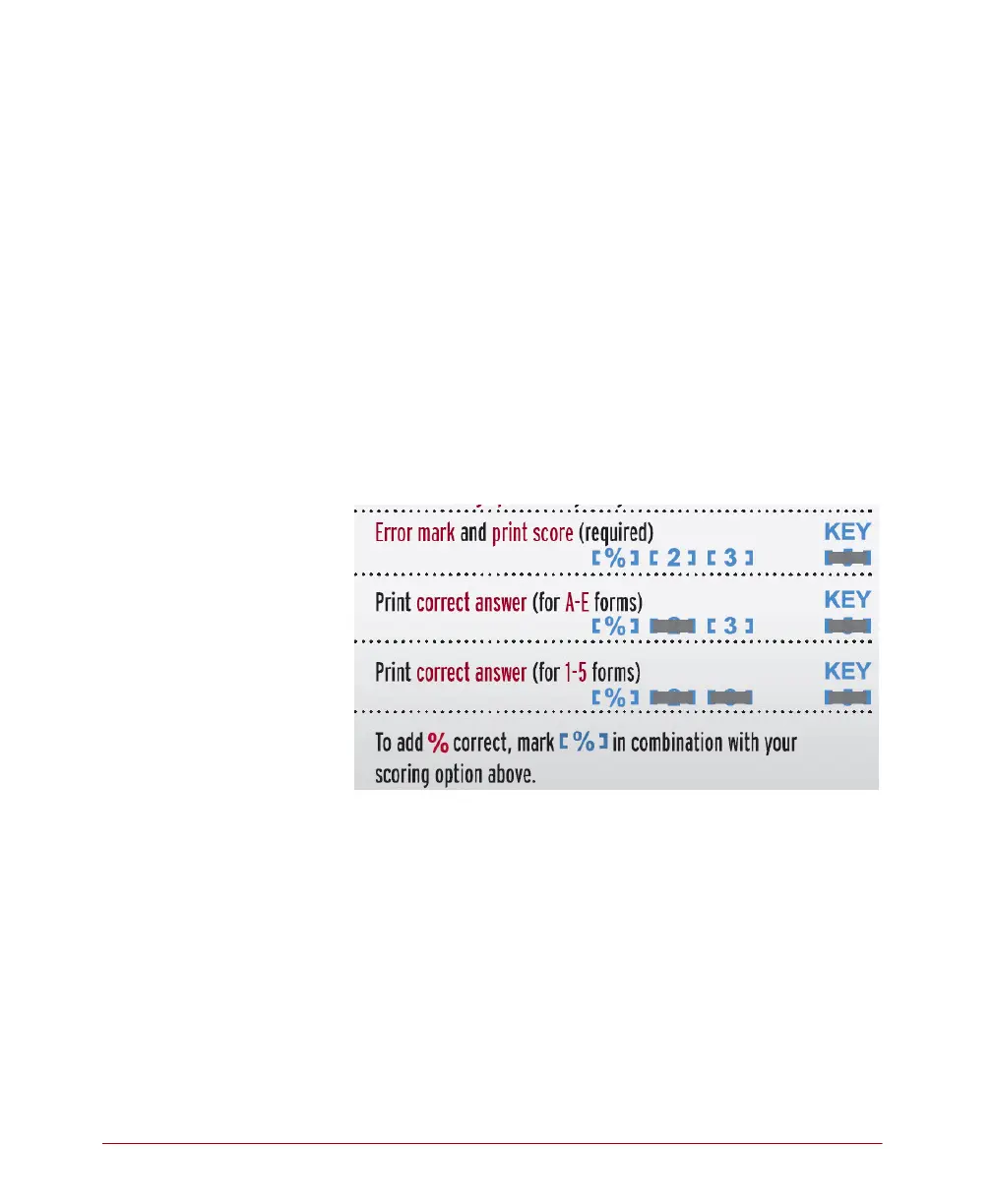
3. Mark a scoring option using the following
guidelines:
4. Mark the correct answer to each question.
Score the Tests
1. Press Start.
2. Load the tests and keys into the hopper with the
keys on top (so they will scan first).
3. (optional) Feed an item analysis form by following
the instructions on the form and on the screen.
4. When finished feeding forms, press End.



 To Next Page