BASCSOUL_EN
V02 | 10.2017
101
www.schaerer.com
Programming
8.6 Chef de Service profile
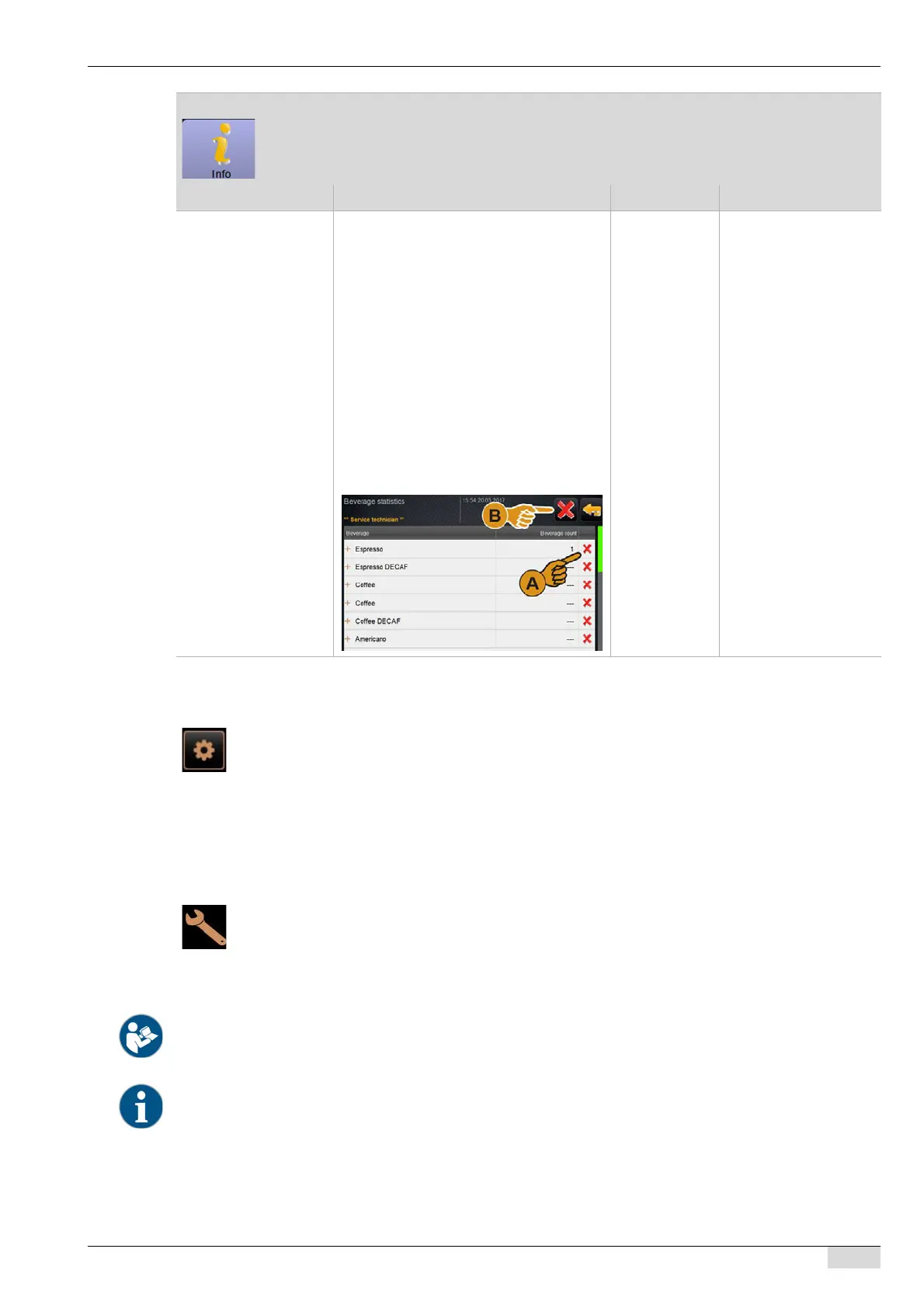
Beverage statistics Overview of beverage counters
The beverage counters can be deleted indi-
vidually or all together.
To clear individual counters:
► [A] Select the small [X] field in the right
column for the respective beverage.
One beverage counter is reset to [0].
To clear all counters:
► [B] The large [X] field at the top of the
window deletes all listed beverage
counters.
All beverage counters are reset to
[0].
– All beverages added on
the menu card are li-
sted.
"Beverage statistics" menu item
Display text Description Setting range Notes
The "restaurant manager" has limited access to service functions.
In the [Restaurant manager] profile, the following functions are available for direct selection
in the "Service menu":
• Starting rinsing
• Touch screen cleaning
• Switching the milk system on/off
• Switching on quick info
• Switching off
The following main menus are contained in the "Service menu" [Settings] in the [Restaurant
manager] profile:
• Configuration
•Info
See "Operation" – "Profile [Log-in / Log-out]" for introduction to the main menus.
The contents of the main menus are described in the following in this chapter.














 To Next Page