www.schaerer.com
Service and maintenance
BASCSOUL_EN
V02 | 10.2017
84
Information during a descaling process
7.1.4 Opening the descaling programme
7.1.5 Step sequences in descaling programme
Checking the waste water outlet preparation
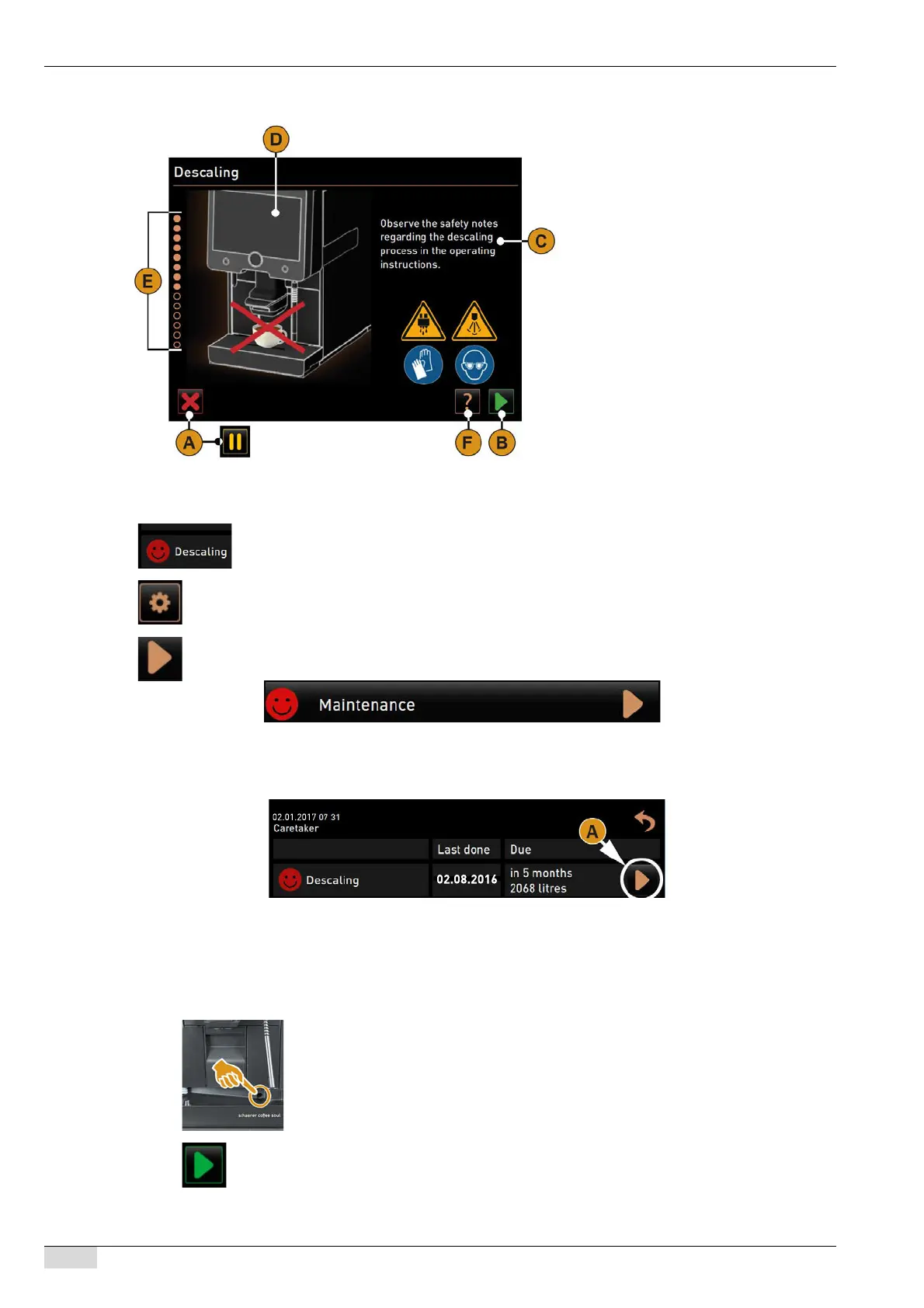
The descaling programme takes the user through the descaling process step-by-step.
Information and operating elements:
• [A] Cancel [X] descaling field or pause
after the descaling process has start-
ed.
• [B] [>] field confirmation and next.
• [C] Display of action request and infor-
mation text.
• [D] Animations for action requests.
• [E] Step sequences [1–14] during the
cleaning programme.
• [F] [?] field opens window with addi-
tional information.
The pending descaling process is displayed in the service menu with a red smiley.
► Press the [Service menu] field at the bottom left of the user interface.
The service menu appears.
► Select the [>] field for the maintenance menu.
All executed and pending maintenance processes are displayed.
► Select field [A] [>] under "Maintenance".
The descaling programme window opens.
"Test waste water outlet for blockage" instruction appears.
1) ► Make sure the waste water outlet in the drip tray is clear.
See "Service maintenance" - "Descaling preparation" - "Checking the waster water out-
let".
► Select the [>] field for the next step.
Instruction, unpack new decalcification cartridge.














 To Next Page