BASCSOUL_EN
V02 | 10.2017
93
www.schaerer.com
Programming
8.3 USB port
8.4 Caretaker profile
Arrow for a factory setting.
► Select value.
► Set the required value to the selected value using the up or down arrow.
Symbol Description
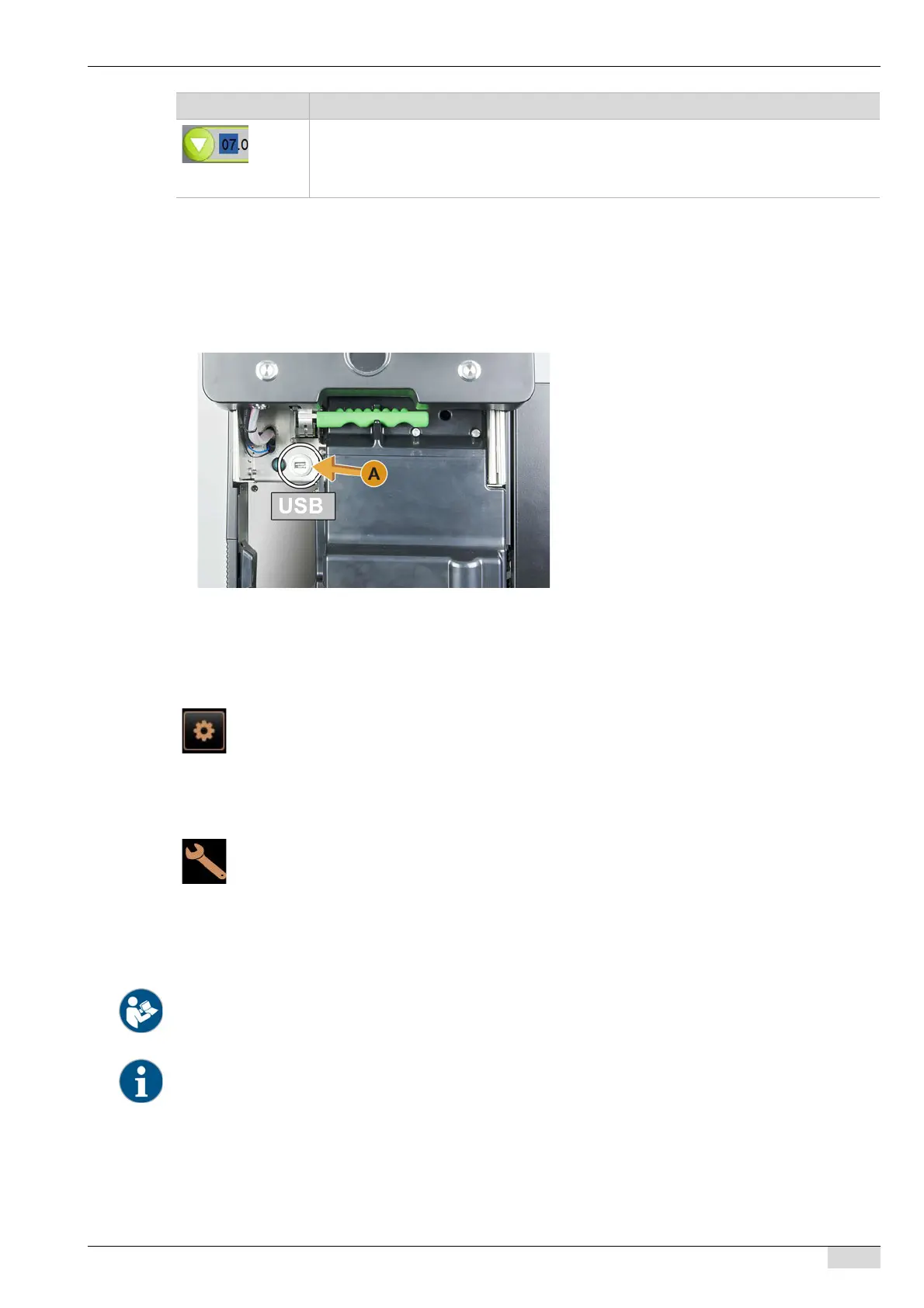
In the Schaerer Coffee Soul, software updates or backups are performed using a USB stick. The USB port is loca-
ted behind the user panel.
► Unlock the user panel and slide it upwards until it automatically snaps into place.
The USB port [A] is at the left next to the On/Off button.
The "caretaker" is the first person to contact in the event of technical problems. He or she possesses solid tech-
nical knowledge and works regularly with the coffee machine.
The following functions are available in the "Service menu" in the [Caretaker] profile:
• Starting rinsing
• Touch screen cleaning
• Switching the milk system on/off
• Switching on quick info
• Switching off
The following main menus are contained in the "Service menu" [Settings] in the [Caretaker]
profile:
• System
• Configuration
• Service
•Info
See "Operation" – "Profile [Log-in / Log-out]" for introduction to the main menus.
The contents of the main menus are described in the following in this chapter.














 To Next Page