BASCSOUL_DE
V02 | 10.2017
43
www.schaerer.com
Operation
5.5.5 Service menu functional scope
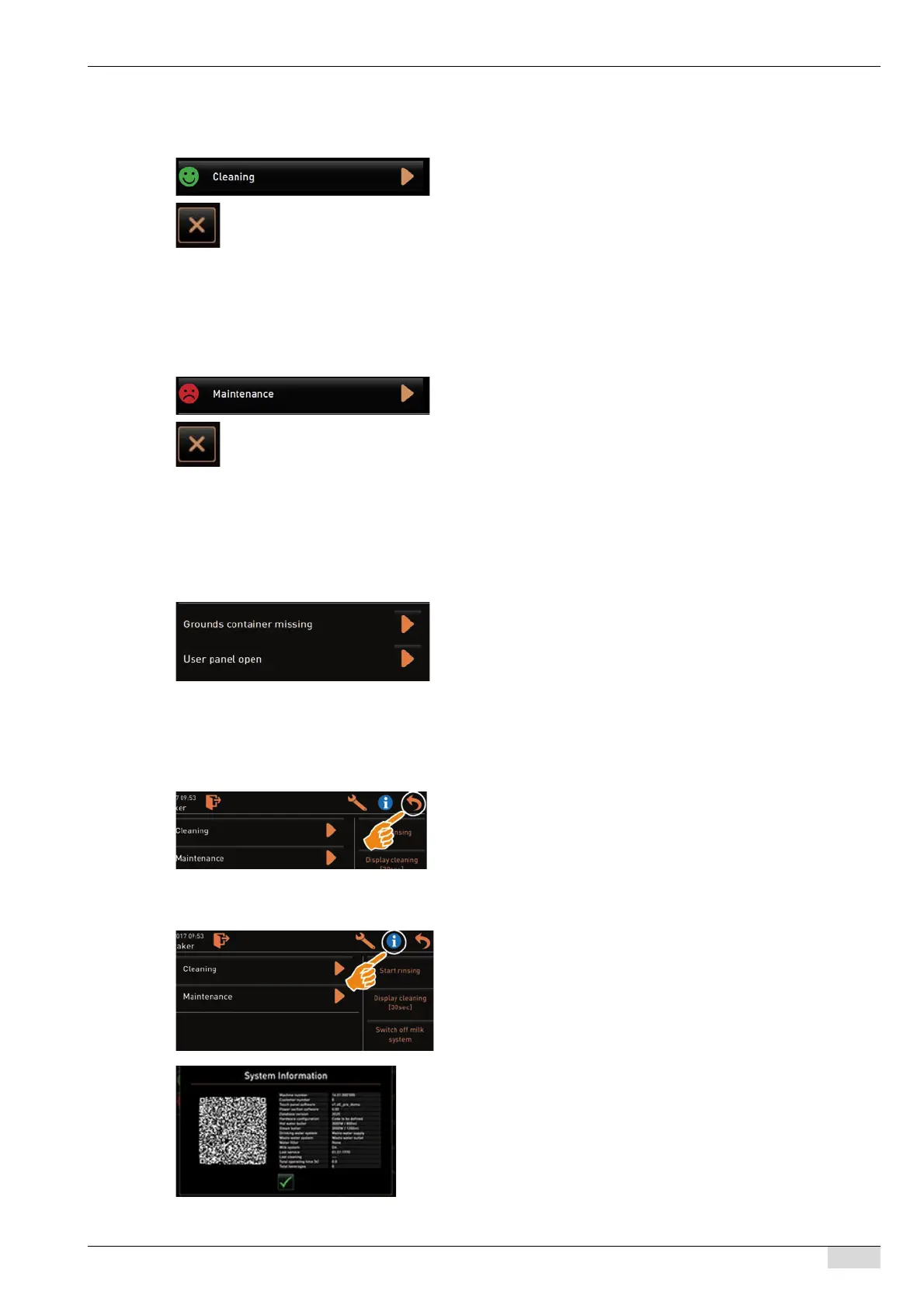
Cleaning
Maintenance
Error message or action requests
Back to the user interface
System information
PIN-protected function (caretaker, operator, service technician).
► Select the [Cleaning] field.
The display-guided cleaning process starts.
Cancelling is possible with the [X] field.
The last executed cleaning process is displayed.
In general, a [green smiley] indicates that cleaning has been complet-
ed.
A [red smiley] indicates that cleaning is pending.
PIN-protected function (caretaker, operator, service technician).
► Execute the displayed maintenance.
► Select the [Maintenance] field.
► Acknowledge the maintenance.
The acknowledged maintenance process is indicated with the
date and a [green smiley].
In general, a [red smiley] indicates that maintenance is pending.
A [green smiley] indicates that maintenance has been executed.
► Select the pending message with the [>] field.
The pending instruction is displayed in a separate window.
The pending error message is displayed and described in a
separate window.
► Rectify the pending message or execute the action request.
The error message or the action request is automatically delet-
ed from the list.
The [Back] field takes you back to the user interface.
► Select the [Back] field.
The user interface appears.
The registered profile is logged out.
► Select the [Info] field.
The system information is displayed in a separate window.
A QR code with system information is also displayed.














 To Next Page